v0.14.0 File categories of your own, and many people at once

See what your research storage holds, and what it costs

Pinax turns scans of filesystems with billions of files into an age map, history, forecasts, and monthly charges that every lab can explore for its own folders, and that IT can check, directory by directory. It only reads scans: it never opens, moves, or deletes a file.

Free and open source (Apache 2.0) · Built on fs-inventory scans · SQLite or PostgreSQL · Passwords or Entra ID

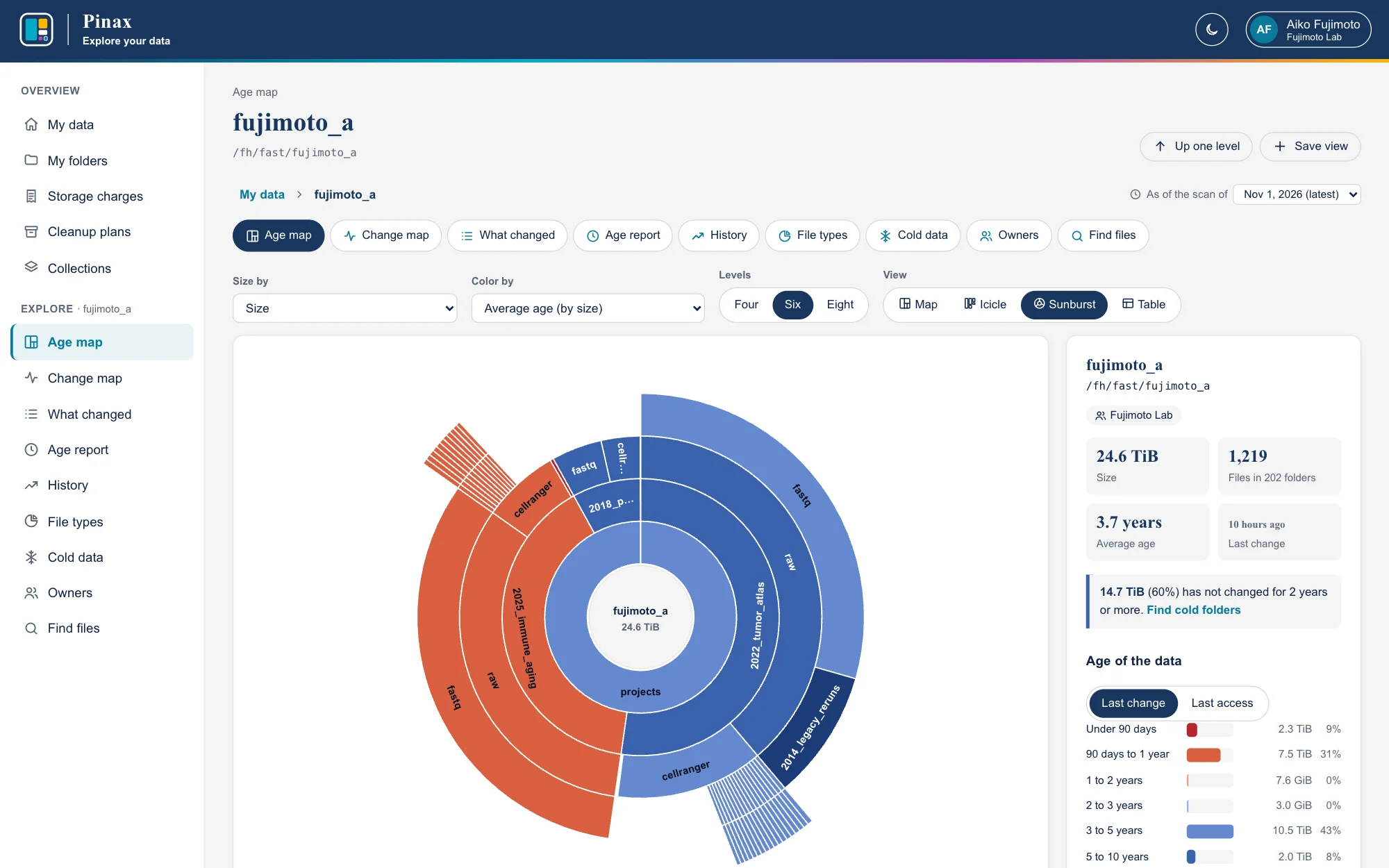
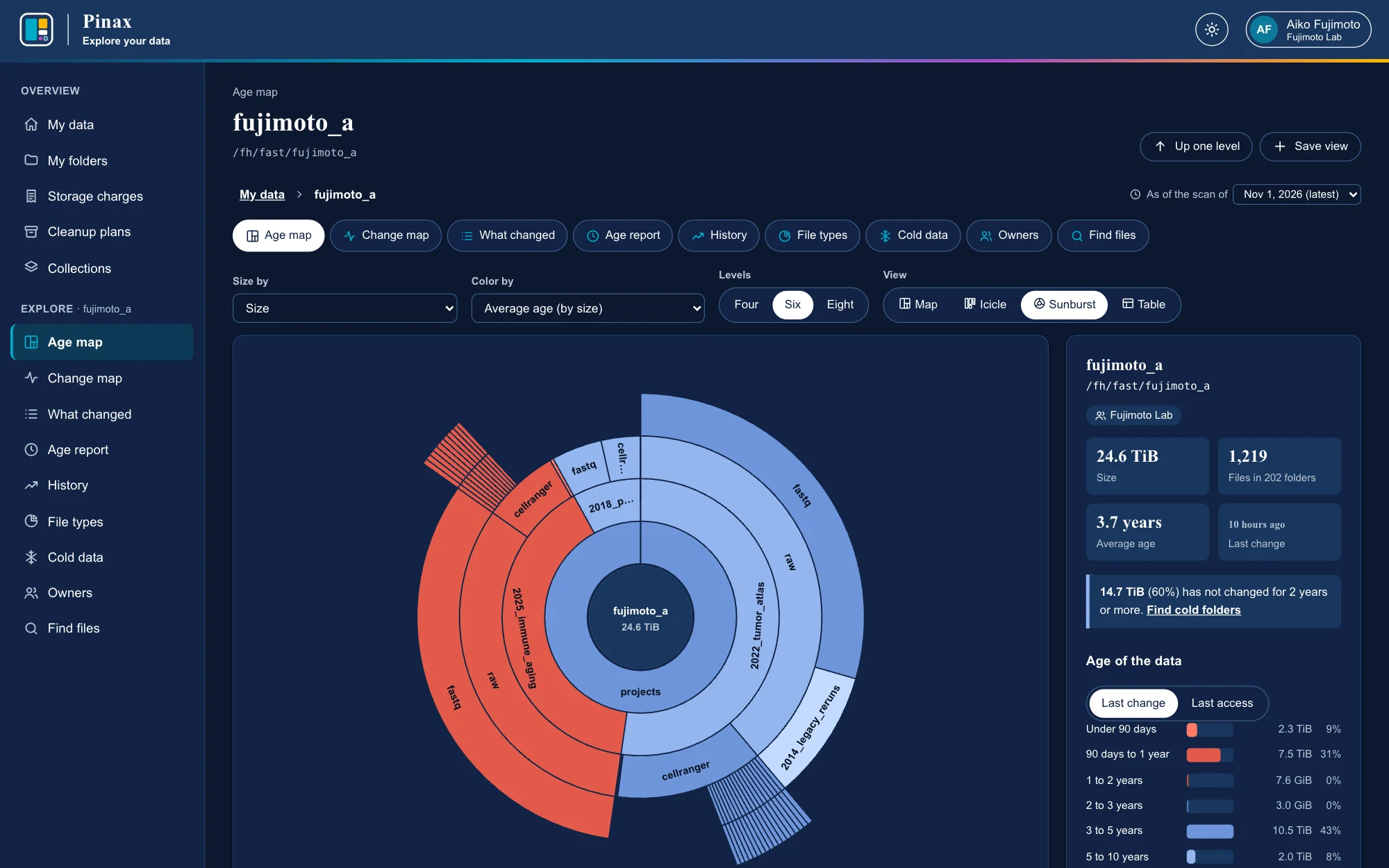
The age map of a lab's folder as a sunburst, each ring a level deeper, sized by size and colored by average ageThe age map of a lab's folder as a sunburst, each ring a level deeper, sized by size and colored by average age

Why Pinax

Numbers you can check

pinax check compares every directory's totals with fs-inventory rollup, an independent computation, and lists any difference.

Built for billions of files

Totals for every directory are computed once per scan, so a treemap of a petabyte draws in tens of milliseconds: 50 ms or less at 100 million files.

Read-only

Pinax reads scans of the storage's metadata. Cleanup plans and tags are records people act on themselves.

Each lab sees its own

Labs own top-level folders; their members see those and nothing else, and every other role only what it allows, checked on the server for every request. Every change is audited.

What it does

From a scan of everything to what each lab should do next

Every report works for a folder, a lab, or a whole filesystem, on the latest scan or any earlier one kept.

Age map

Find the old data in seconds

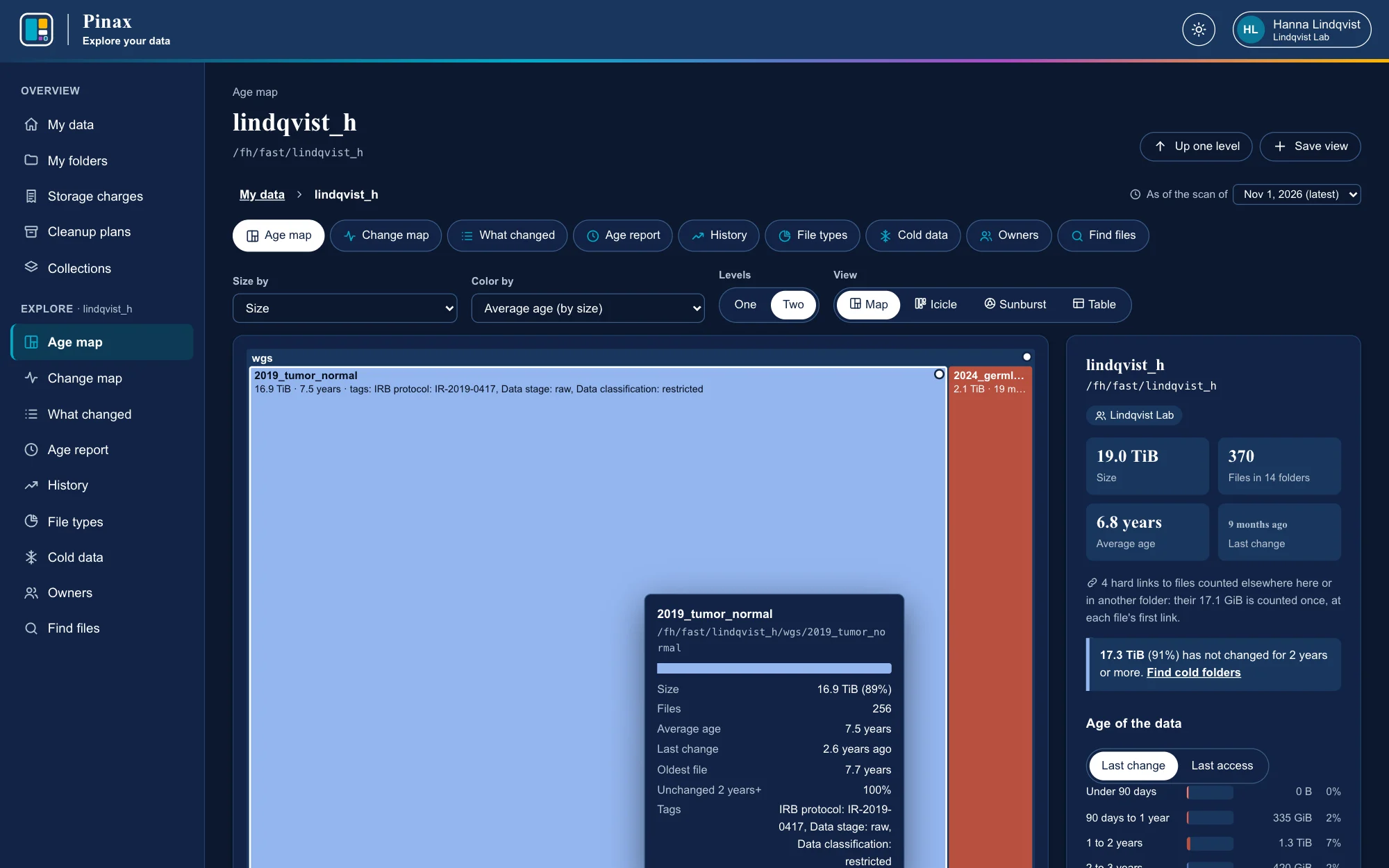
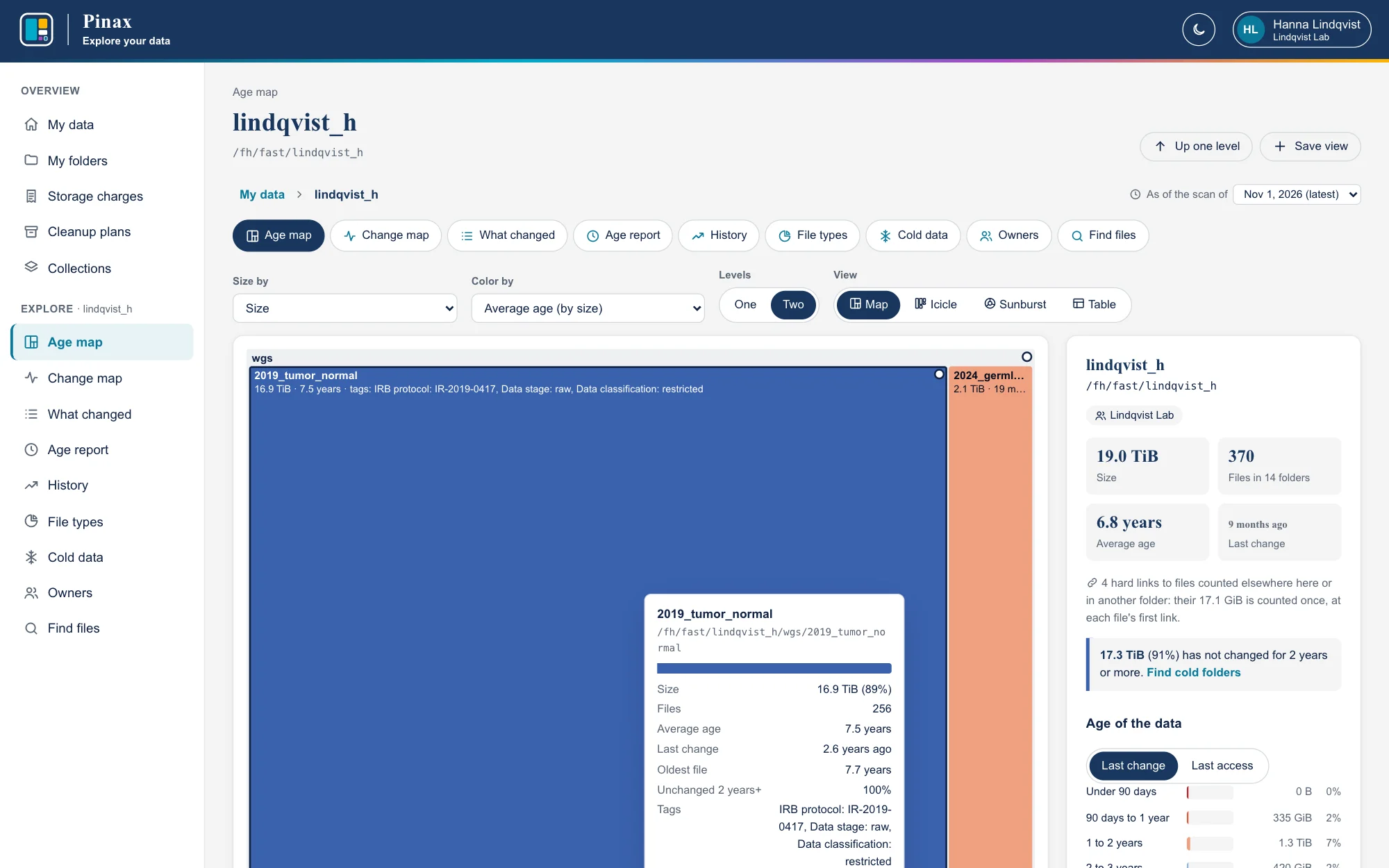
A treemap of any folder: each tile's area is how much it holds, its color how long since anything in it changed. A large dark blue tile is a lot of data nobody has touched in years.

  • Size by size, space on disk, files, or one kind of data
  • Color by average age, last change, oldest file, last access, or cold share
  • Or a folder six levels deep at once, as an icicle or a sunburst
  • A panel with the folder's ages, kinds of data, owner, tags, and plan
The age map
The age map of a lab, with a tile's details on hoverThe age map of a lab, with a tile's details on hover
History and forecasts

How it grew, and where it is heading

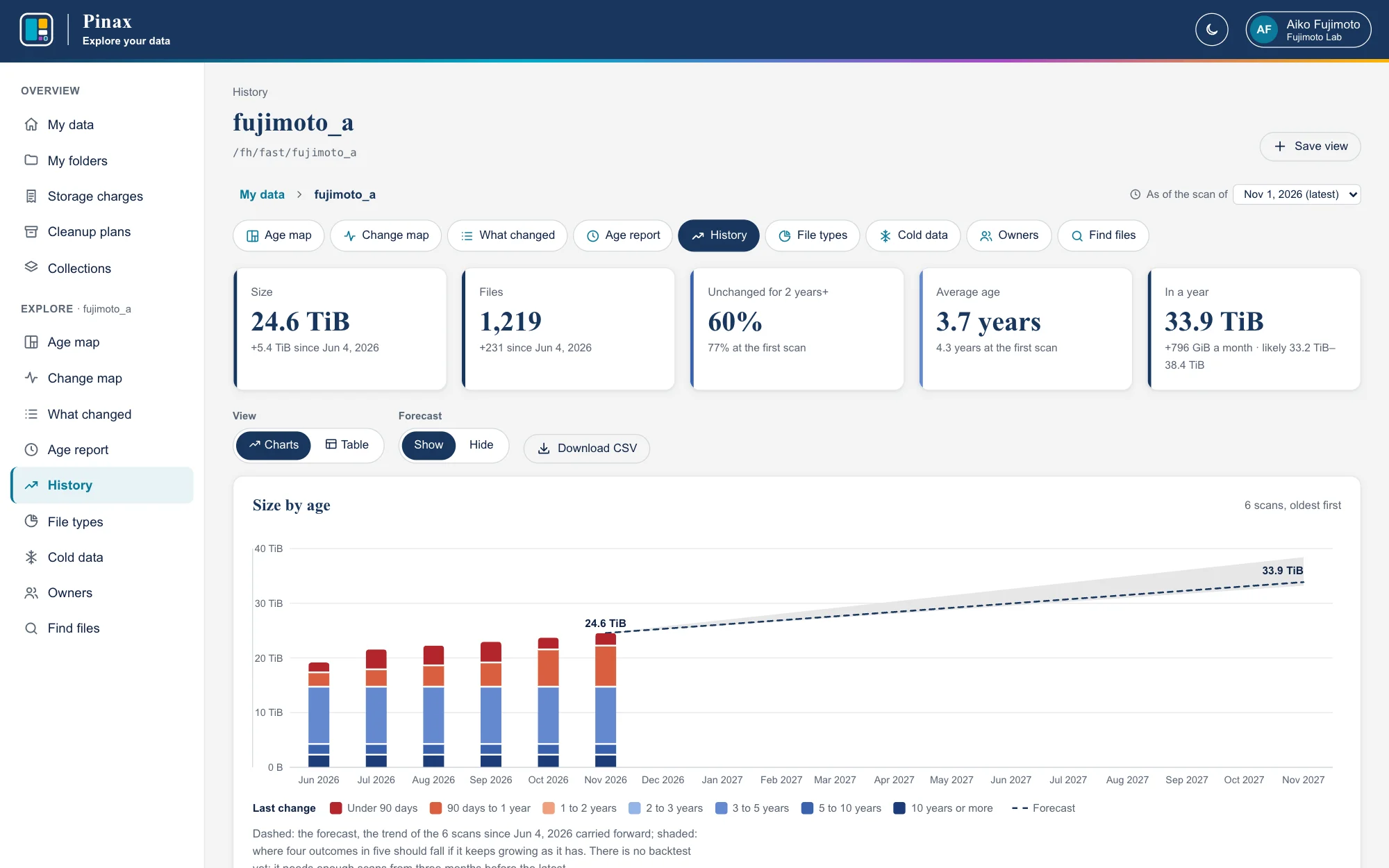
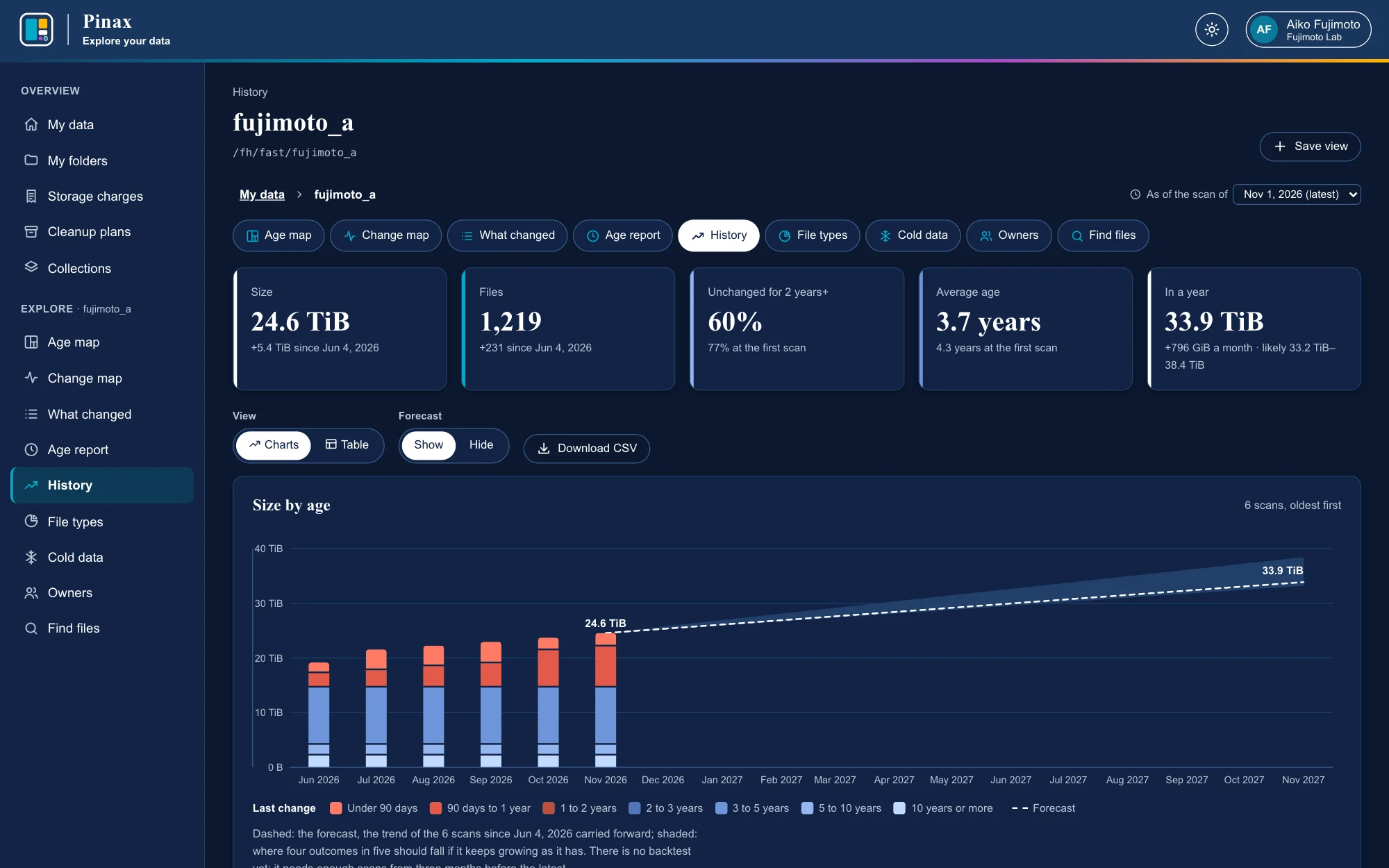
Every folder over every scan, its size stacked by age, so you see both growth and whether new data keeps the average age down. A forecast carries the trend a year ahead, with a range and a check of how well it did before.

History and forecasts
History of a lab's folder over six scans, with its forecastHistory of a lab's folder over six scans, with its forecast
Change

What changed, and where

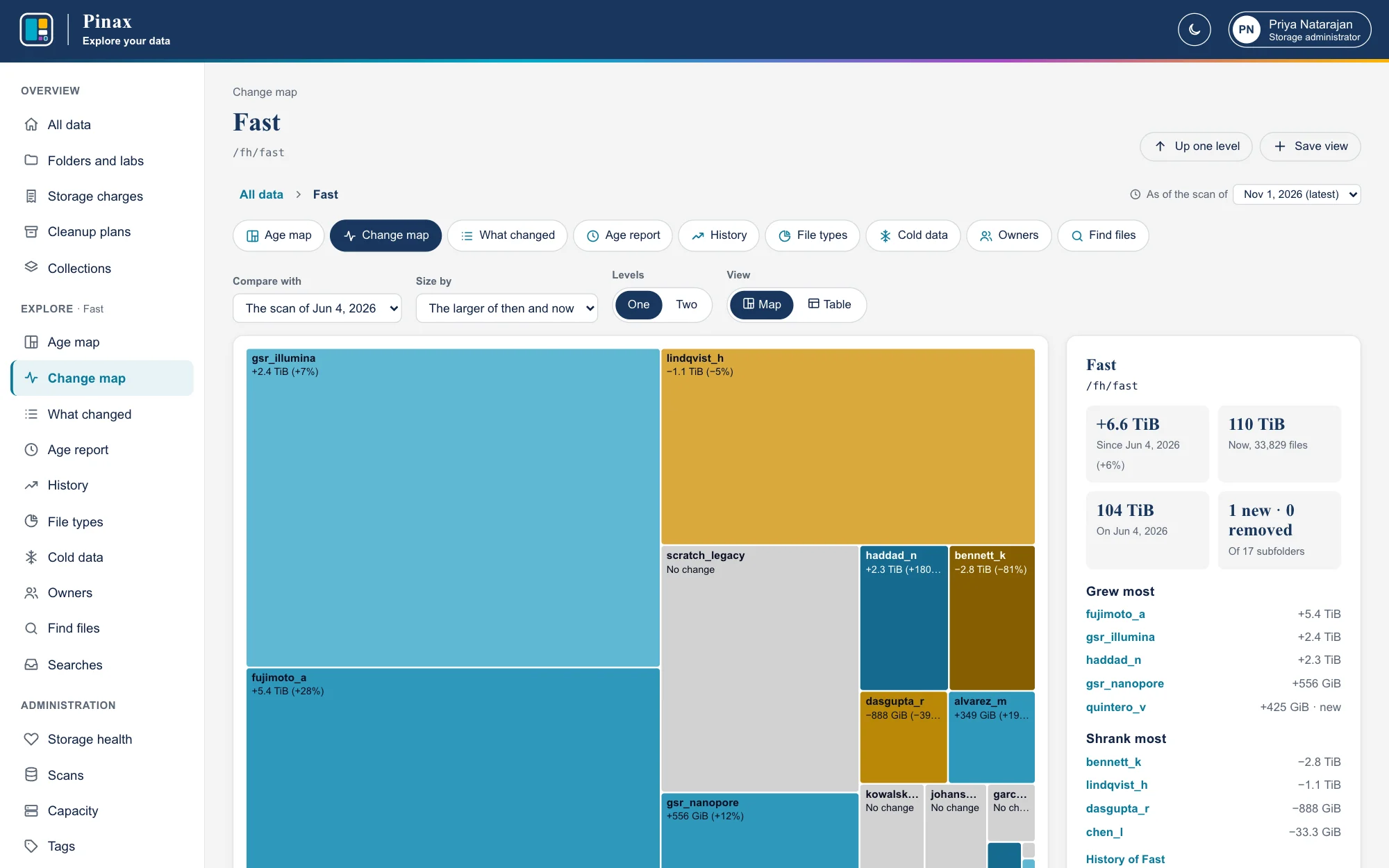
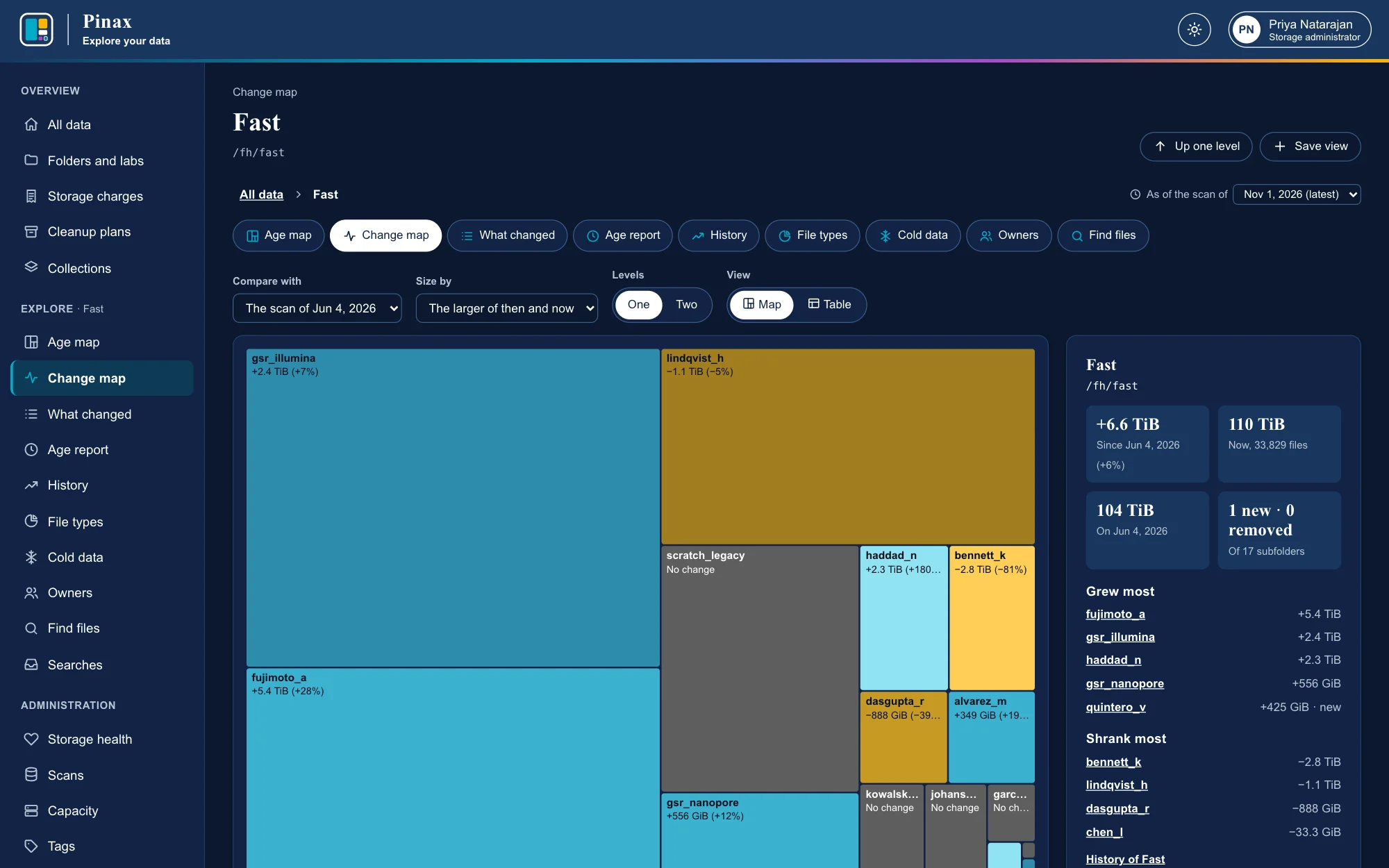
The change map colors folders by how much they grew or shrank since any earlier scan, with new and removed folders drawn. What changed lists the folders and the largest files behind it, each as CSV.

Change map and what changed
The change map of a filesystem since its first scanThe change map of a filesystem since its first scan
Storage charges

Charges every lab can follow

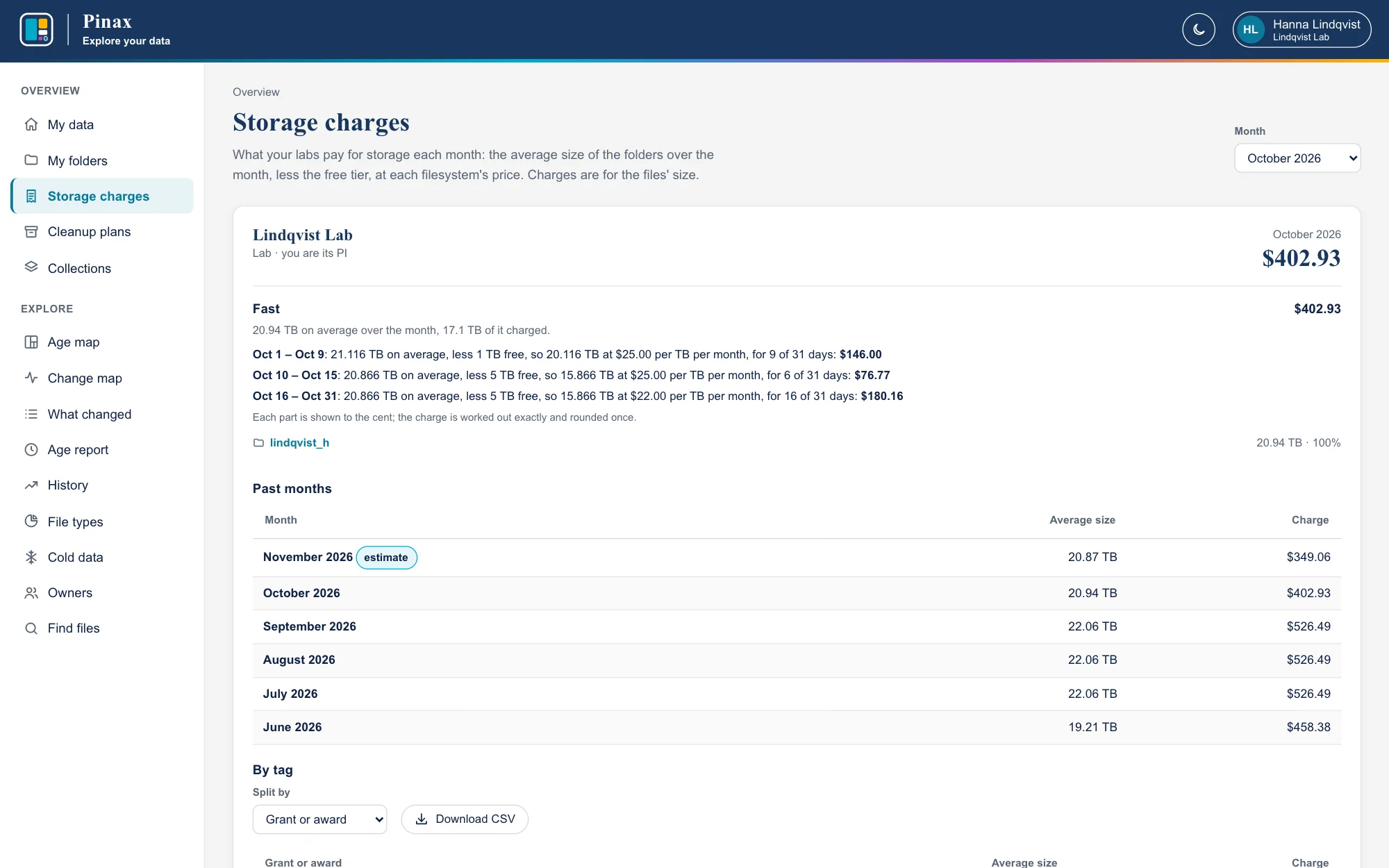
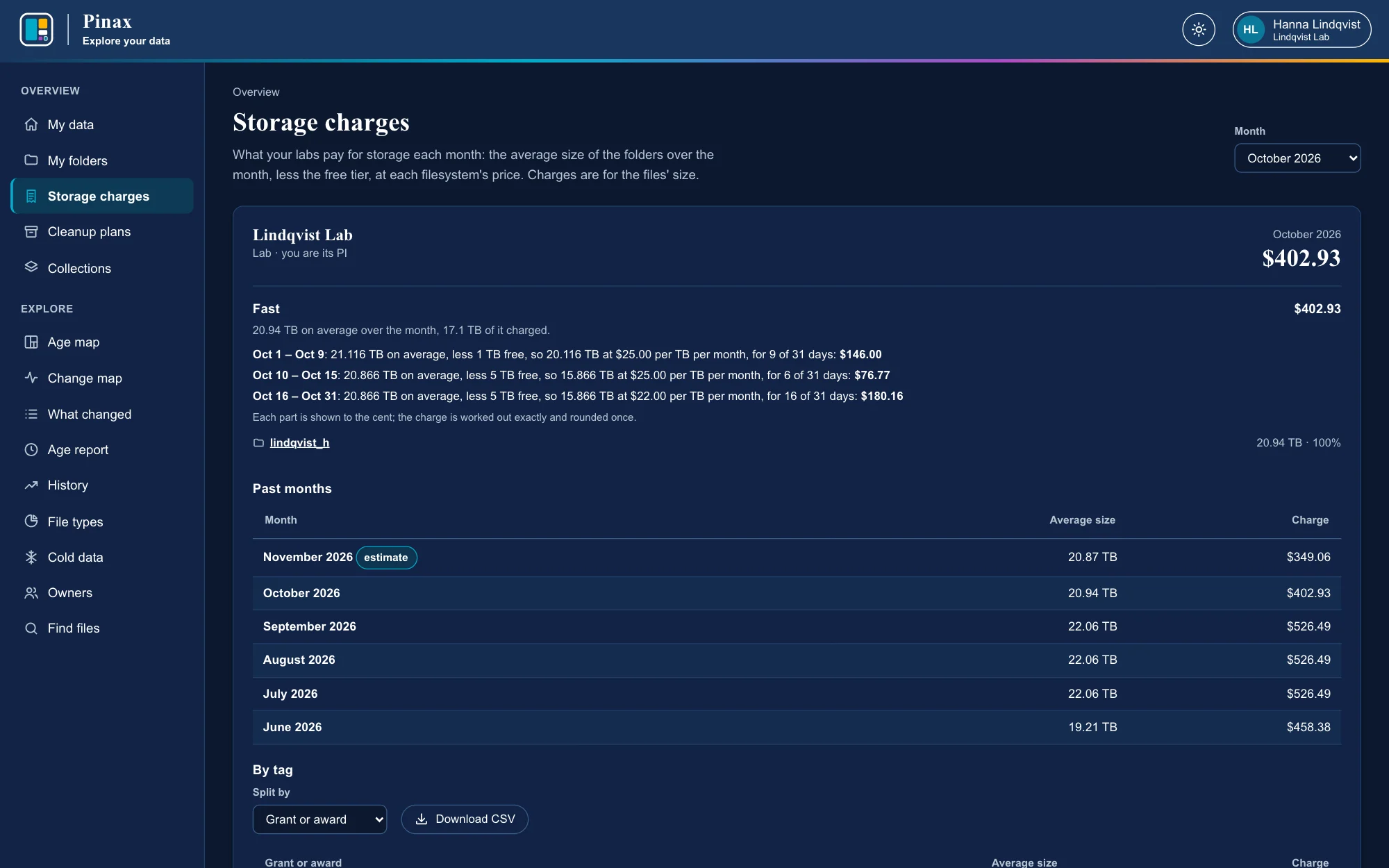
Prices and free tiers from a day on; each lab's month worked out from its folders' sizes scan by scan, shown line by line; the next twelve months at its trend; splits by grant; and a CSV statement of every lab for finance.

Storage charges
A lab's monthly storage charge, worked out in three partsA lab's monthly storage charge, worked out in three parts
Cleanup plans

Plans that show what they save

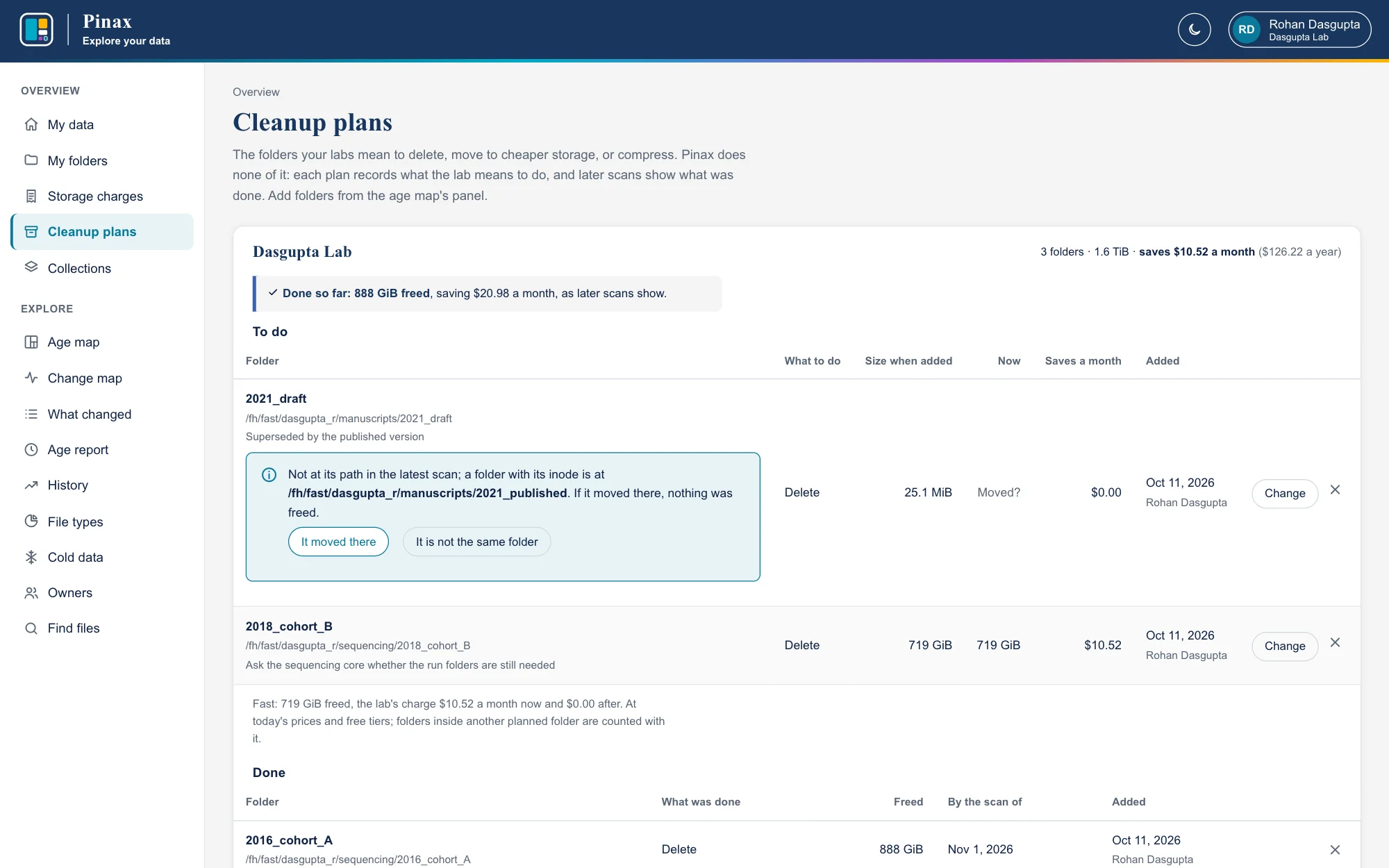
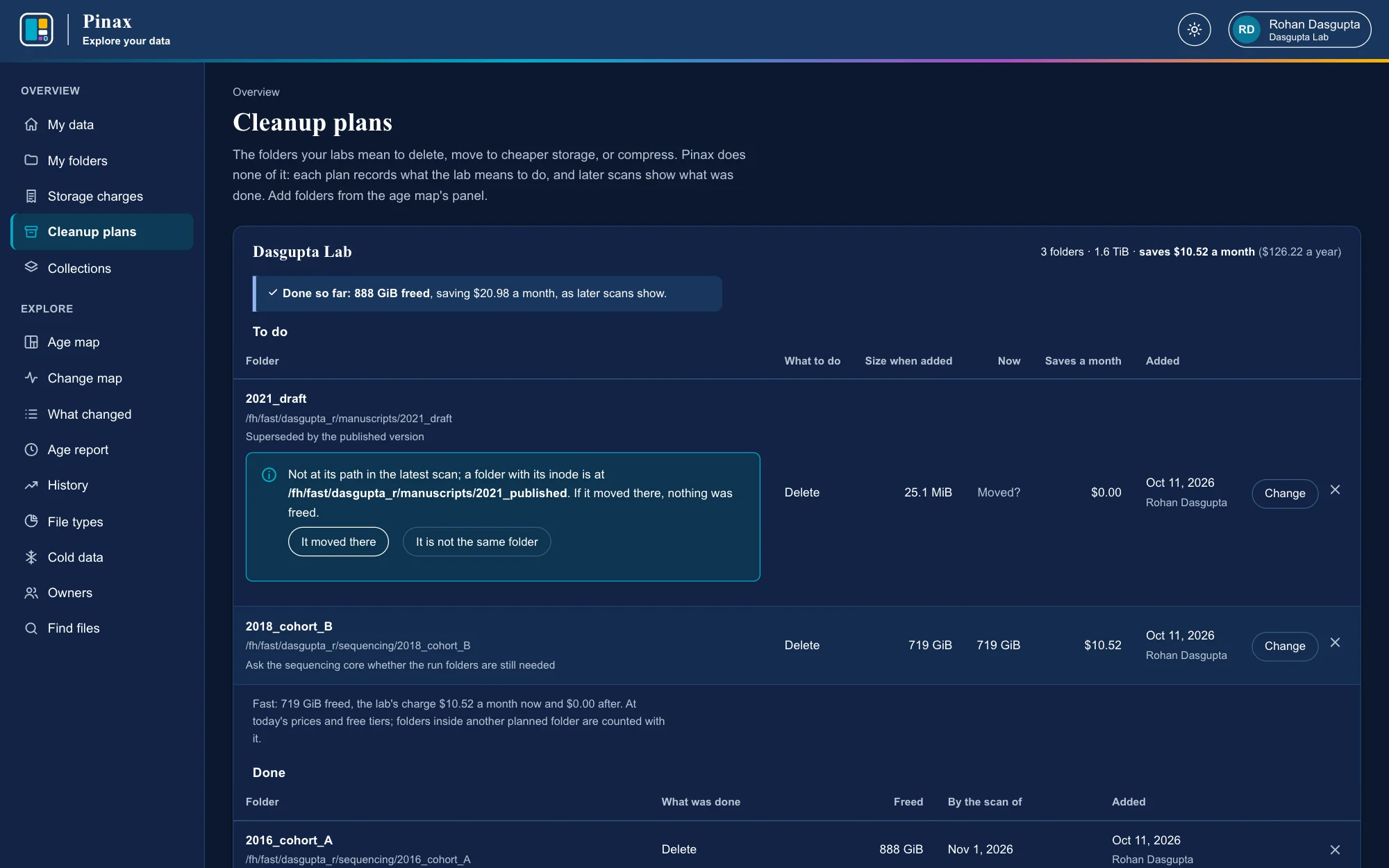
A lab marks folders to delete, move to cheaper storage, or compress, and sees what each would free and how much its charge would fall. Later scans show what was done, and follow a folder that was renamed rather than removed.

Cleanup plans
A lab's cleanup plan with one folder done and one renamedA lab's cleanup plan with one folder done and one renamed
Tags and collections

Folders described in terms a lab and IT share

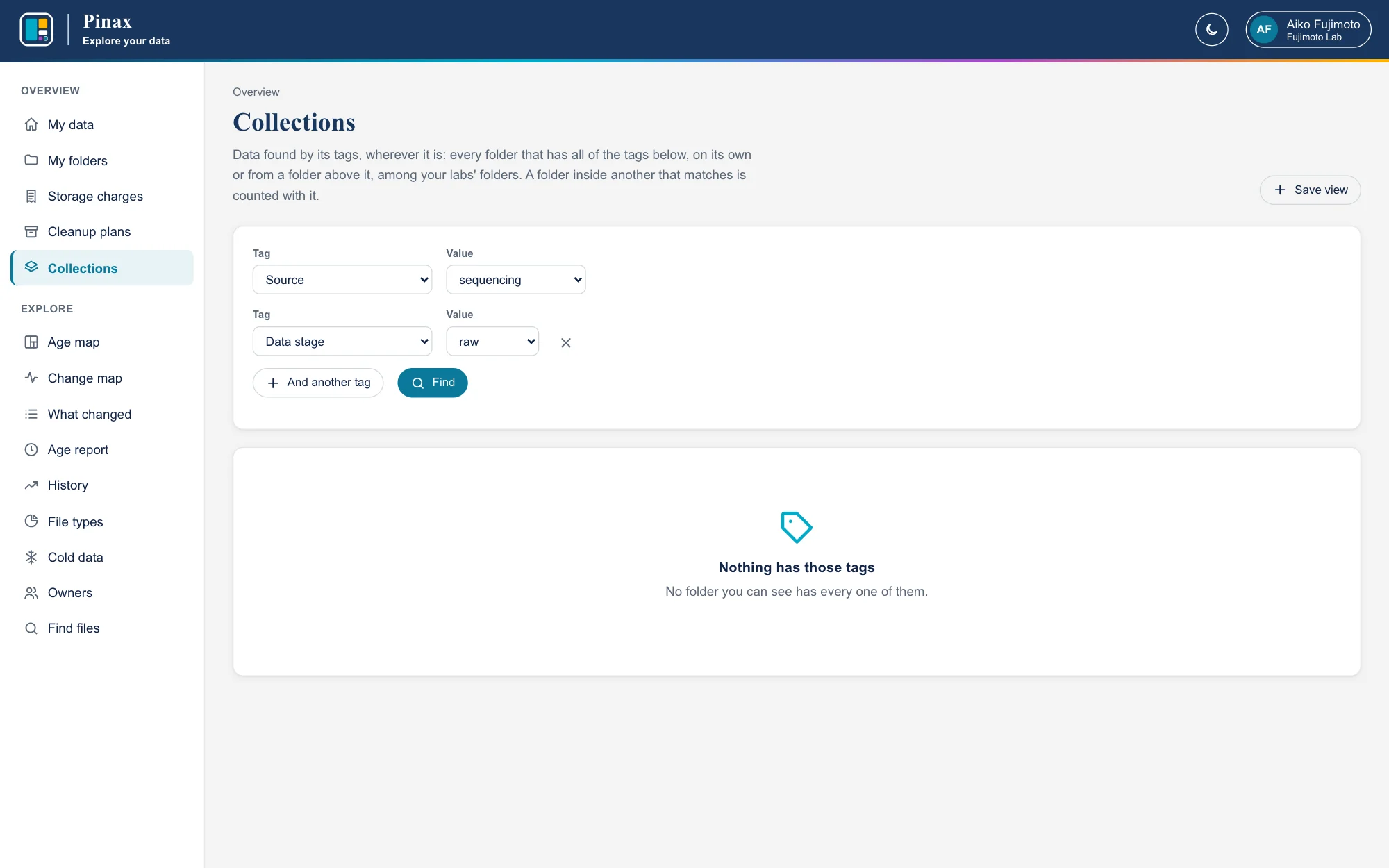
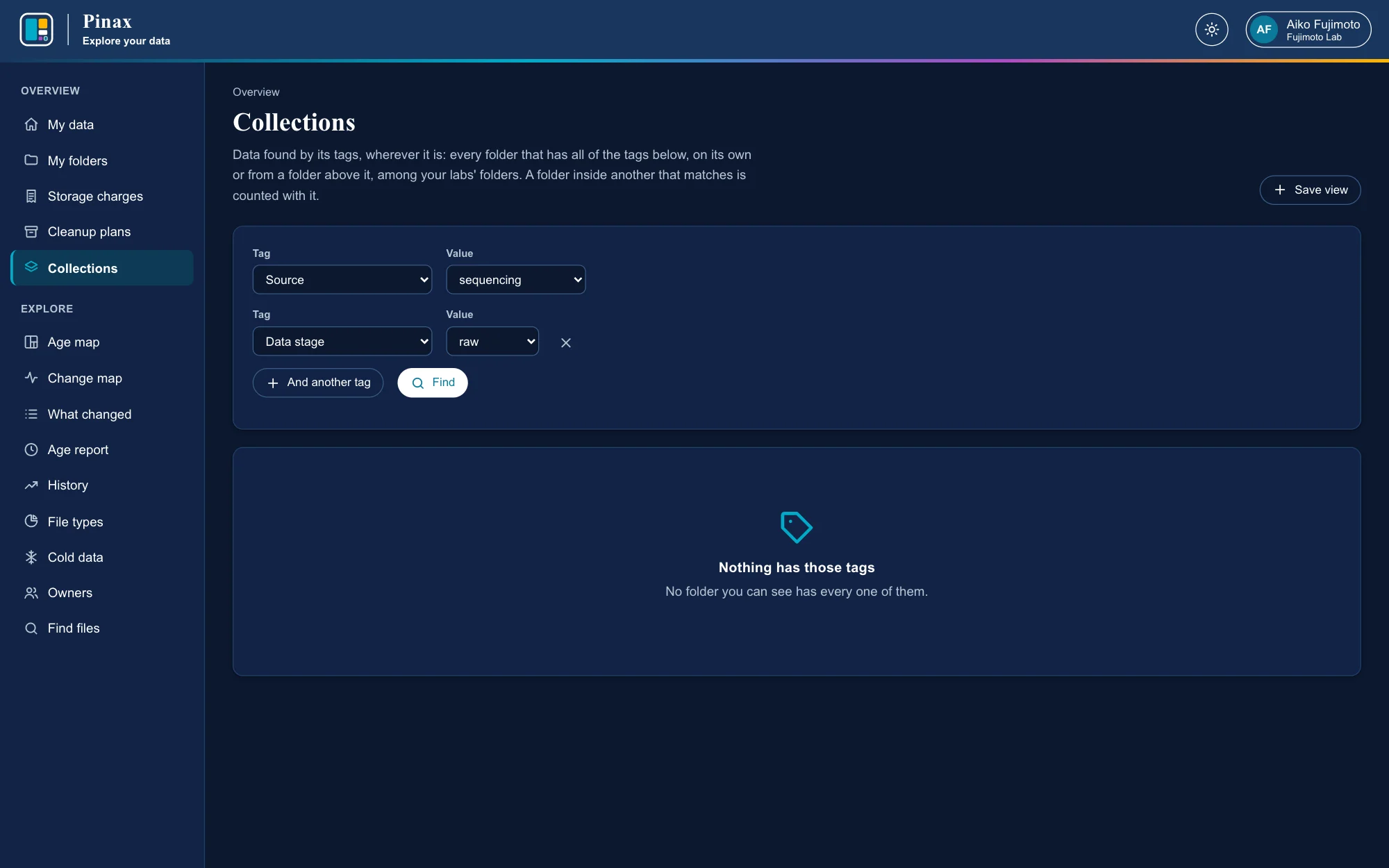
Project, grant, data stage, source, classification, IRB protocol, keep until, legal hold: from a list IT keeps, plus each lab's own. Find data by tag across filesystems, split charges by grant, and keep protected folders out of cleanup plans.

Tags and collections
A collection of data found by its tagsA collection of data found by its tags
For IT

Every filesystem, and what needs attention

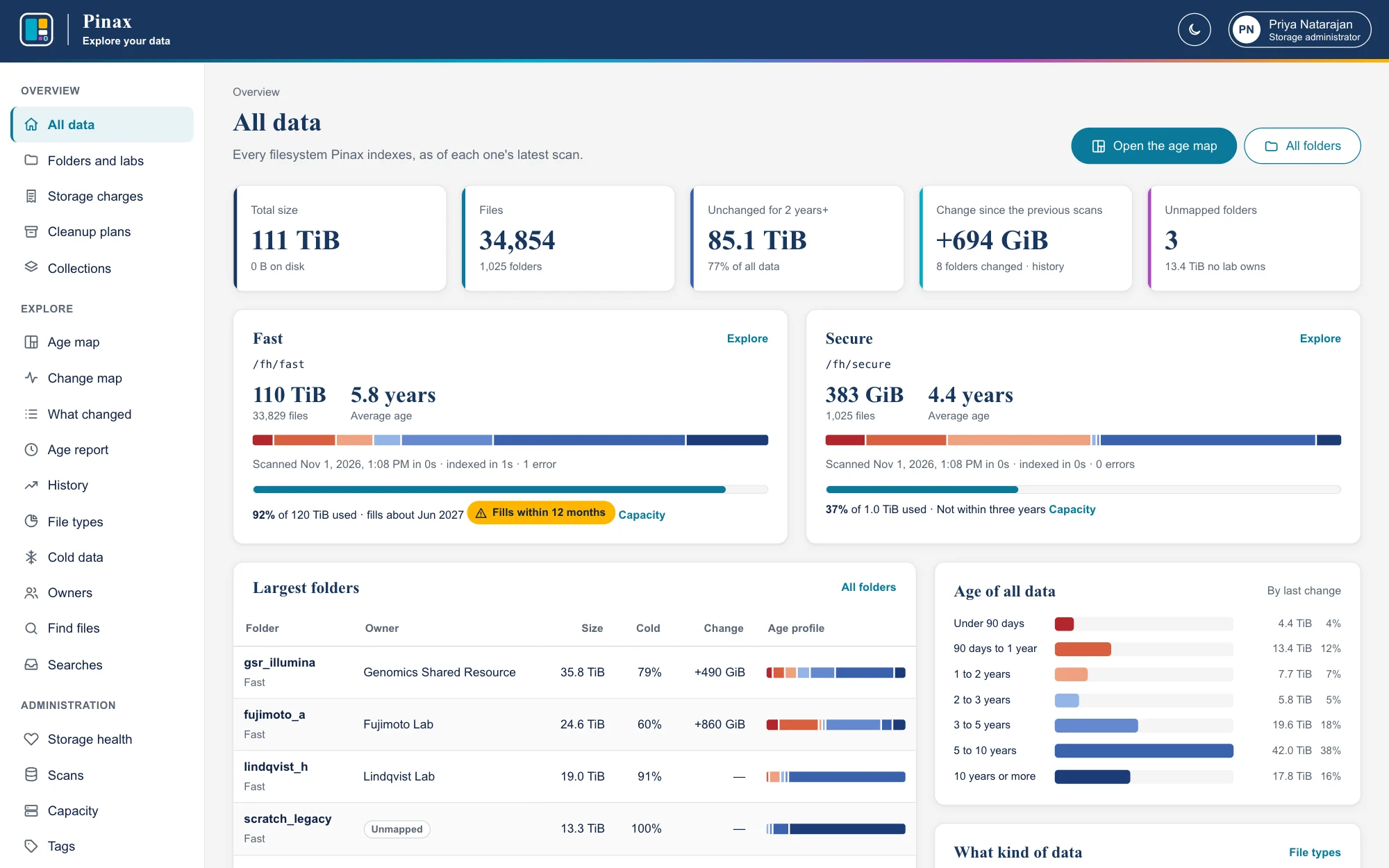
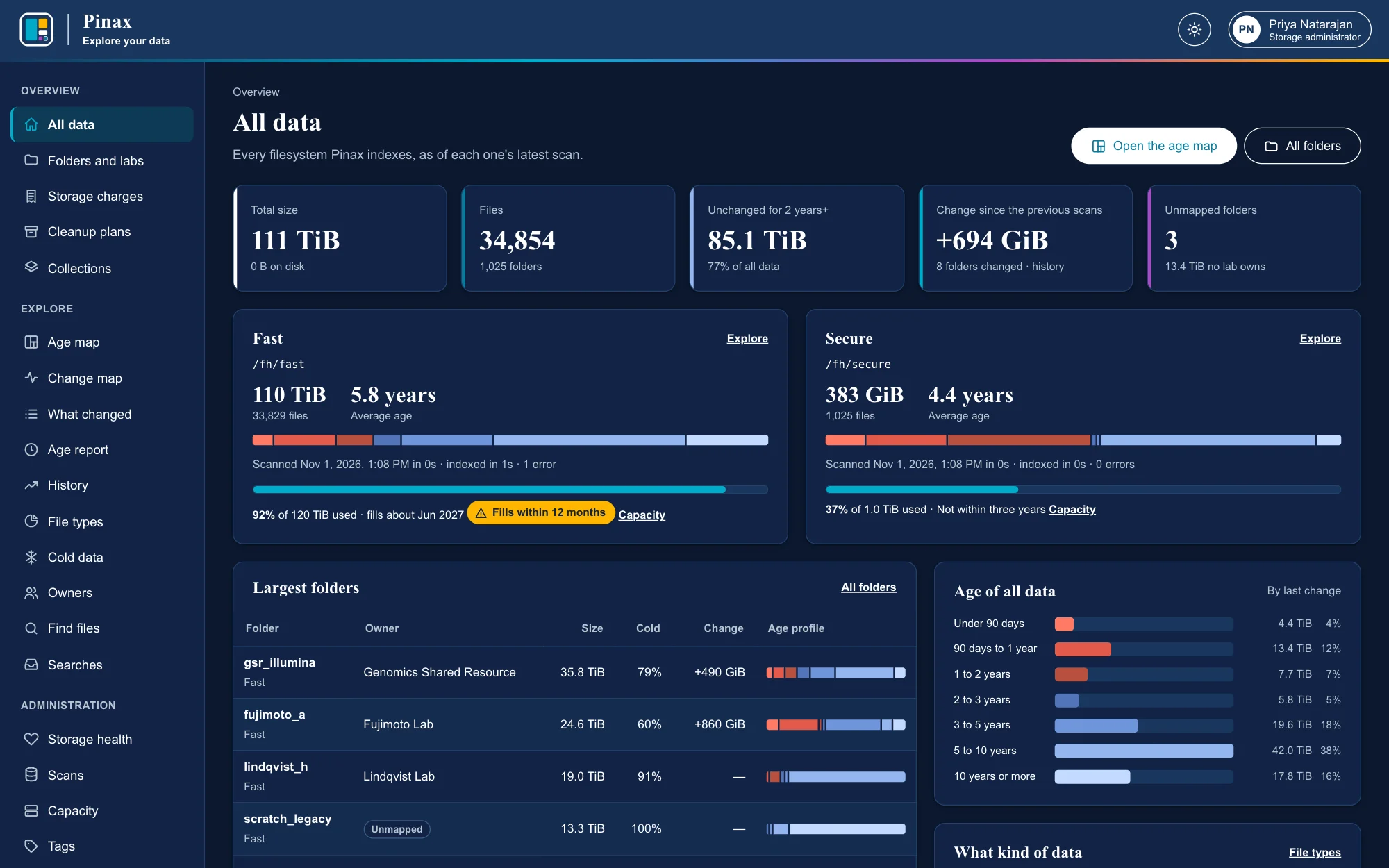
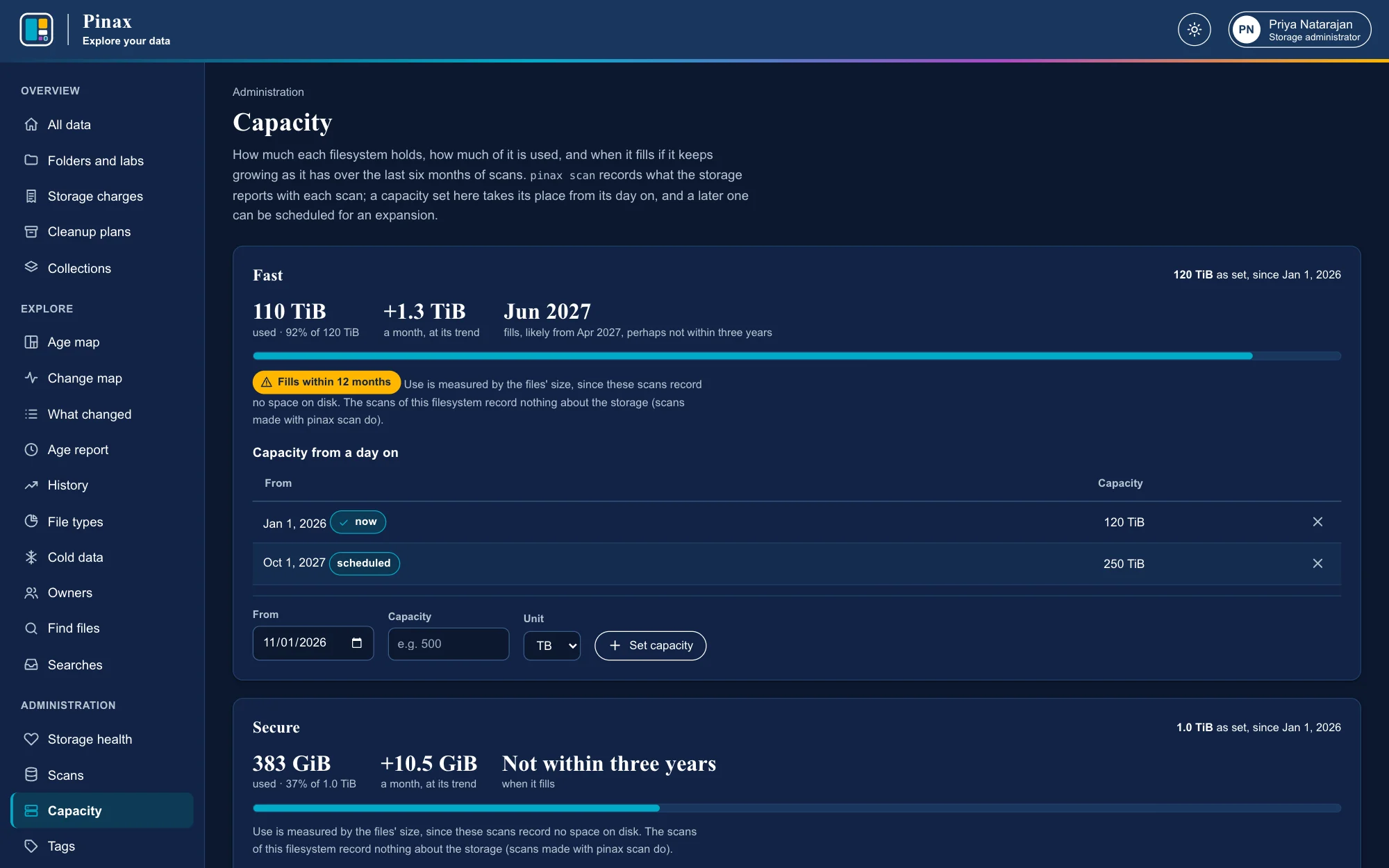
Totals, the largest folders and biggest changes, folders nobody owns, capacity and when each filesystem fills, storage health (scan errors, huge directories, small-file hotspots, problem names, deleted owners), file categories of the site's own (by extension and by patterns on names), and people and access managed in the app.

Administering Pinax
An administrator's overview of every filesystemAn administrator's overview of every filesystem
Access and audit

Who sees what, and a record of who did what

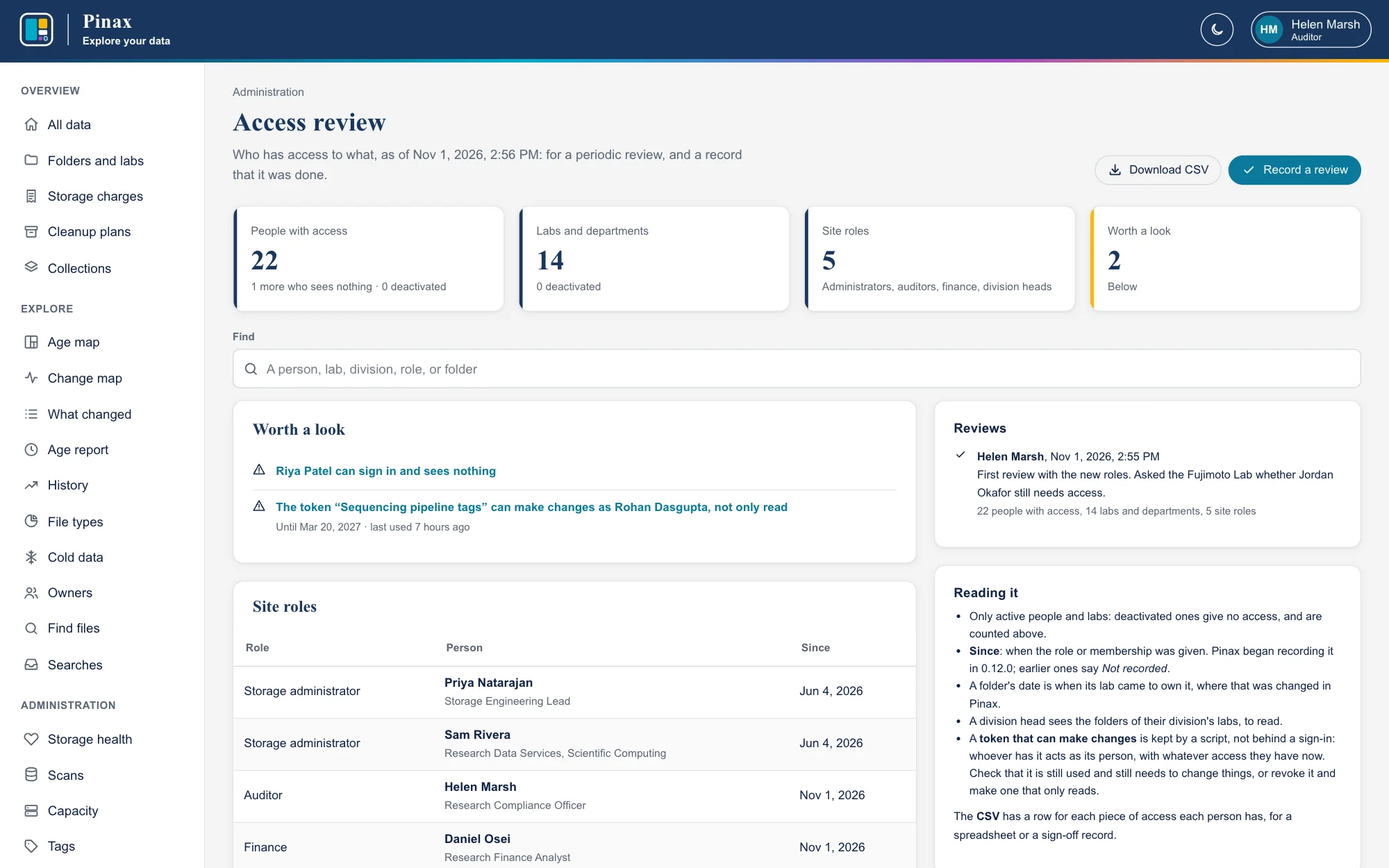
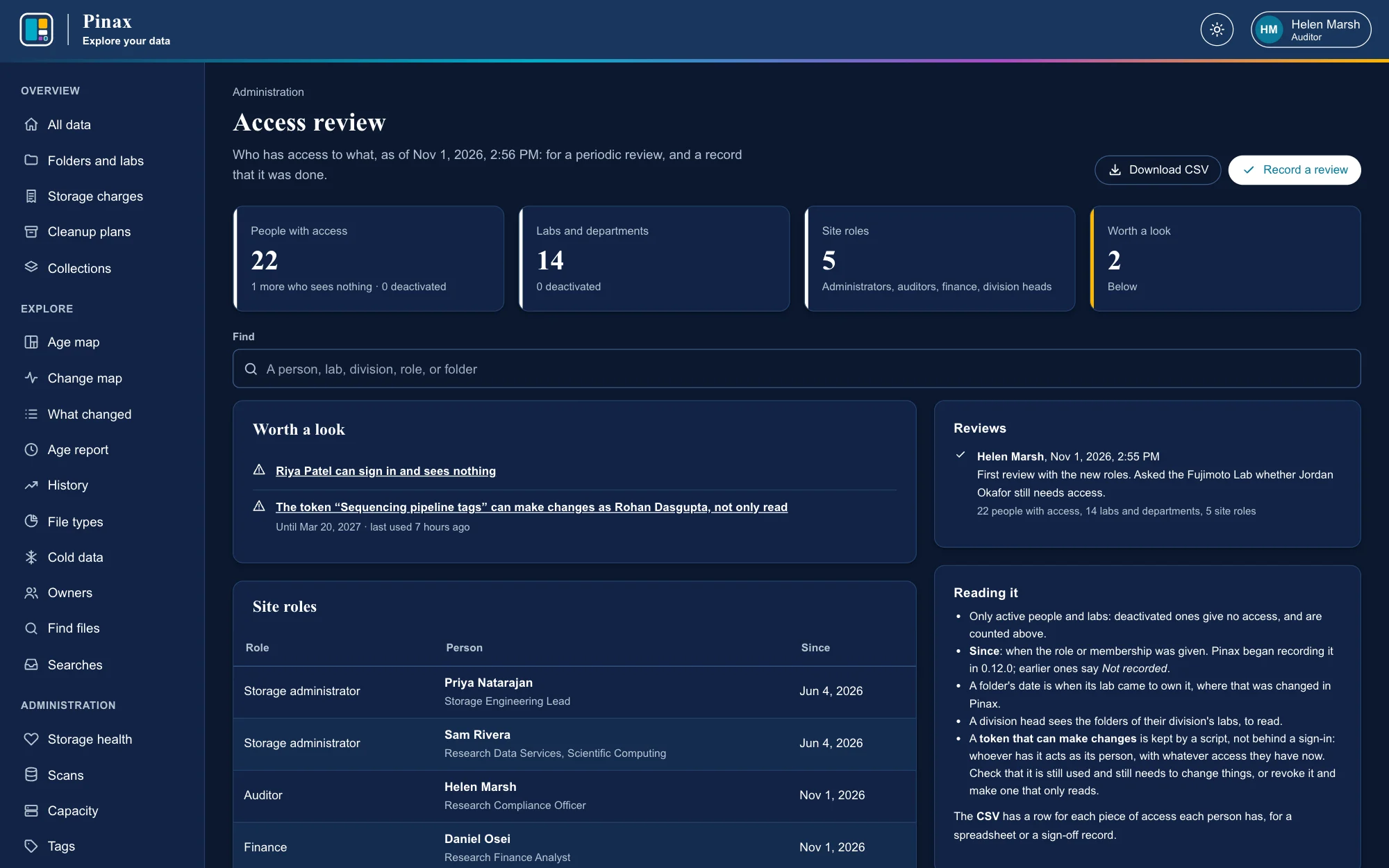
People sign in with passwords Pinax keeps, with nothing else to set up, or with Microsoft Entra ID, whose app roles can give Pinax's roles. Auditors who see everything and change nothing, finance who see every lab's charges, and division heads who read their division's labs. API tokens let scripts read Pinax or act with a person's access. Every change is in the audit log, with where it came from, and the access review shows who has access to what, since when, with a recorded sign-off.

People and access
The access review: what is worth a look, the site roles, and the latest reviewThe access review: what is worth a look, the site roles, and the latest review
Operations

Ready for production

Scans on a schedule and automatic ingest; SQLite with nothing to install, or PostgreSQL with migrations; a log line for every request and audit event, as text or JSON; Prometheus metrics with alert rules to start from; systemd units; an emergency sign-in for when Entra ID fails; sizing measured with a load test of hundreds of people at once.

Logs, metrics, and operations
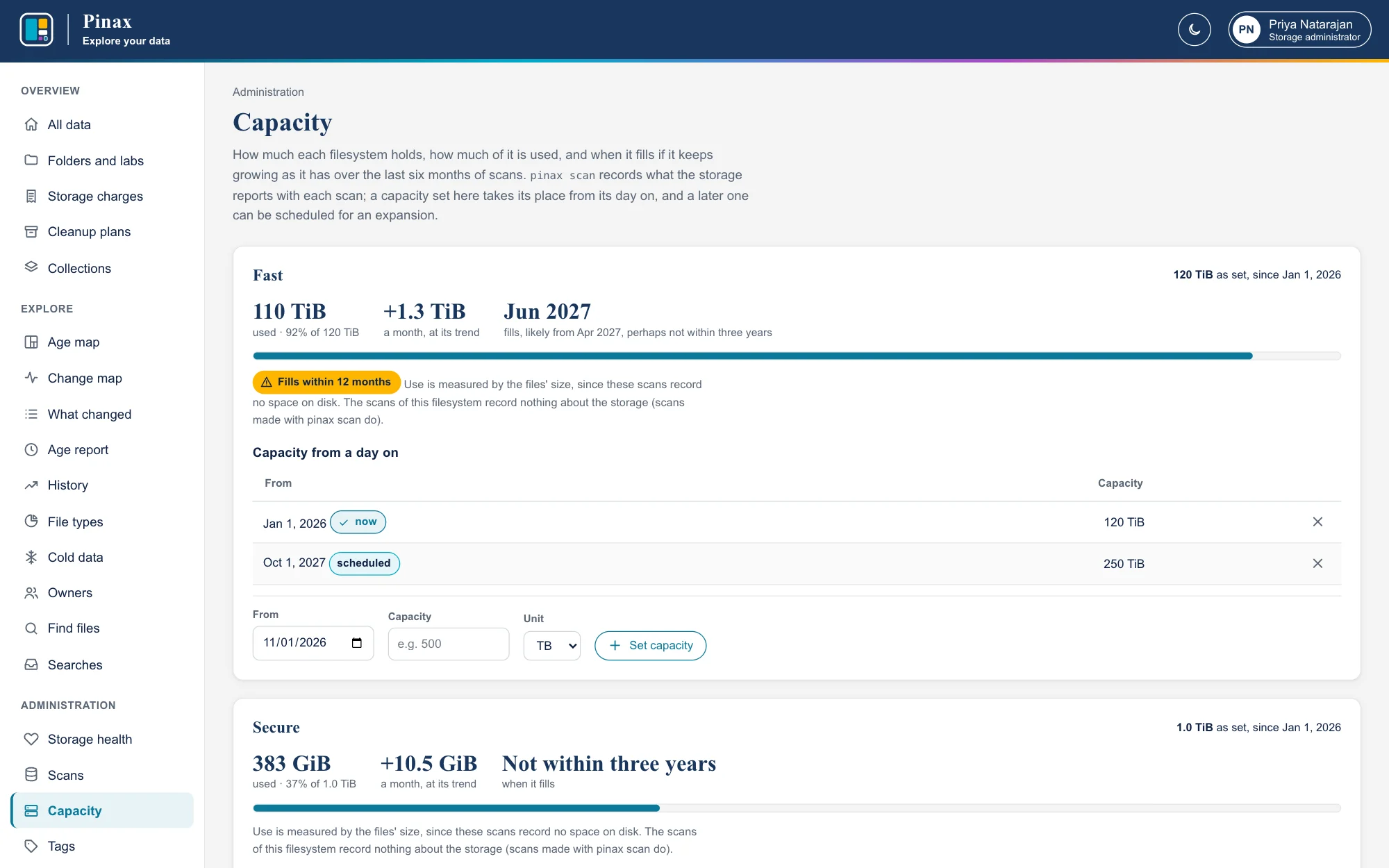
Capacity: how full each filesystem is and when it fillsCapacity: how full each filesystem is and when it fills
How it works

Scan once, explore everywhere

Pinax never crawls the storage itself; it builds on fs-inventory, a scanner made for filesystems of billions of files.

Scan

fs-inventory walks each filesystem's metadata on a schedule, in parallel and resumably, and writes Parquet: about 40 bytes per entry.

Ingest

Pinax builds a snapshot index in which every directory carries the totals of everything below it, and records what changed since the last scan.

Explore

Labs see their own folders, division heads their division's, administrators and auditors everything. Every page reads totals, never adds up files, so it answers in milliseconds.

Who it is for

For the labs, and for the people who run the storage

PIs and lab members

  • What your labs store, where the old data is, and how it is changing
  • What each month costs, and what a cleanup would save
  • Data found by project, grant, or stage
  • Scripts that read your data, with an API token
The user guide

Storage administrators

  • Install, scan, and keep Pinax running
  • Map folders to labs, manage people, set prices and capacities
  • Statements for finance, logs for security, metrics for monitoring
  • Roles for auditors, finance, and division heads; the audit log and access reviews
Installing Pinax

Try it in a minute

The demo writes two filesystems of sparse files, scans them six times a month apart with fs-inventory, and adds fictional labs, people, prices, plans, and tags. Then choose who to be.

scripts/install-fs-inventory.sh
uv sync
uv run pinax seed
uv run pinax serve