
Getting started
This guide takes you from a fresh checkout to a running Tessera with your organization's public research footprint: people, publications, grants, and clinical studies, connected with evidence. It takes about 15 minutes of your time; the first sync then runs on its own for a few minutes to an hour, depending on the size of the organization.
What you need#
- A Mac, Linux, or Windows machine (a laptop is fine) with internet access to the public sources: NCBI (PubMed and iCite), NIH RePORTER, ClinicalTrials.gov, and ORCID.
- uv, which installs the right Python (3.12 or newer) and Tessera's dependencies for you.
- Disk space: about 100 MB for a mid-sized research institute (a few thousand papers over five years), and a few gigabytes for a large academic medical center. Everything lives in one folder, the data home.
Tessera needs no institutional systems, accounts, or credentials. An NCBI API key is optional and makes PubMed requests faster (see Configuration).
Install#
git clone https://github.com/robert-mcdermott/tessera.git
cd tessera
uv sync
Then create a configuration file and a data home:
uv run tessera initThis writes tessera.toml in the current folder and creates ./var for data. Run uv run tessera doctor at any time to check the installation.
Try the demo first (optional)#
To see Tessera working before you describe your own organization, build the demo, an invented research institute with about 100 people, their publications, grants, and studies, and a curator's decisions:
uv run tessera demo                       # builds ./demo in a few seconds
uv run tessera --config demo/tessera.toml serve
Everyone and everything in it is invented. Delete the demo folder when you are done; it is separate from your own installation. It runs without sign-in; add --port 9000 (or another port) to serve if 8000 is taken.
The demo is built with the optional assistant off. Trying it on the demo shows the few lines that turn it on there.
Describe your organization#
Tessera finds your organization in public records by name, so the [organization] section of tessera.toml matters more than anything else. Open the file and fill in:
name: the organization's full name, such as"Example University".aliases: every way the name is written in publication affiliations and trial records.affiliation_patterns: wildcard patterns for affiliation text, such as"example univ*".reporter_org_names: the organization's name exactly as NIH RePORTER writes it on grants, usually in capitals.ctgov_org_names: sponsor and site names as ClinicalTrials.gov writes them.email_domains: domains such asexample.edu, which count as strong evidence when they appear in an author's affiliation.exclusions: different organizations whose names contain one of your aliases.
Describing your organization explains each setting, how to find the right values, and how to check the results. Also set [sources] contact_email to an address the public APIs can reach; their usage policies ask for one.
Run the first sync#
uv run tessera syncsync does everything in the right order:
- Fetches the organization's grants from NIH RePORTER, its studies from ClinicalTrials.gov, affiliated papers from PubMed, and papers linked to those grants.
- Builds the people directory: grant investigators, plus anyone on a roster you imported.
- Searches PubMed for each person by name, then fetches citation metrics from iCite and the public ORCID records of people whose ORCID iD it knows.
- Scores every candidate paper for every person and records suggestions with their evidence, along with links between papers, grants, and studies.
- Builds the search index the web app reads, and the concept profiles behind Find experts and similar people.
Each step is recorded as a run. uv run tessera runs shows what was fetched and whether each run completed. Later syncs are incremental and much faster: run sync daily or weekly (see Running Tessera).
By default the first sync looks back five years ([sync] window_years).
Open the web app#
uv run tessera serveOpen http://127.0.0.1:8000. You will find:
- Home: counts, recent publications, publications by year, the largest active grants, and how fresh each source is.
- People, Publications, Grants, Studies: browse with search and filters. Every link between a person and a record carries a status mark (Confirmed or Suggested, with how likely it is); select it to see the evidence.
- Find experts: who works on a topic, described in your own words, with the concepts behind every answer. See Finding experts.
- Connections: who works with whom, a person's topics and who shares them, how research areas connect, missed connections, and units compared.
- Review queue: suggested authorships in priority order, ready to accept or reject from the keyboard. See Curating.
- Discovered people and Possible duplicates: affiliated authors who are not in the directory yet, and records that look like one person, for you to decide.
- Sources: data health, recent runs, and the search index.
- API reference at
/api/docs, for building on Tessera. See The API.
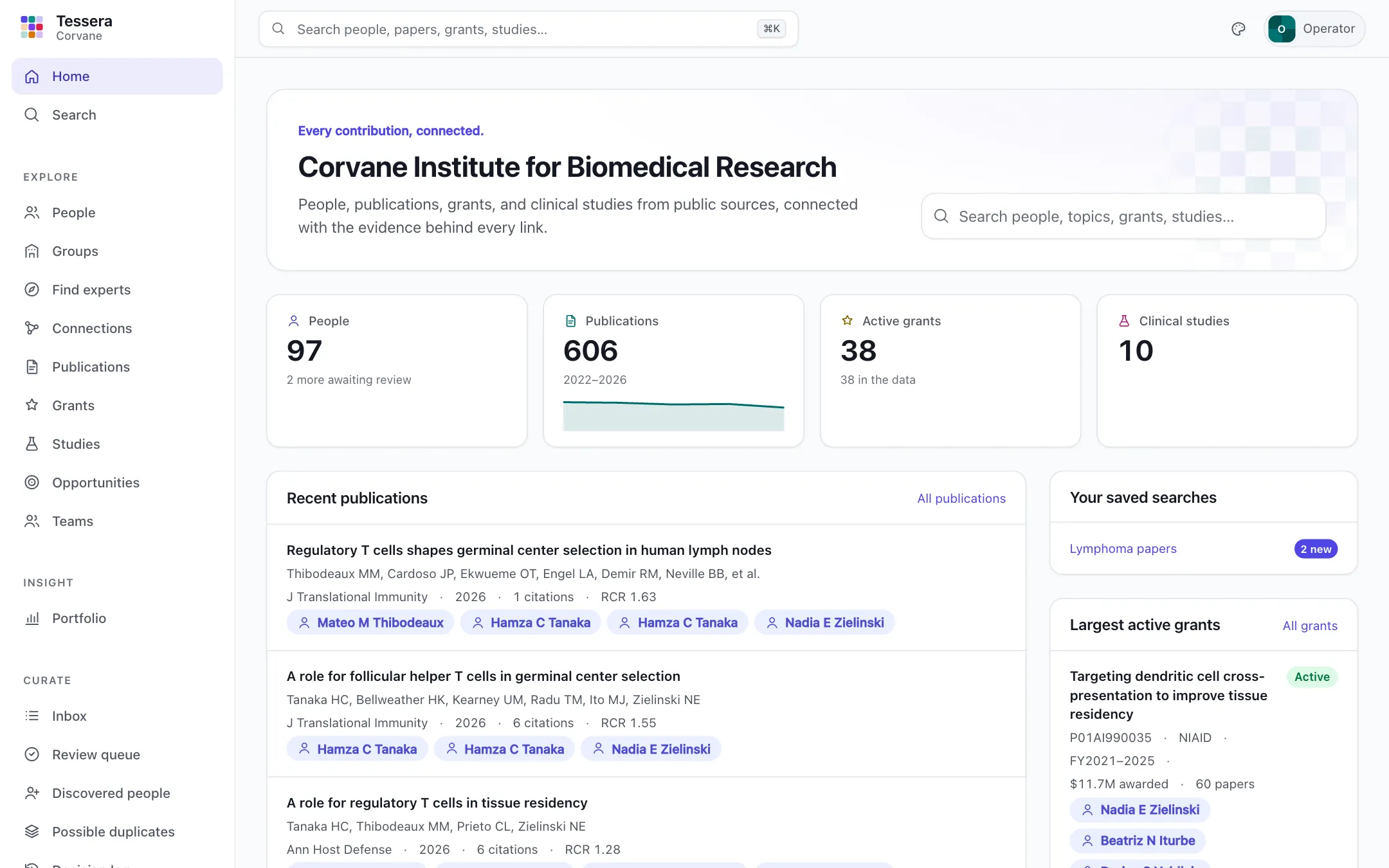
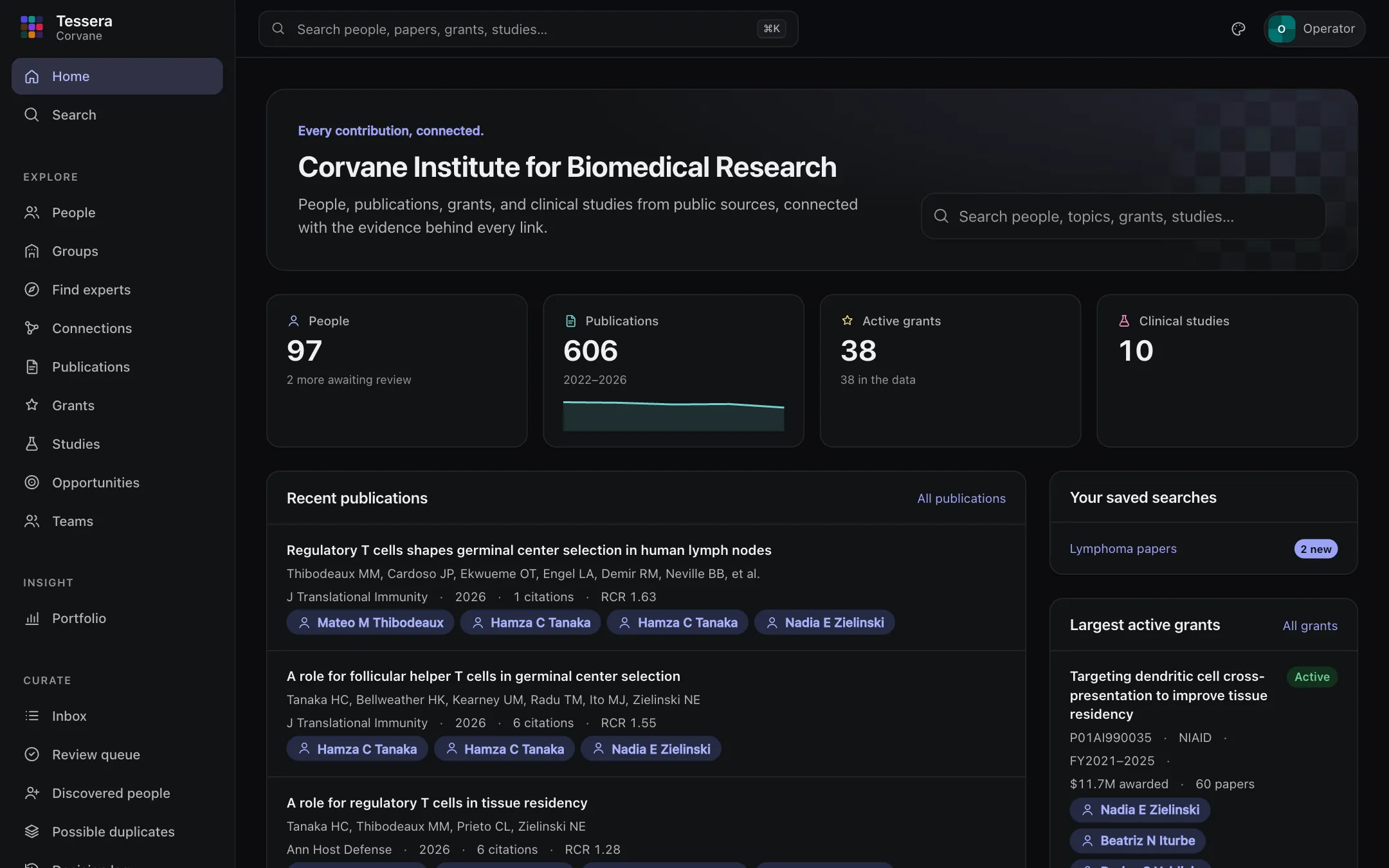
Out of the box Tessera has no sign-in and answers on this machine only (127.0.0.1); decisions are recorded under the [server] operator name. To let several people sign in with their own roles, see Accounts and sign-in.
Optional: import a roster#
If you have a list of people (from a department page, a grant office, or a spreadsheet), import it to add people grant records would miss and to attach ORCID iDs, emails, and units:
uv run tessera people import roster.csvThe CSV needs a header row. Recognized columns are name (or family and given), email, orcid, local_id, unit (or group), unit_code, kind (a group kind such as division or lab), role (such as lead or trainee), title, start, and end, with common spellings such as last_name, first_name, department, or start_date also understood; other columns are ignored. Dates may be a year (2015), a month (2015-07), or a day (2015-07-01).
- List a person once per unit for concurrent memberships; give their rows the same email, ORCID iD, or local ID (without any identifier, rows with the same full name count as one person).
- Someone whose memberships have all ended becomes a former member; everyone else on the roster is active. Importing an updated roster updates titles and dates.
- People are matched to existing records by ORCID, email, or local ID before new ones are created. A roster person who is also in the grant records under no shared identifier gets a second record; Tessera proposes the pair under Possible duplicates, where you merge them.
Run sync again afterward so the new people's papers are found.
Next steps#
- Adopting Tessera: for an organization, the whole path from installation to a curated, published site, in order.
- Describing your organization: tune what counts as "us".
- Curating: clear the review queue and promote discovered people.
- Finding experts: expert search, similar people, and the graphs.
- Groups: set up divisions, programs, and labs, their pages and managers.
- Profiles: researchers' own sections, public choices, CVs, and NIH biosketches.
- The public site: publish pages for the groups and people who opt in.
- Configuration: every setting, including palettes and your logo.
- Running Tessera: scheduling syncs, backups, upgrades, and PostgreSQL.