 Proteoscope
Finding structures
Search public databases for experimental structures and predicted models by gene, protein name, accession, keywords or sequence, then open or add what you find. No account is needed.
Search by name, accession or sequence
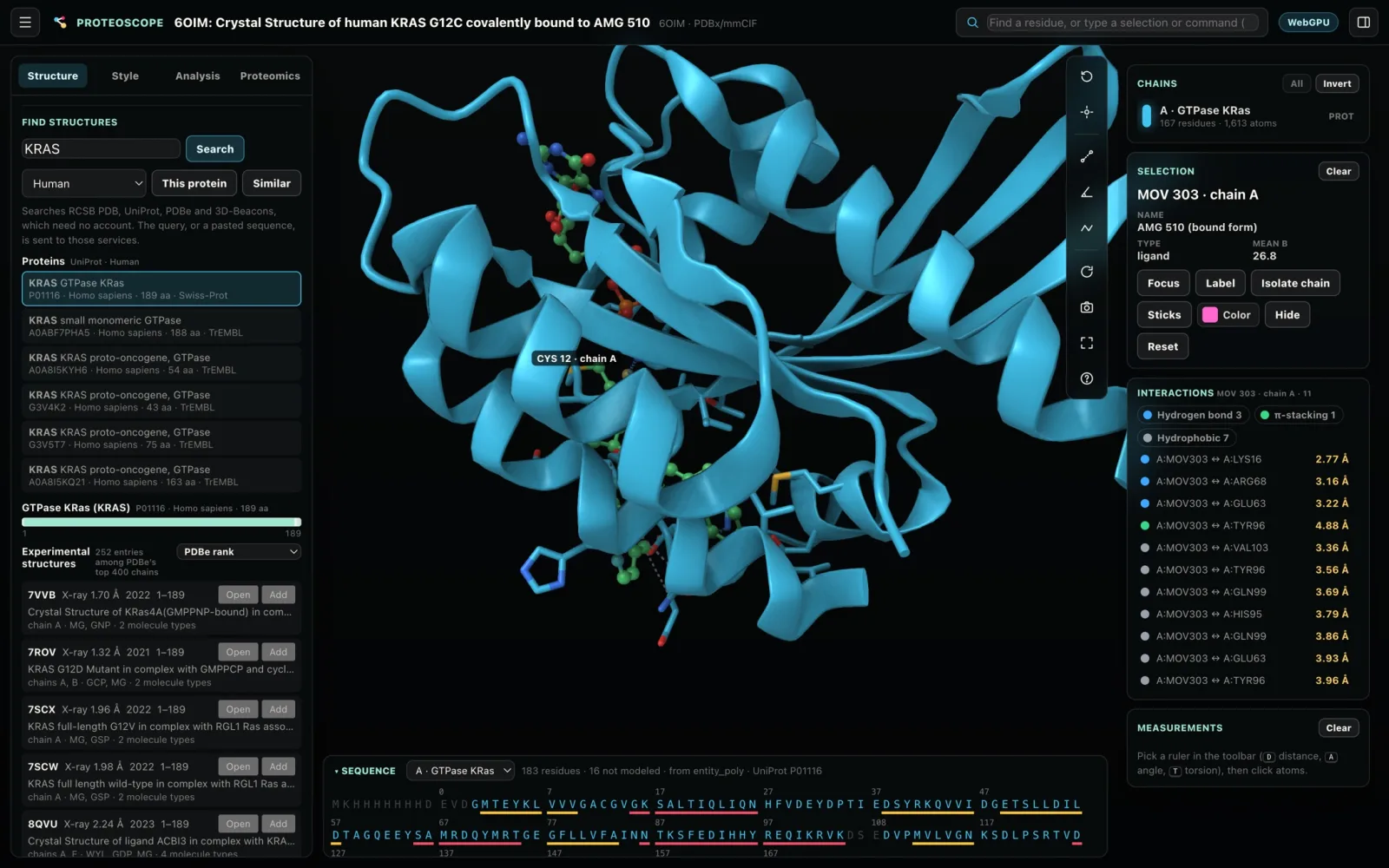
Find structures, in the Structure tab, searches RCSB PDB, UniProt, PDBe and 3D-Beacons. Type what you know about the protein and Proteoscope works out what kind of query it is.
| You type | What you get |
|---|---|
A gene or protein name, such as KRAS or tumor suppressor p53 | The matching UniProt entries, exact gene matches first. Choose an organism to narrow the list, then pick a protein to list its structures and models. |
A UniProt accession, such as P01116 | Goes straight to that protein. |
| A PDB ID | That entry. |
Keywords, such as sotorasib | A full-text search of RCSB. |
| A sequence, pasted as FASTA or plain text | An RCSB sequence search. The hits are listed with their identity, E-value and aligned range. |
The search command does the same from the command line: press / and type, for example, search KRAS. See Selections and commands.
Reading the results
For a protein, whether you picked it from a name search or typed its accession, the list shows two kinds of structure.
- Experimental structures come from PDBe's best-structures list. Each row gives the method, resolution, year, the UniProt range it covers, its chains, its ligands and its title. You can sort by PDBe's rank, resolution, coverage or release date.
- Models come from 3D-Beacons: AlphaFold DB first, then SWISS-MODEL, ModelArchive, PED and the other providers, each with its confidence and the range it covers.
A coverage track above the list shows how many structures cover each part of the sequence, so the domains nobody has solved stand out.
Opening and adding results
- Open replaces the scene with the structure.
- Add adds the structure to the scene, superposed on the active one. See Comparing structures.
- This protein lists the structures of the active structure's protein.
- Similar searches for sequences like the chain shown in the sequence panel.
When you already know the ID
If you know what you want, you do not need to search. Type the identifier in Open structure (Structure tab) and press Fetch:
- A PDB ID, such as
4HHBor an extended ID such aspdb_00004hhb, downloads the PDBx/mmCIF file from RCSB. - A UniProt accession, such as
P04637, downloads the current AlphaFold DB model and its predicted aligned error (PAE) matrix. See Predictions and AlphaFold.
From the command line, fetch 4HHB replaces the scene and add 4HHB adds to it. A link can fetch on load too: http://127.0.0.1:8765/#fetch=4HHB opens 4HHB, and #fetch=4AKE,1AKE&superpose loads both and superposes the second onto the first. For every other way to open structures, including local files and prediction folders, see Getting started.
Where results come from
Searches and downloads go through the local Proteoscope server, which only contacts a fixed list of public services. A search sends what you type to them: a pasted sequence, or with Similar the sequence of the chain in the sequence panel, goes to RCSB's sequence search, so take care with unpublished sequences. The services used for finding structures are:
search.rcsb.organddata.rcsb.org: searches and entry summaries;files.rcsb.org: structure files;rest.uniprot.org: proteins;www.ebi.ac.uk: PDBe structure lists and 3D-Beacons model lists;alphafold.ebi.ac.uk: AlphaFold DB models and PAE;- for models listed by 3D-Beacons, the providers' own servers (SWISS-MODEL, ModelArchive, AlphaFill, PED, SASBDB, isoform.io and RCSB's model server).
Results are cached on disk in your user cache folder, for example ~/Library/Caches/proteoscope on macOS. Cached results are fetched again after 30 days (set with --cache-max-age), and searches after a day. The refresh command downloads the active structure again.
Working offline. Starting with proteoscope --offline turns off all network access; cached entries are still served. See Privacy and network access.