v0.10.1 A database for each preview, with [services]

Push code. Get a URL. Own the platform.

One binary turns your laptop or a server into your own app platform. Every branch gets a live address to try out or show off. Releases roll out with no downtime and roll back in a second, and scaling takes one command.

curl --proto '=https' --tlsv1.2 -fsSL https://raw.githubusercontent.com/robert-mcdermott/moorage/main/install.sh | sh

Go, Python, Node.js, static sites, containers · No Docker, database or proxy to set up · Linux, macOS, Windows · Apache 2.0

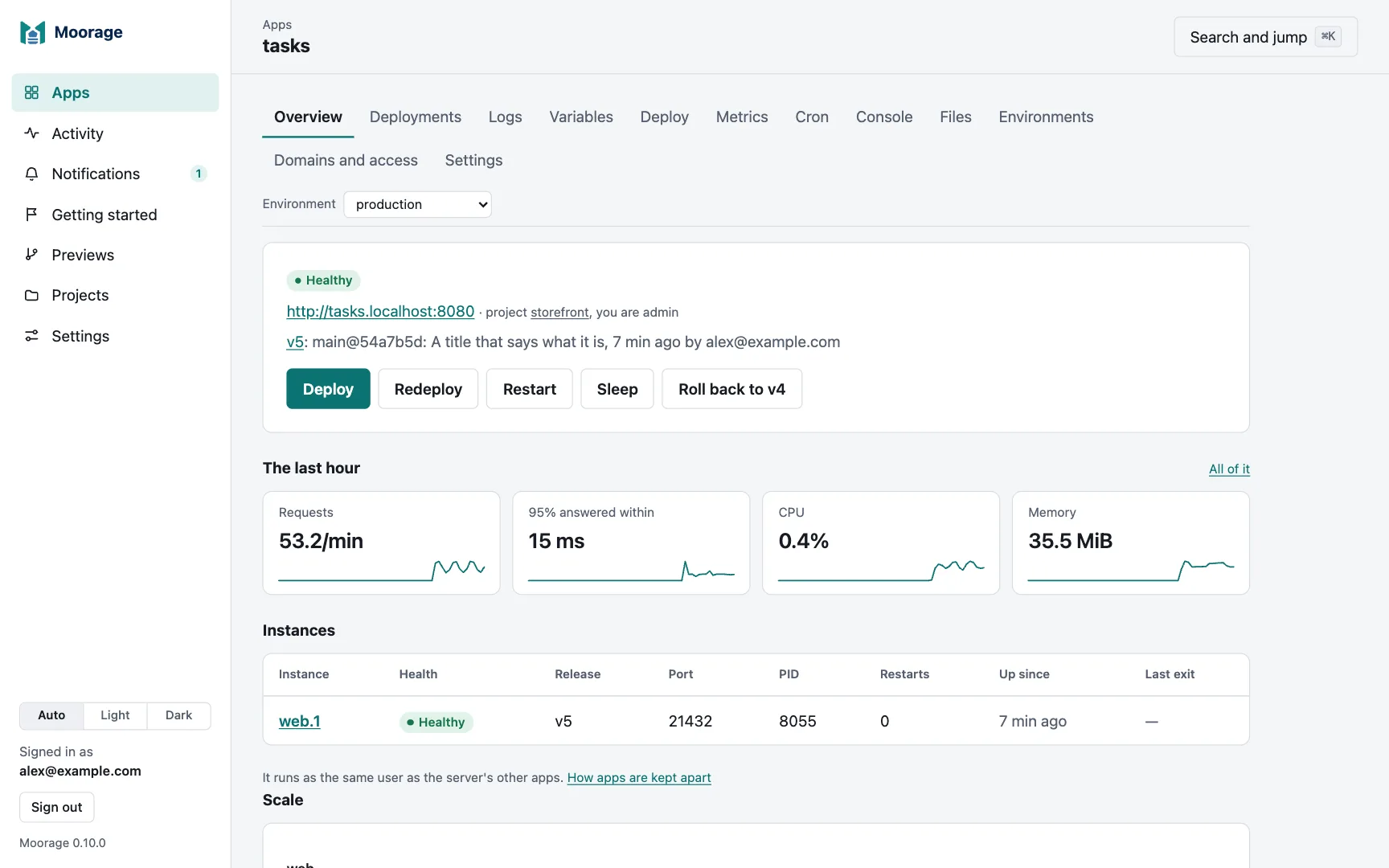
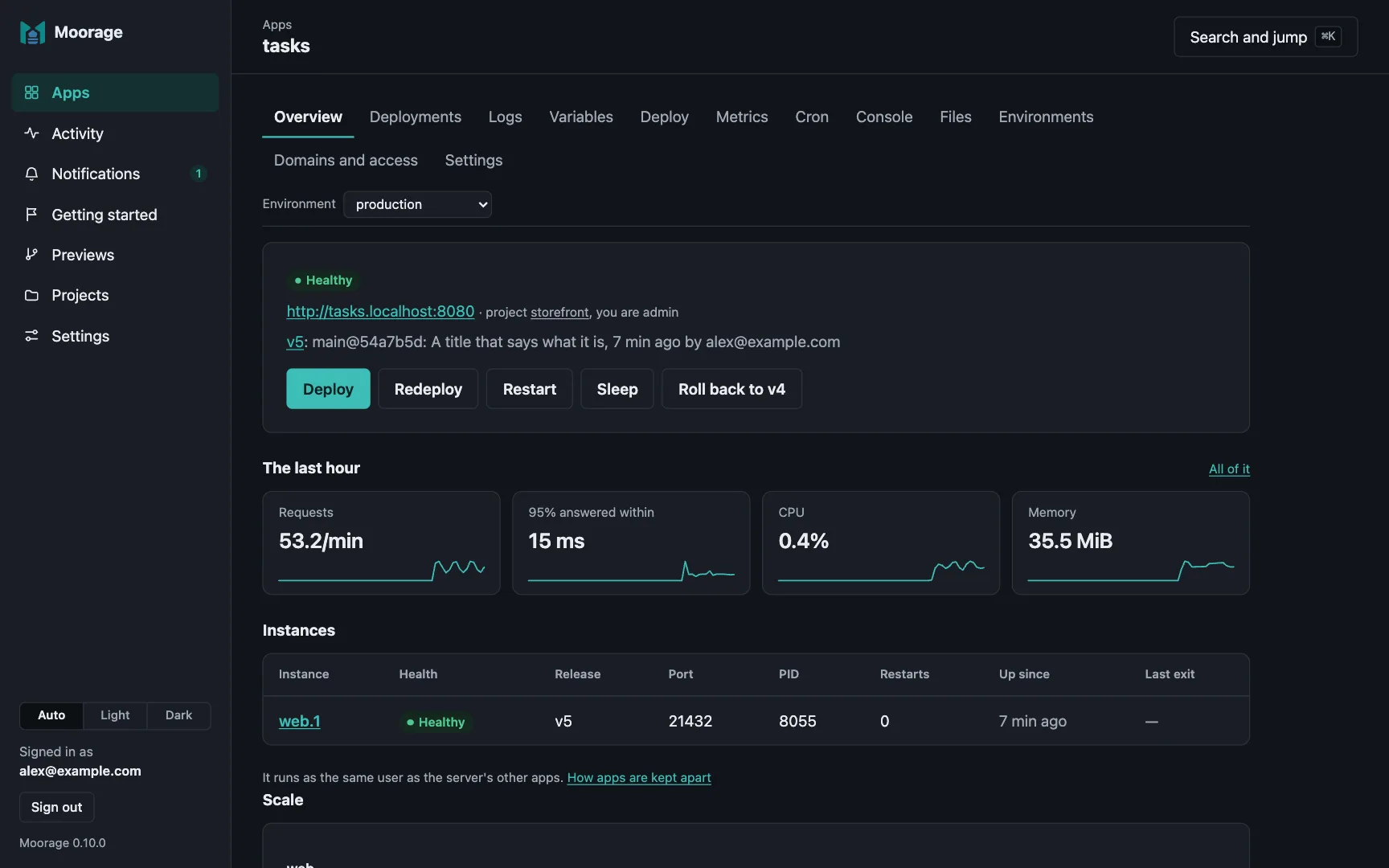
An app's page in the Moorage console: healthy, with its address, release and buttons to deploy, restart and roll back, and the last hour's requests, response times, CPU and memoryAn app's page in the Moorage console: healthy, with its address, release and buttons to deploy, restart and roll back, and the last hour's requests, response times, CPU and memory
How it works

From source to a URL, in three steps

Nothing here is a mock-up. This is the output of a first deploy, toolchains and all.

Start a server

On your laptop to try it, or on a server for your team. It keeps everything in one folder.

moor server init --preset local
moor server run

Deploy

From a directory, with no configuration. Go, Python, Node.js and static sites are worked out for you.

cd tasks
moor deploy

Push

Each push to main deploys, and each other branch gets a place of its own. The push shows the build.

moor git remote --http
git push moorage main
What it does

Everything between a push and a running app

It is all in one binary, and it is all there from the first deploy.

Deployments

See it build, as it builds

Moorage works out how to build your app, and fetches the toolchains it needs: the version it asks for, checked against its published checksums. A push shows the build as it runs, and fails if the deploy fails.

  • Go, Python with uv, Node.js with npm, and static sites, with no configuration
  • Your own build command, or a Containerfile
  • A release command for migrations, which stops a bad deploy
  • From git push, moor deploy, the console, or the API
Deploying with git push
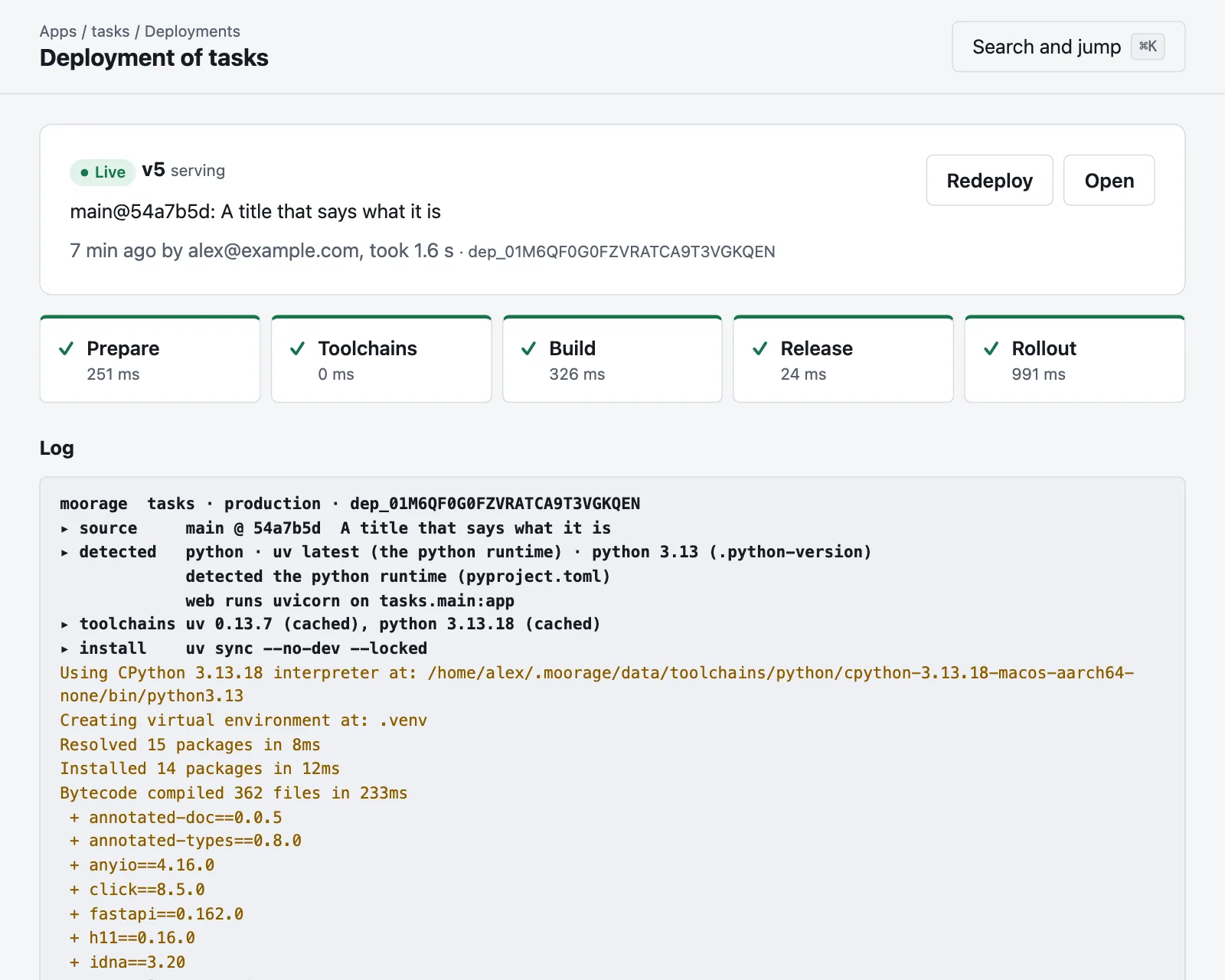
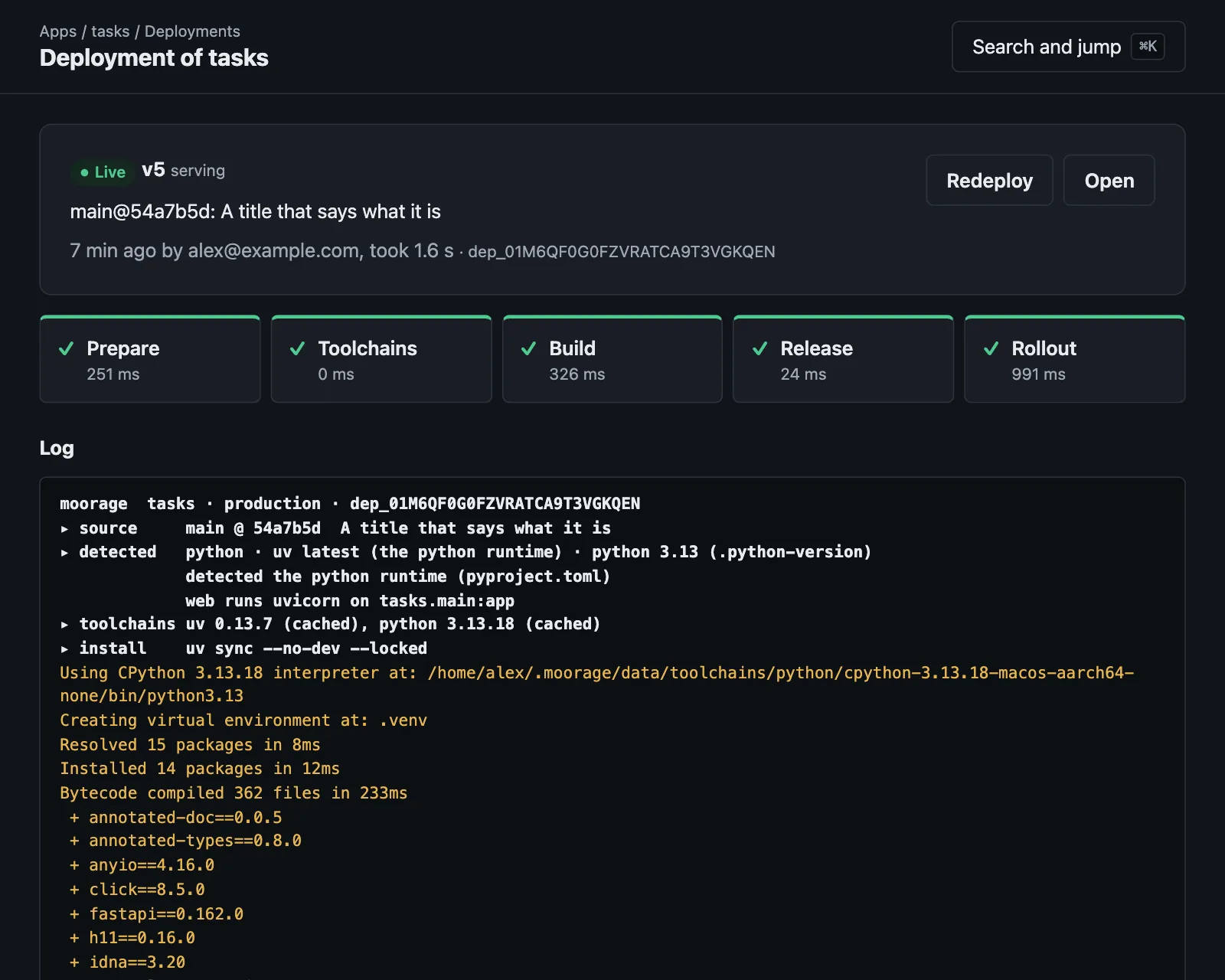
A deployment's page: five finished stages with how long each took, and the build's logA deployment's page: five finished stages with how long each took, and the build's log
Releases

No downtime by default, and back in a second

A new release takes traffic only once it answers its health checks, and the old one finishes its requests first. If the new one never gets healthy, nobody notices but you. The last five releases are kept by default, so going back needs no build.

  • Failed builds and migrations leave what was serving alone
  • Each change of variables is a release too
  • Apps keep running while the server restarts or upgrades
Releases, rollbacks and scaling
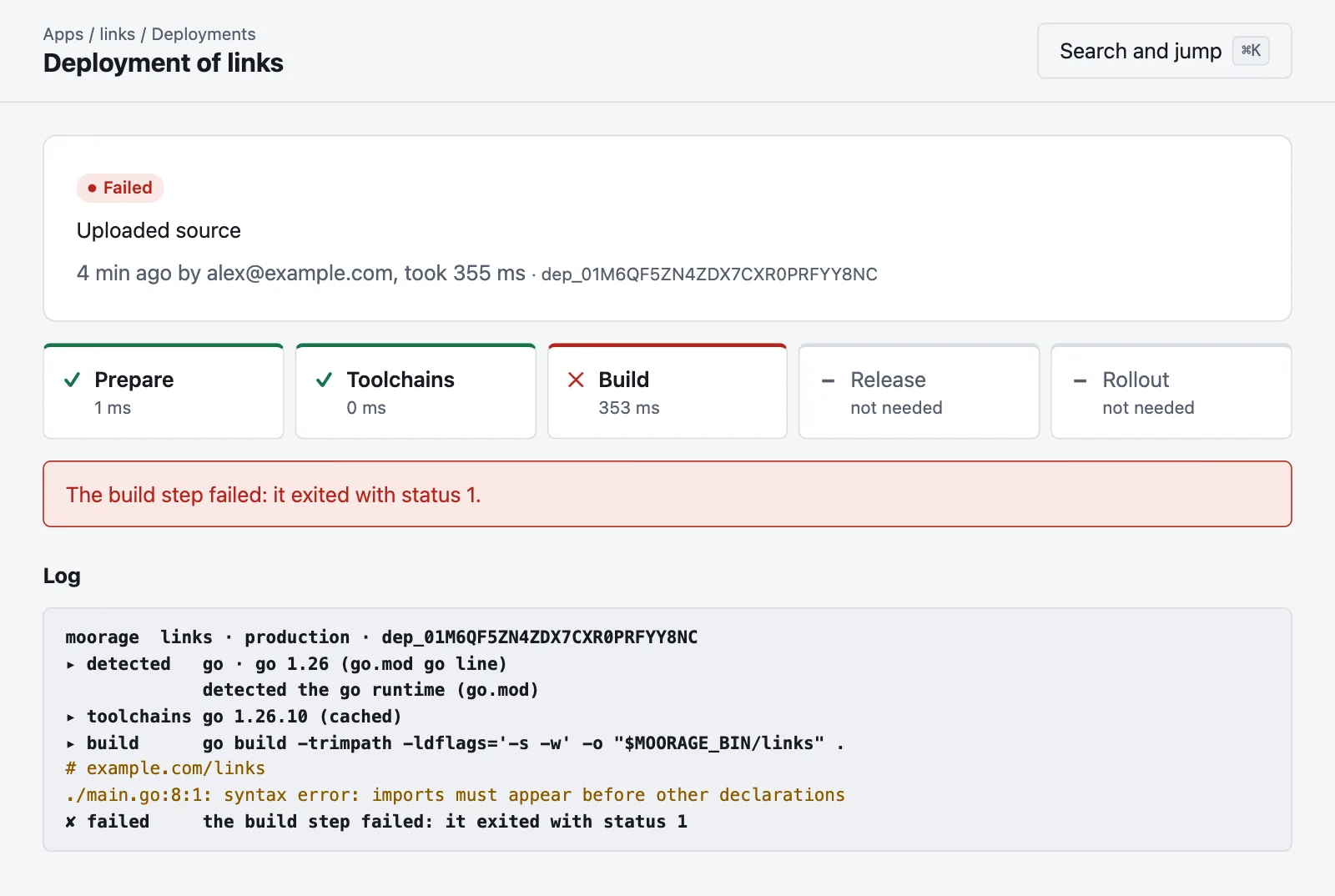
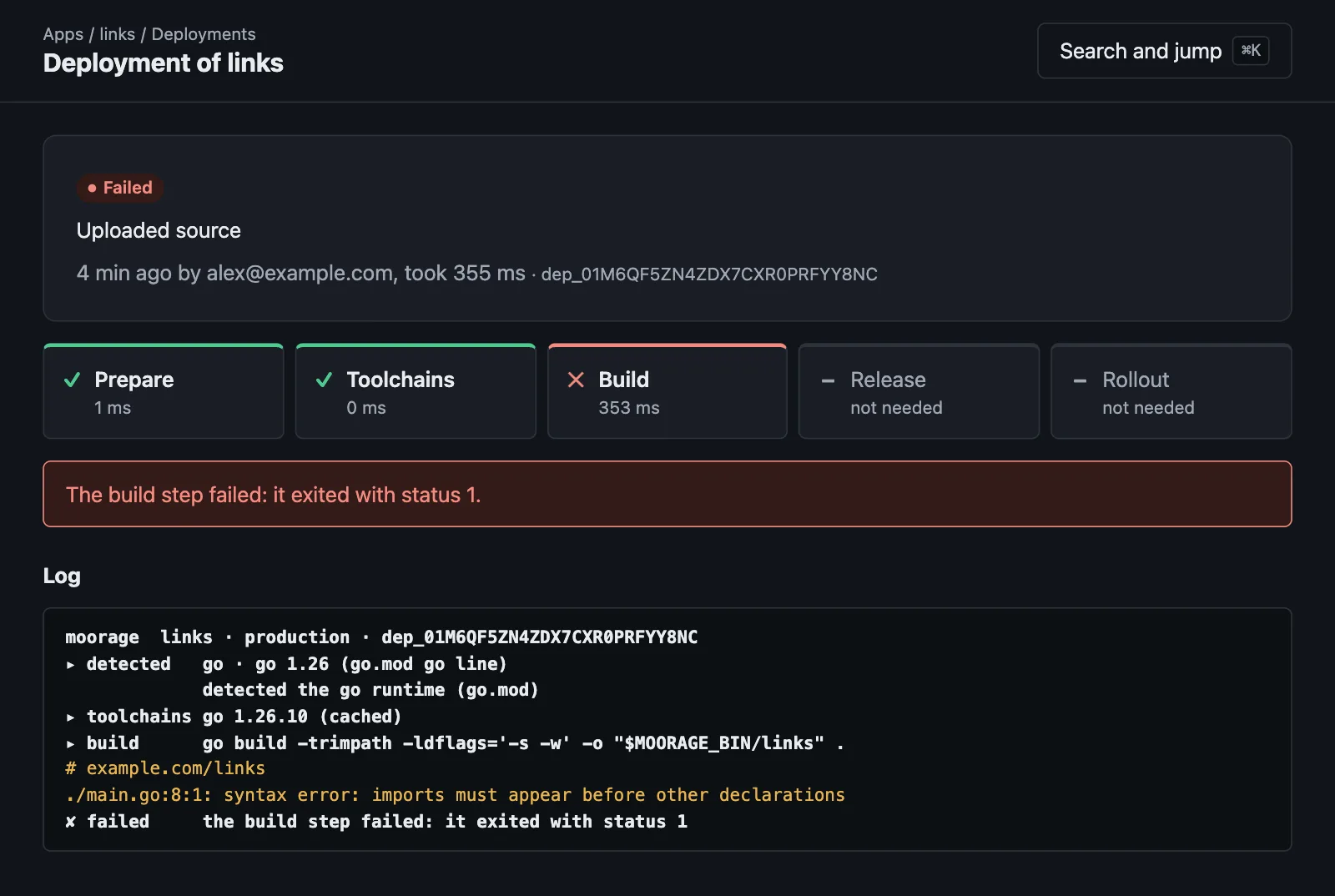
A failed deployment: the build stage is marked as failed, and the compiler's error is in the log, while the previous release goes on servingA failed deployment: the build stage is marked as failed, and the compiler's error is in the log, while the previous release goes on serving
Previews

A URL for every branch

Push a branch, and it gets its own address, variables, data and releases, behind a sign-in. Delete the branch, and it goes. Those nobody uses go to sleep, and wake on the next request, so that a small server holds a lot of them.

  • Named environments such as staging, with their own variables
  • Promote what ran there to production, without building it again
  • From GitHub, GitLab or Gitea too, with a preview for each pull request
Previews and environments
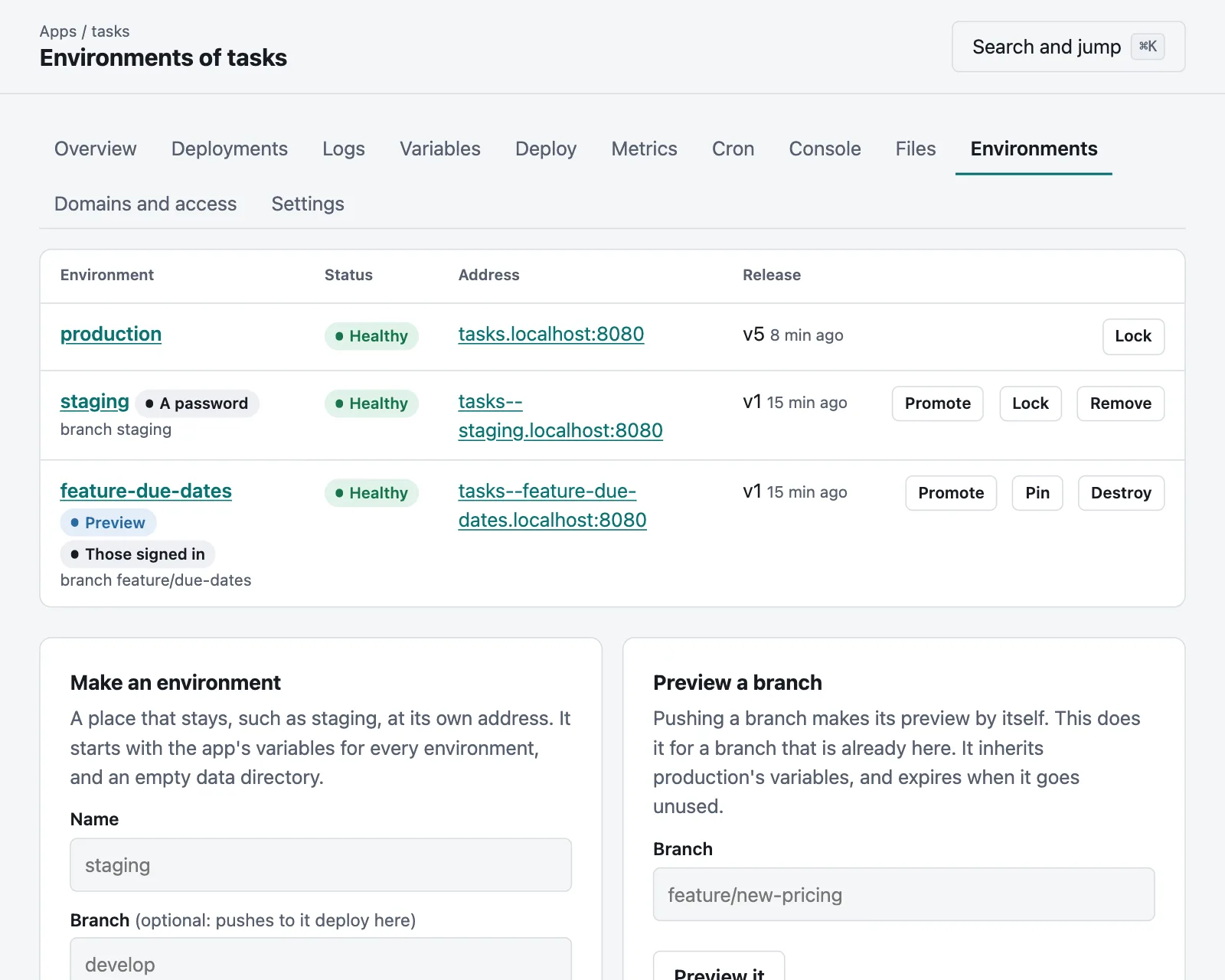
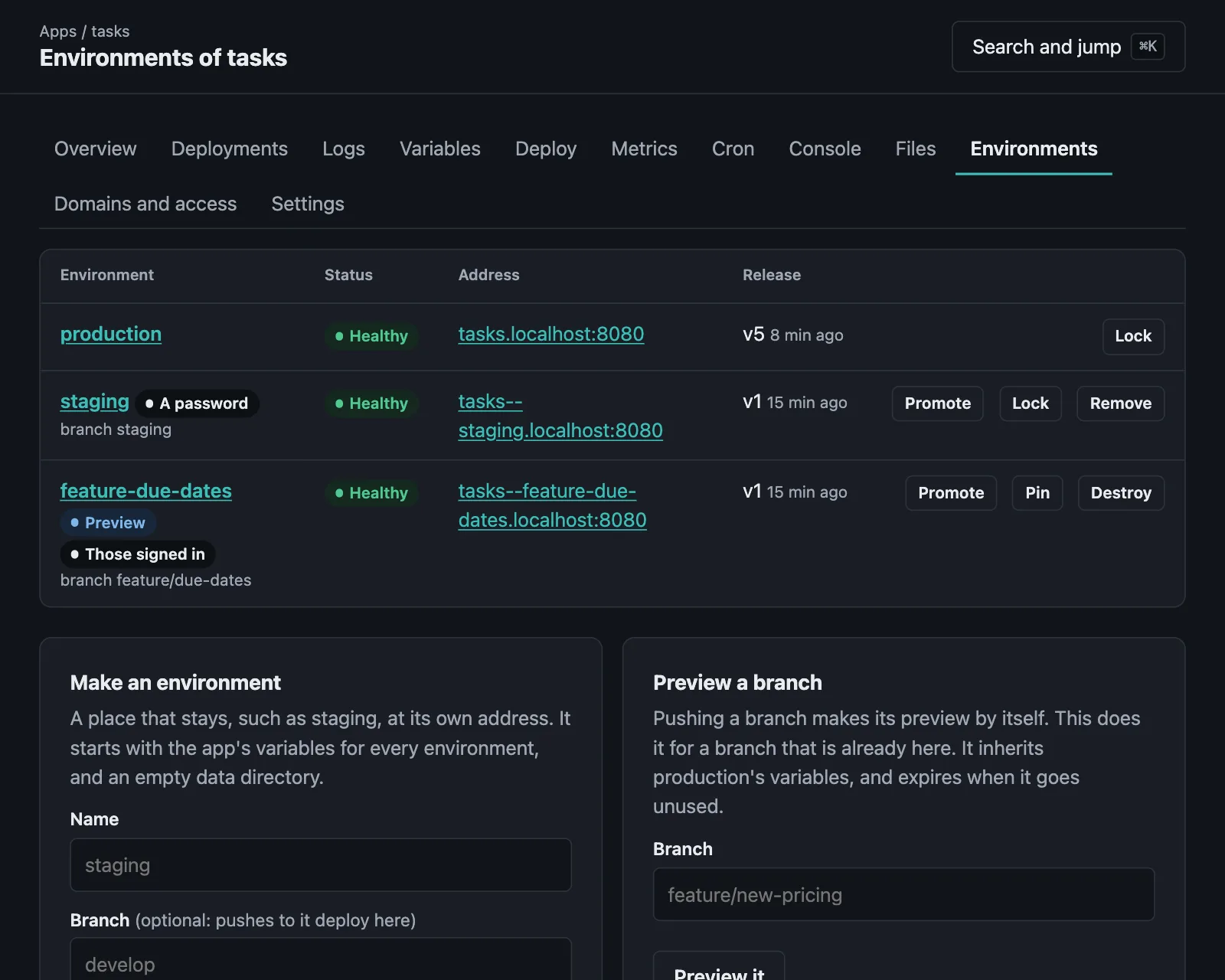
An app's environments: production, staging behind a password, and a preview of a branch, each with its address and release, and buttons to promote, lock and removeAn app's environments: production, staging behind a password, and a preview of a branch, each with its address and release, and buttons to promote, lock and remove
Observability

Logs and metrics, with nothing else to run

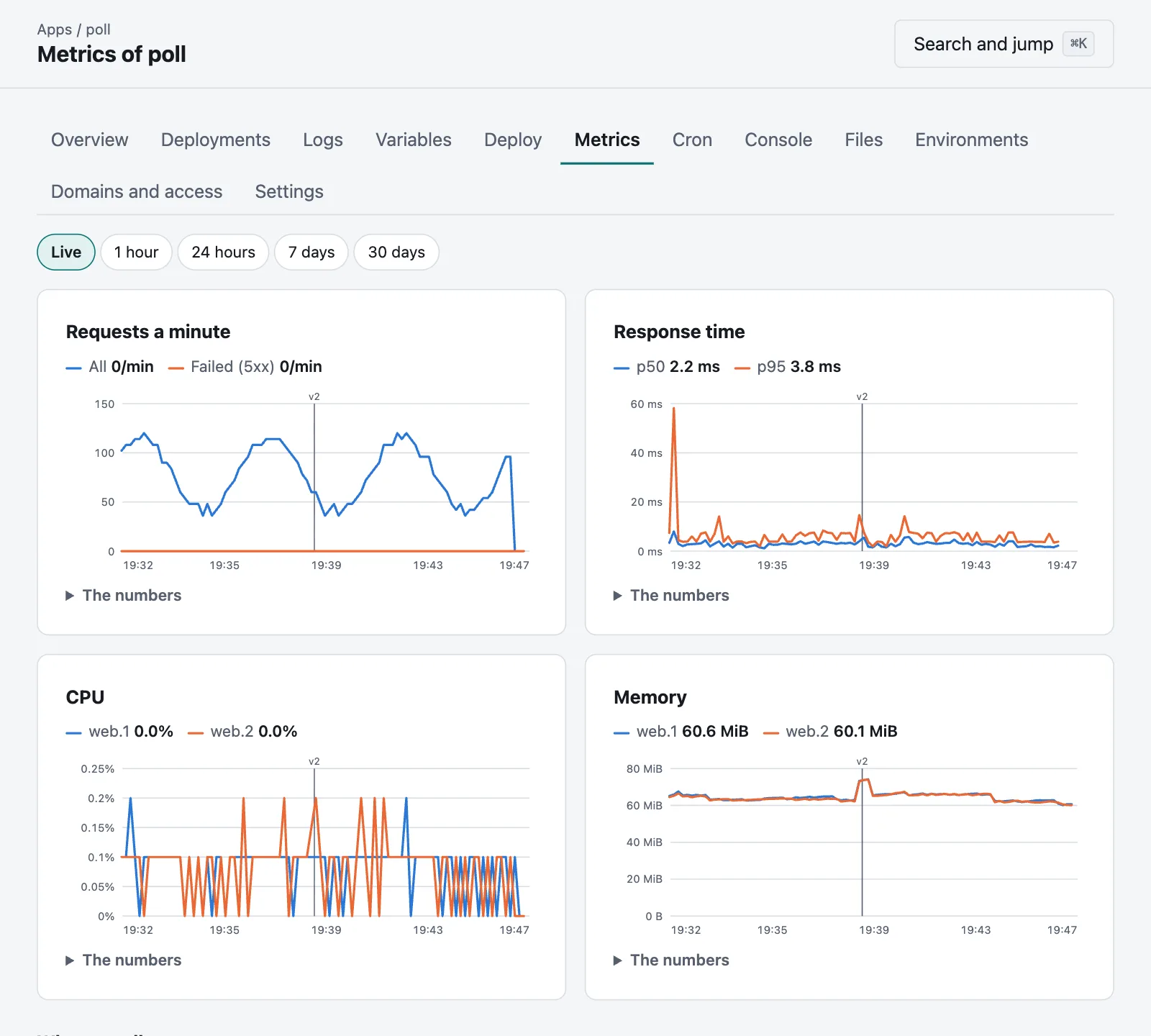
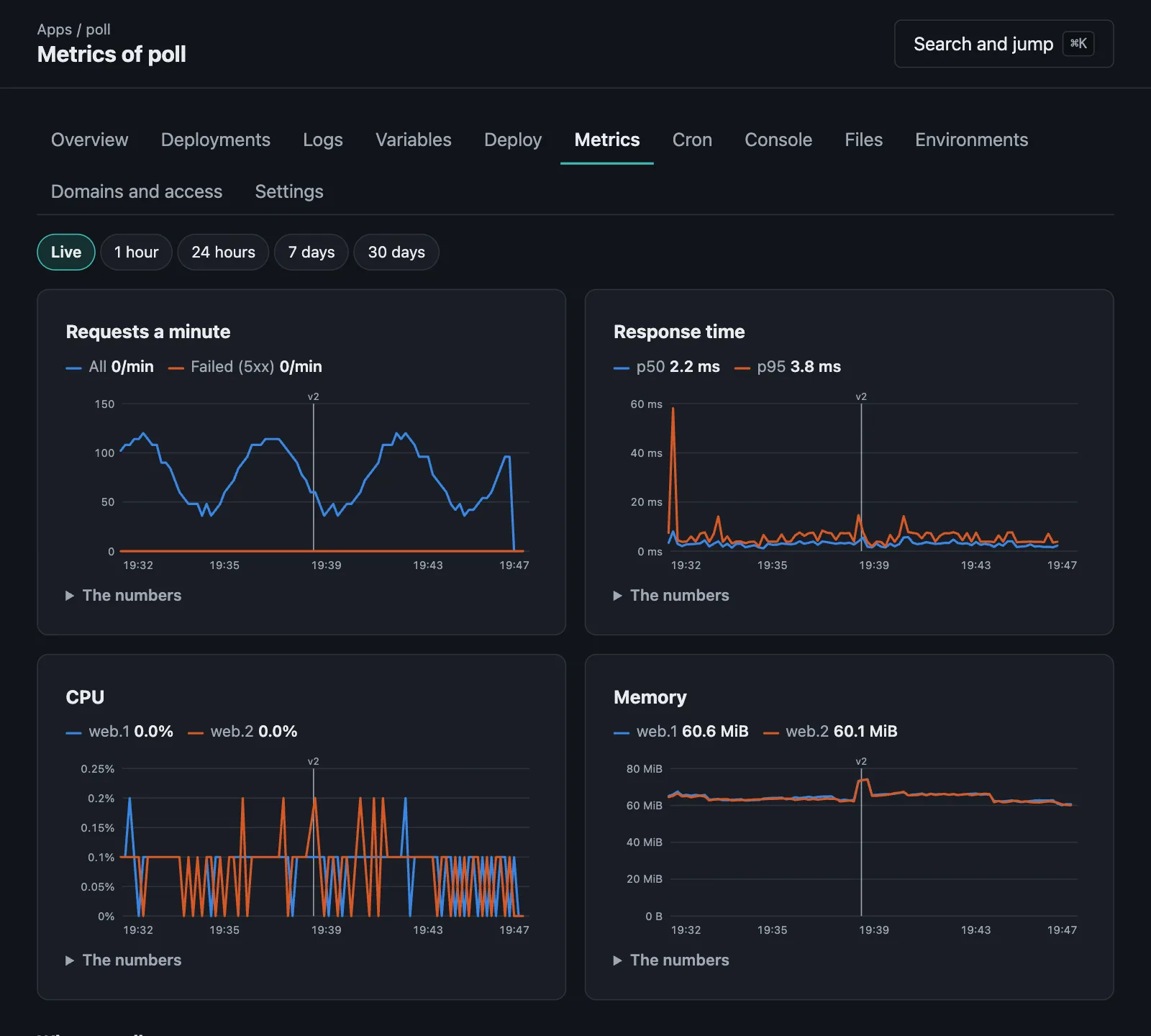
Follow and search what every instance says, merged by time. Requests, response times, CPU and memory are charted for up to 30 days, with each release marked, so that what changed lines up with what was deployed.

  • JSON logs read as fields, and coloured by level
  • Ready for Prometheus, and for an OpenTelemetry collector or syslog
  • Told by webhook, Slack, Teams, Discord or email when something goes wrong: one message, not hundreds
Metrics
An app's metrics: requests a minute, response time, CPU and memory for each instance, with a line where a release went outAn app's metrics: requests a minute, response time, CPU and memory for each instance, with a line where a release went out
Getting in

A terminal when you need one

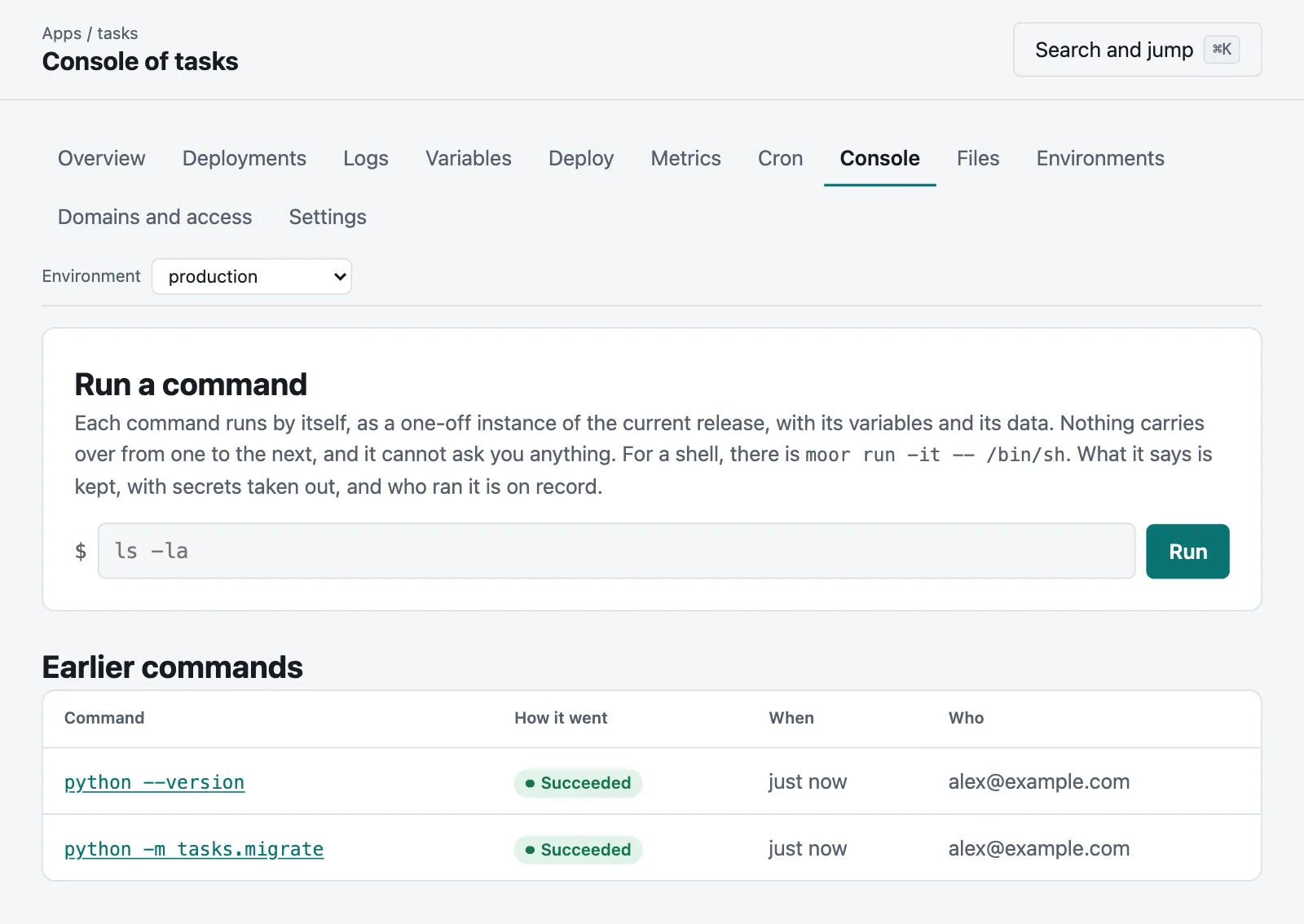
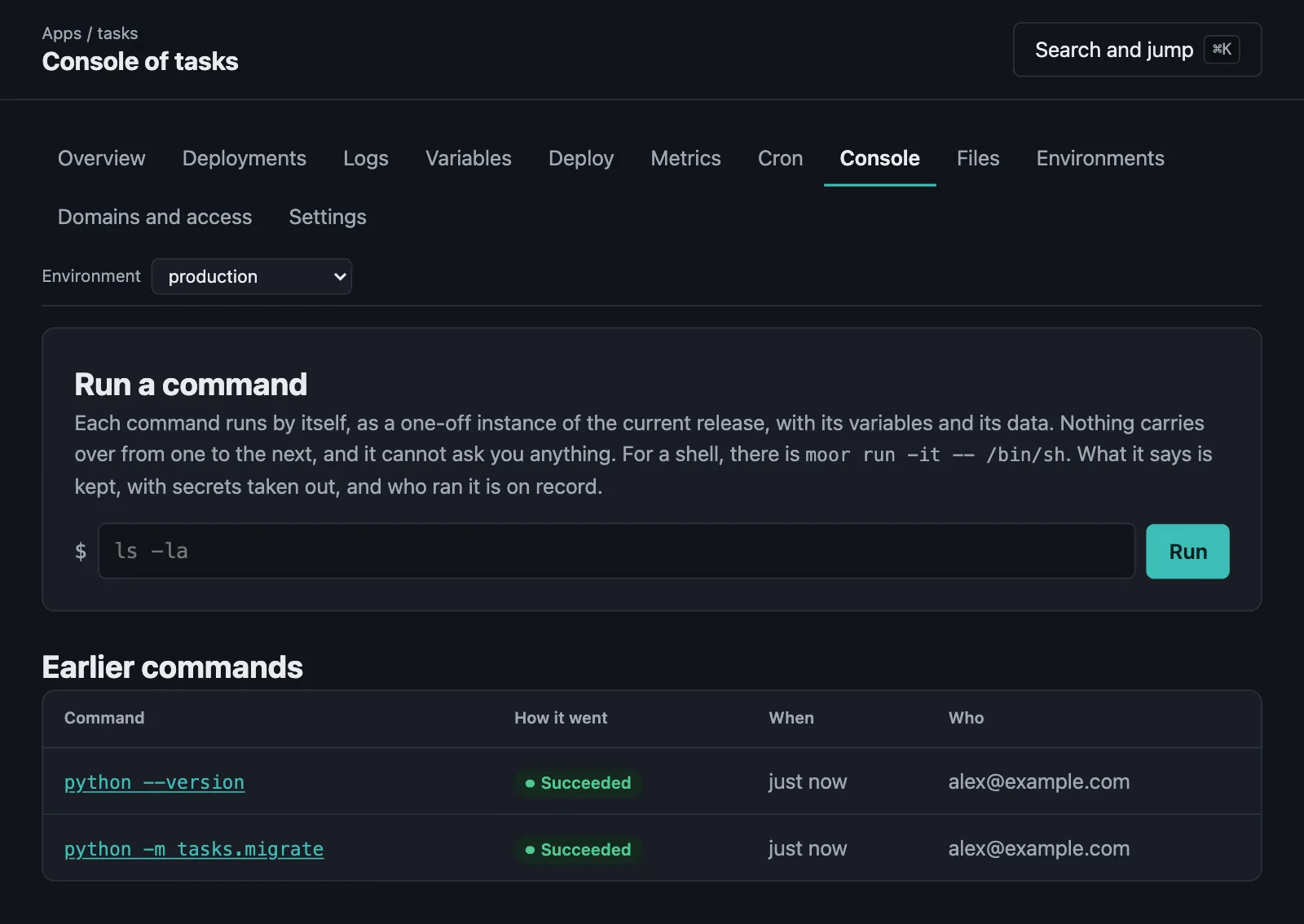
moor run -it -- /bin/sh is a terminal in the current release, with its variables and data, on any system. The console runs commands too, and shows what is in an app's data directory.

  • Cron jobs in the manifest, with their history
  • One-off commands, such as migrations, with their output kept
  • Variables, and secrets sealed and handed over in memory only
Getting into an app
The Console tab of an app: a box to run a command in the current release, and the earlier commands with how each wentThe Console tab of an app: a box to run a command in the current release, and the earlier commands with how each went
Access

Show it to whoever needs to see it

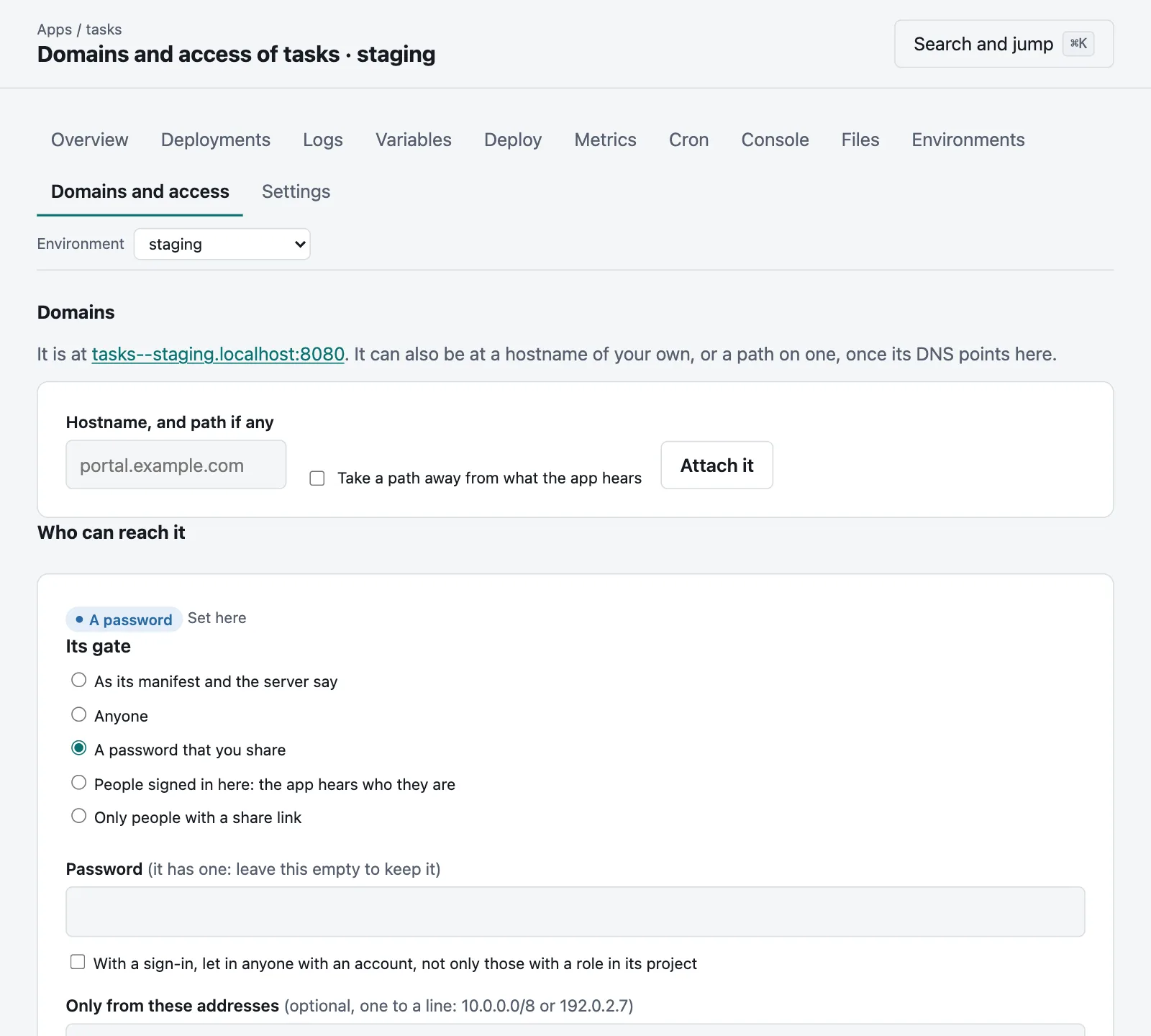
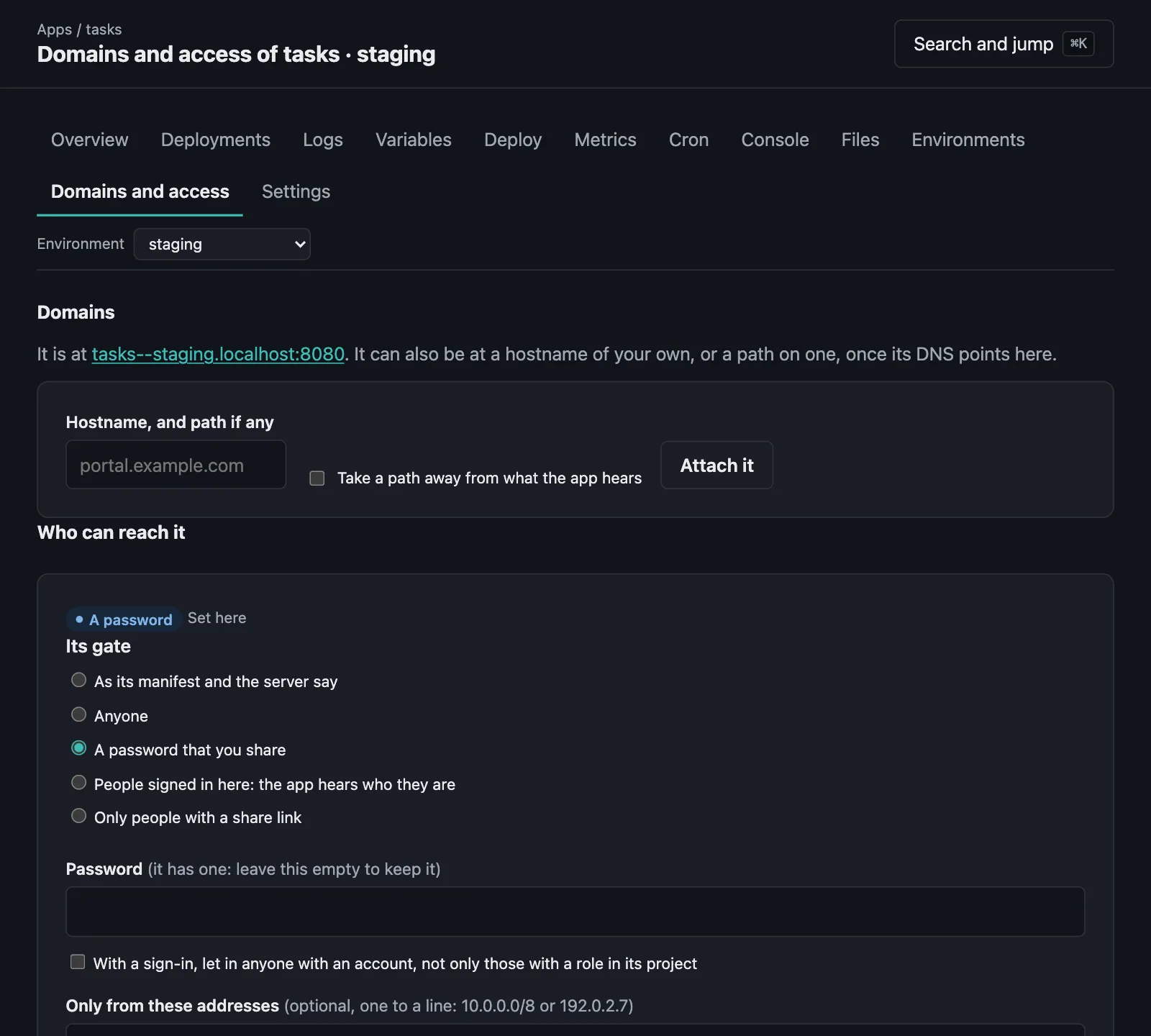
A link for a reviewer, a sign-in for a colleague. Each environment has a gate of its own: anyone, a password, people signed in, or only those with a share link. It can be limited to some addresses too, and your app hears who signed in.

  • Share links that expire, and can be revoked
  • Hostnames of your own, and several apps on one hostname
  • TLS from Moorage's own CA, your company's or your files, or behind nginx
Who can reach an app
The Domains and access tab of an environment: its address, and its gate, which is a passwordThe Domains and access tab of an environment: its address, and its gate, which is a password
For a team

Projects, roles and a record of who did what

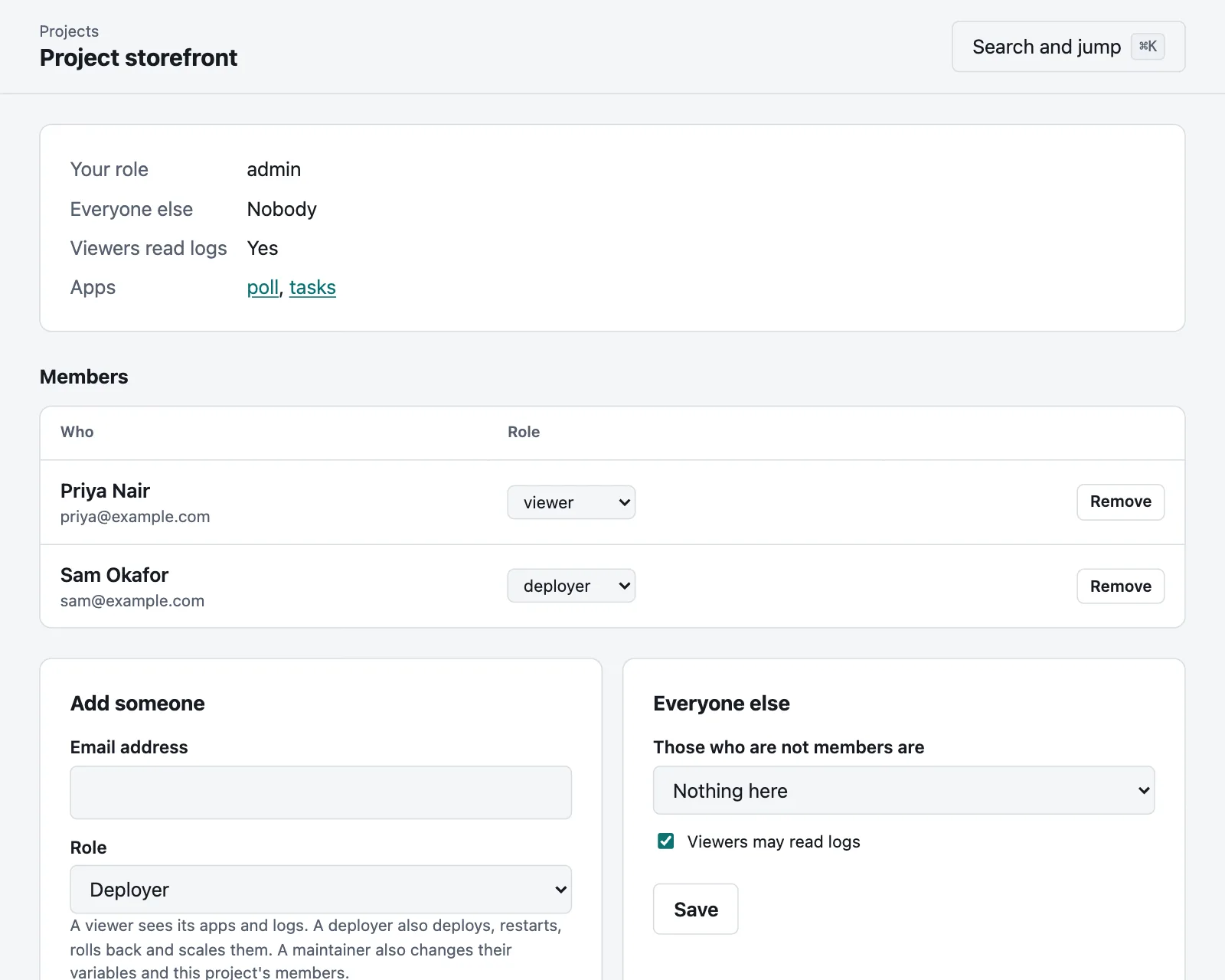
Give people the role they need in a project: viewer, deployer or maintainer. Sign in with passwords and two-factor codes, or with your identity provider. Every change, sign-in, secret revealed and push is in the audit log.

  • Single sign-on with OpenID Connect, with groups as roles
  • API tokens limited to a scope and an app, for CI
  • A project can hide its apps from everyone else
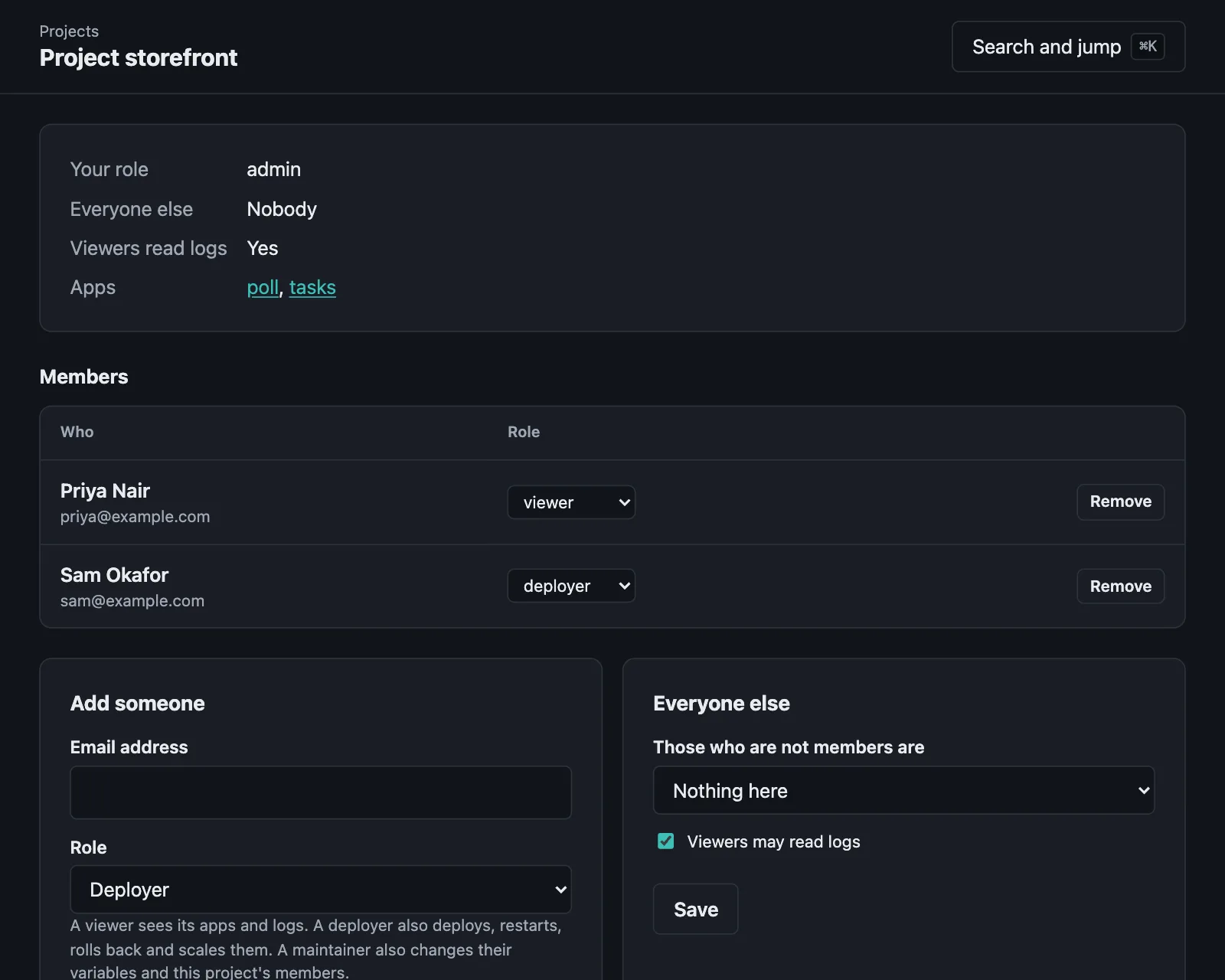
Accounts and access
A project's page: who may do what, its apps, its members with their roles, and a form to add someoneA project's page: who may do what, its apps, its members with their roles, and a form to add someone
For whoever runs it

Boring to run, on purpose

One SQLite database and plain files that you can look at. It installs as a service, checks itself, says how to fix what it finds, backs itself up, and upgrades itself, going back by itself if the new version does not come up.

  • Backups on a schedule, to a directory or a bucket, and a way to verify them
  • On Linux, as root: a user of its own for each app, and a sandbox if you ask
  • Settings as a file, to review or to bring to another server
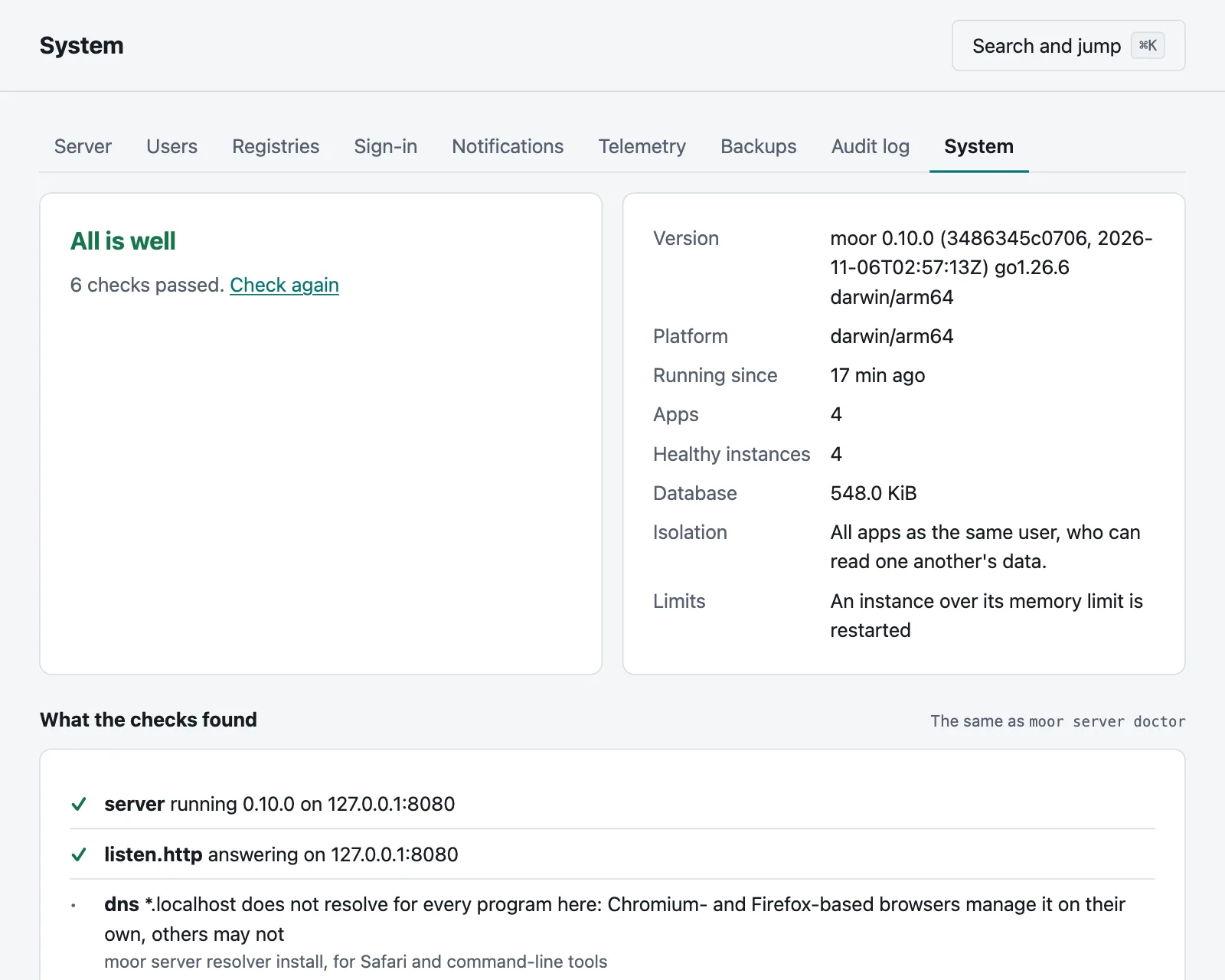
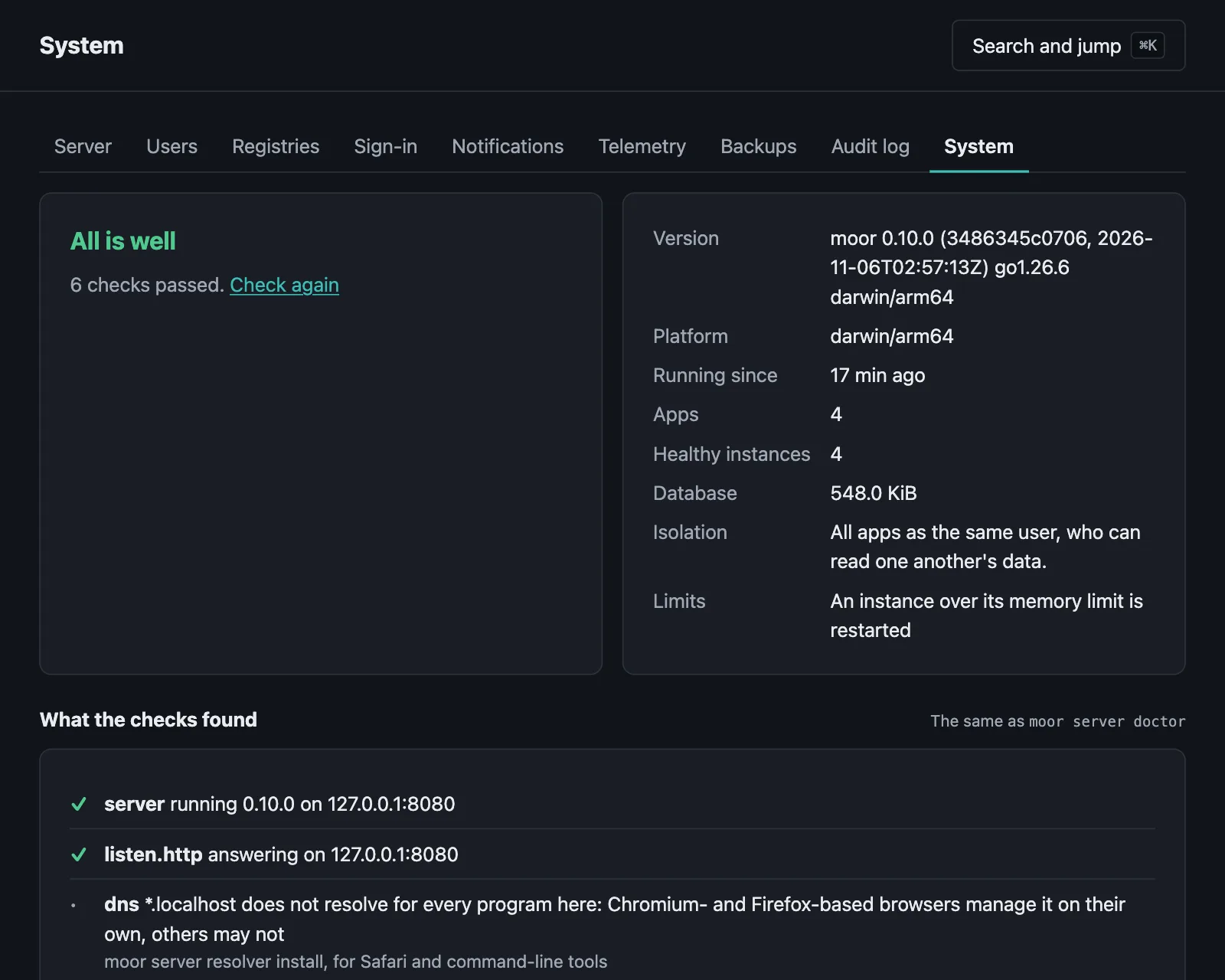
Running a server
The System page: all is well, what the server runs, and each check it madeThe System page: all is well, what the server runs, and each check it made
And

The rest of what is in the box

Static sites

Served by Moorage itself, with clean URLs, headers, redirects and a 404 page. Drop a folder on the console, and that is a site.

Containers, if you want them

A Containerfile, or an image from a registry, under Podman or Docker, released and rolled back like any other app. Nothing else needs an engine.

GitHub, GitLab and Gitea

Connect a repository: a push deploys, and a pull request gets a preview, with a check and a comment. Code from a stranger waits for approval.

HTTPS by itself

Certificates from Let's Encrypt, any other ACME server, your company's CA or files of your own, for each hostname or a wildcard for them all.

gRPC and sticky sessions

Streams both ways through the same address and rollouts as anything else, and a cookie to keep a browser with one instance.

Telemetry where you look

What apps say and do stays here, and can go to syslog, an OpenTelemetry collector or any HTTP endpoint as well.

Coding agents

moor mcp lets Claude Code, Codex, Kiro and others deploy a preview and read how it went, with a narrow token and no way to run a command.

A command line, and an API

Nearly everything in the console has a command, and lists take --json. The REST API beneath it is documented with OpenAPI.

A console that works on a phone

And without scripts: every page is plain HTML that gets better with them, in light and dark, under a strict Content-Security-Policy.

Is it for you?

What it is for, and what it is not

A good fit

  • Internal tools, dashboards and documentation sites
  • A preview of every branch, for whoever reviews it
  • Demo, staging and long-lived development environments
  • A team that wants to deploy without a platform team
  • Many projects on a laptop, without juggling ports
  • A homelab, or a small server of your own

Not what it is for

  • Running across several machines: it is one machine, done well
  • Hosting strangers' code: deploying is running code on the server, so treat it like shell access
  • A CI system: it builds what it deploys, and your CI runs your tests
  • Autoscaling, several regions or a CDN

Where it stands

Moorage is at 0.10.1, young, and moving quickly. CI tries it on Linux, macOS and Windows, including real installs, upgrades, backups and browsers. It has had close reviews of what faces the internet, and no outside one yet, so that we would keep it on a network you control until it has.

Its connections have met the real thing: GitHub by hand, and GitLab, Gitea, an OpenTelemetry collector, syslog-ng, a gRPC client and an ACME test server in CI, each time that code changes. It has not yet taken a certificate from Let's Encrypt itself, or a webhook directly from GitHub. If you try them first, tell us how it goes.

Its services run real PostgreSQL and object storage under Docker and Podman in CI, on Linux, including dumps, restores and upgrades. In production, a service is one container with no replica, kept by backups.

Questions

What people ask first

Where does my app's database go?

Wherever suits it. Moorage can run PostgreSQL for an app, with its own copy for each environment and preview and a dump in each backup, if you have Podman or Docker: in production, that is one container with no replica. An app can also keep SQLite in its data directory, which needs nothing, or reach any database you already run through a variable such as DATABASE_URL.

Can I run production on it?

It has what one machine needs: releases with no downtime, rollbacks, health checks, backups, metrics and an audit log. It also runs on one machine, with no failover, and it is young. We would start with internal tools, previews and demos, and move up from there.

Can I put it on the internet?

You can: the public preset gets certificates from a public CA, and keeps all but production behind a sign-in. It has not had an outside penetration test, though, so we would keep it on a network you control for now, or behind something that decides who reaches it, and read Security first.

How does it compare with a hosted platform, or an orchestrator?

The workflow is like a hosted platform's, on machines you own and with no bill per app. It is far simpler than an orchestrator, because it does less: one machine, no cluster, and containers only if you want them. If you need to spread apps over several machines, it is not for you.

What does it cost?

Nothing. It is free and open source under the Apache License 2.0, with no paid edition and nothing to sign up for. You pay for the machine, if you do not have one already.

Where do I get help?

In the documentation, starting with when something is wrong, and in the project's GitHub issues, which is also the place for what you would like to see.

Try it on your laptop, in ten minutes

Nothing to sign up for and nothing to pay. It needs no administrator rights, and everything it keeps is in one folder.