v0.8.0 Calibration, for research: how far the scores separate variants of known effect, the evidence each class would give, and what it rests on

Variant-effect scores you can check

MaveScape turns the variant count tables of a deep mutational scan into functional scores with standard errors, quality control that says when not to trust them, and an interactive variant-effect map, and keeps every analysis decision on record. It runs on your own computer as one self-contained program, installed with a single command: no account, Python or R. Files are analyzed in your browser and never leave your machine.

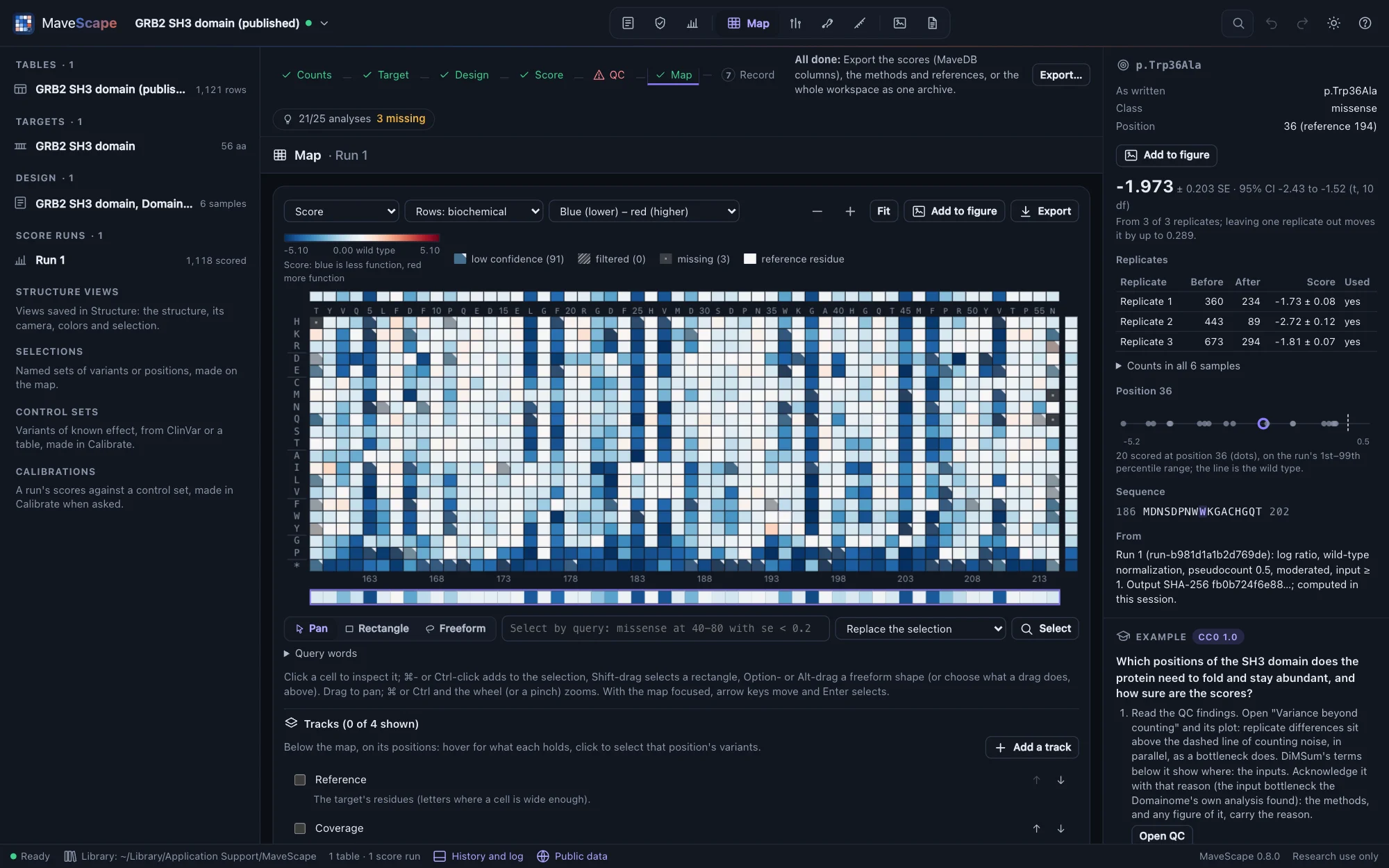
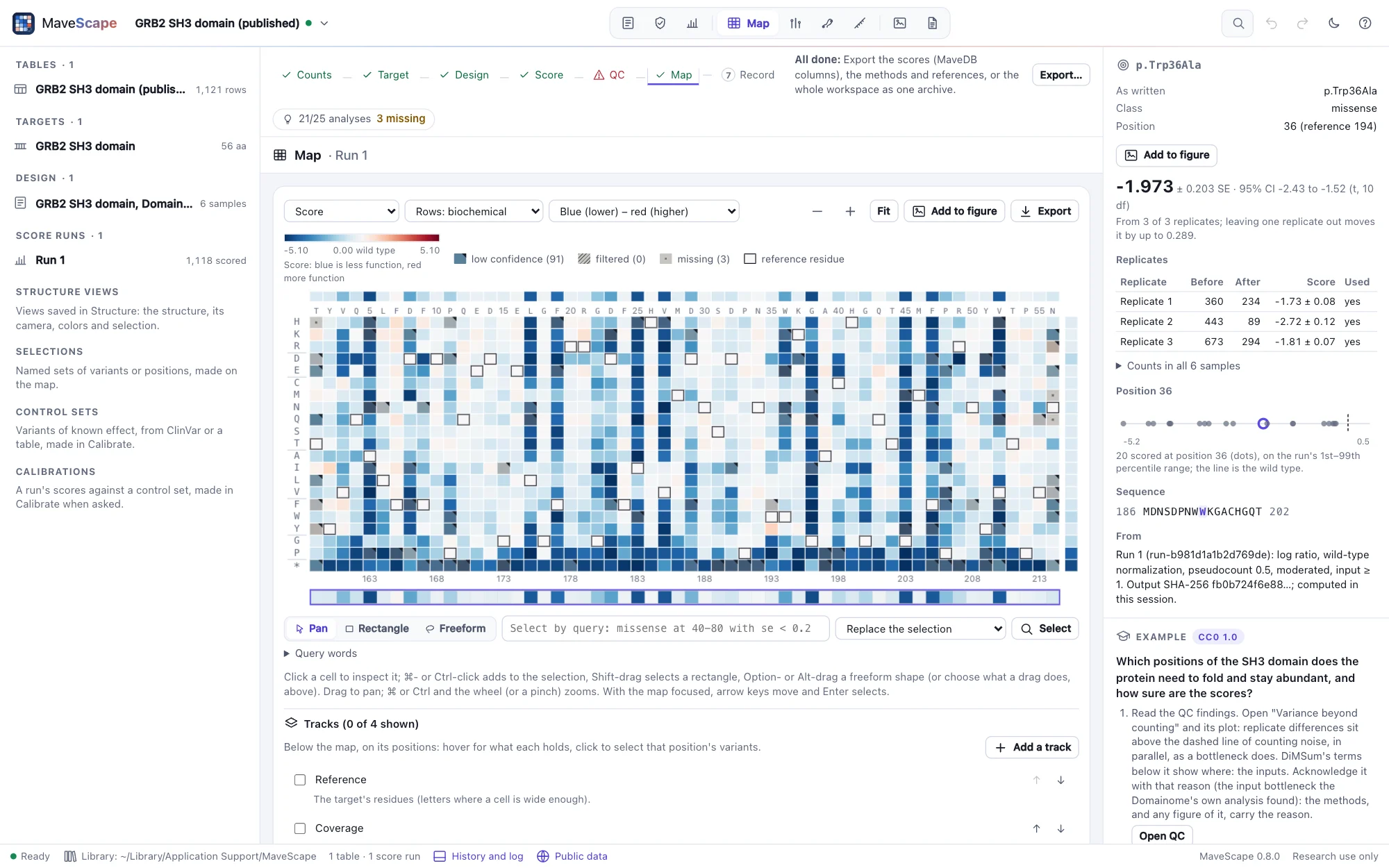
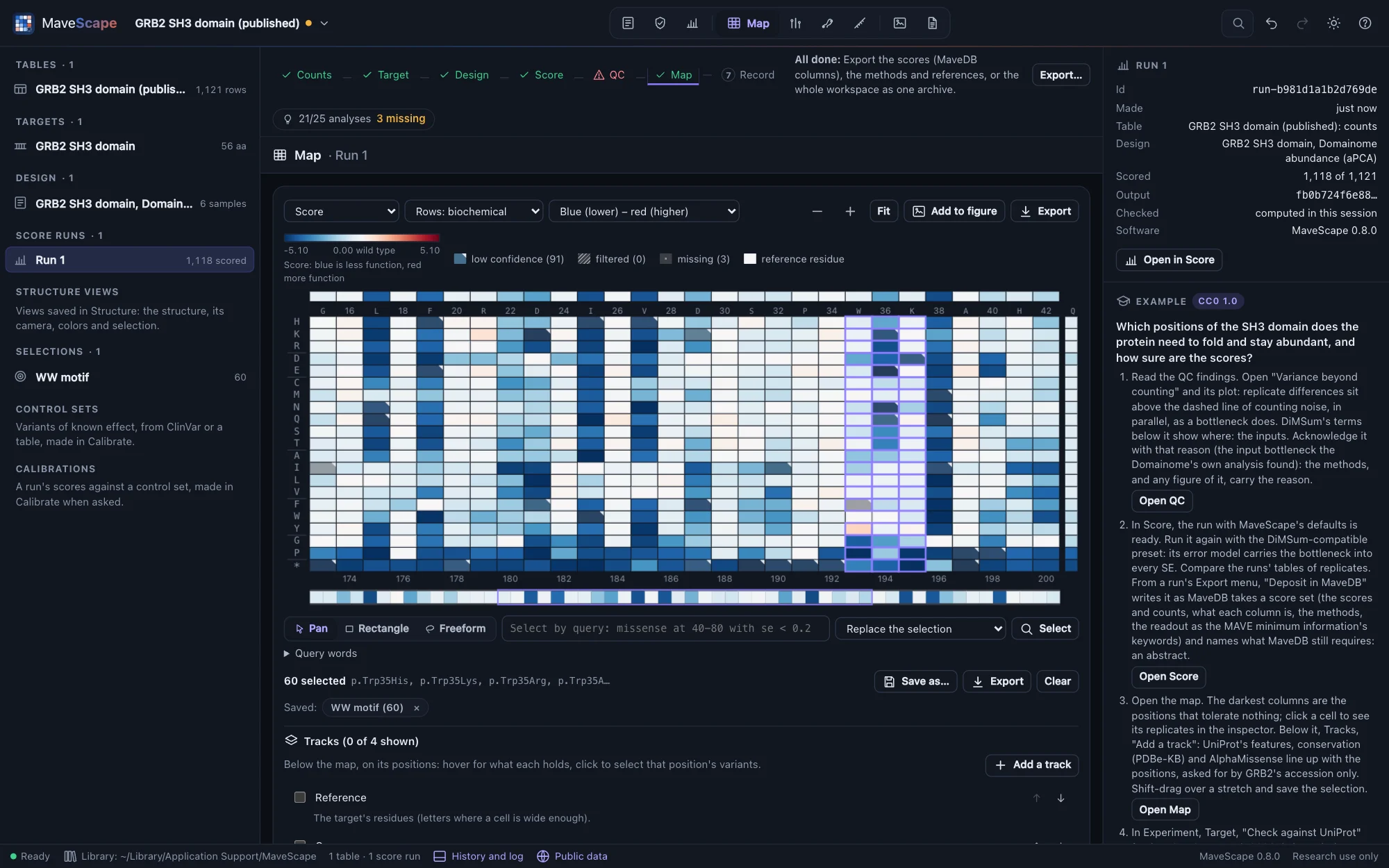
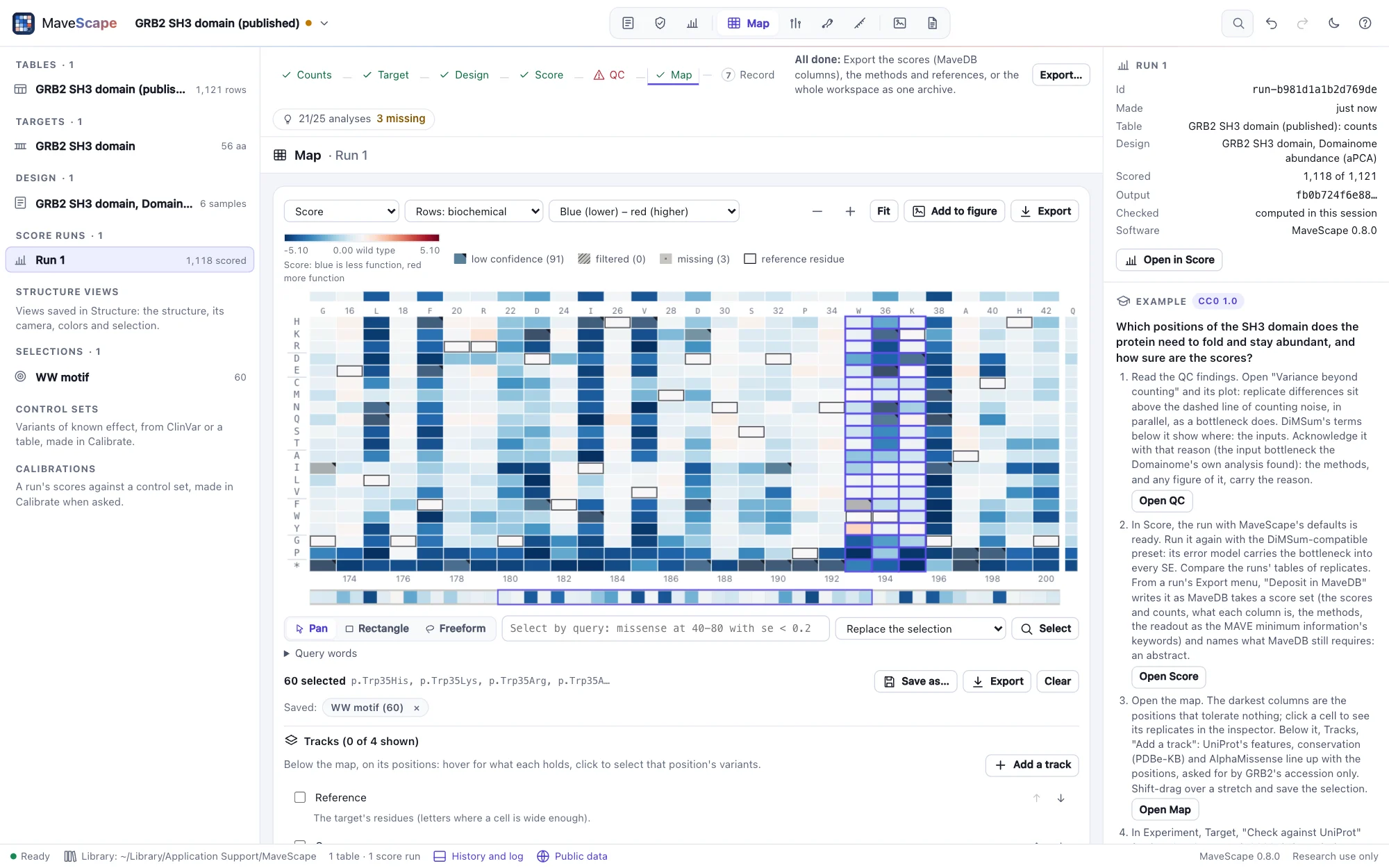
The Map view of MaveScape: the variant-effect map of the GRB2 SH3 domain, 56 positions by 21 substitutions colored from less abundant (blue) to more (red), with the evidence for p.Trp36Ala in the inspector: its score with SE and 95% interval and each replicate's countsThe Map view of MaveScape: the variant-effect map of the GRB2 SH3 domain, 56 positions by 21 substitutions colored from less abundant (blue) to more (red), with the evidence for p.Trp36Ala in the inspector: its score with SE and 95% interval and each replicate's counts
The GRB2 SH3 domain from the Human Domainome (MaveDB, CC0), one of the bundled examples, with one variant's evidence in the inspector.
$ curl --proto '=https' --tlsv1.2 -fsSL https://raw.githubusercontent.com/robert-mcdermott/mavescape/main/install.sh | sh

Installs the latest release in ~/.local/bin after checking its SHA-256 checksum, then prints how to start it. Other options

Free and open source (Apache 2.0) · macOS, Linux and Windows · x64 and ARM64

Numbers you can check

Scores equal to Enrich2's to 5 × 10⁻¹³, replicates combined as metafor does, and the same bits in every browser. Each run is recomputed from its inputs when reopened and must match its recorded hash.

Says when not to trust them

Quality control reads depth, coverage, replicate agreement, bottlenecks and the controls, and every finding says pass, review or fail with its threshold and why it matters.

Private and self-contained

One program for macOS, Linux and Windows. Count tables are read in your browser; nothing is uploaded, and MaveScape makes no network requests of its own.

On the record

Scores in MaveDB's columns, the methods of the whole analysis with their references, and a certificate that computes every number again on another computer, bit for bit.

New to MAVEs?

Thousands of variants, one experiment

A multiplexed assay of variant effect (MAVE) puts a library of variants of a gene or protein through a selection, such as growth, binding or a cell sort, and sequencing counts each variant before and after. Protein deep mutational scanning is the most common kind. MaveScape starts from those counts, after tools such as Enrich2 or DiMSum have read the sequencing. It needs no MaveDB account, though MaveDB is where MAVE data are published. MAVEs in brief

What it does

From the count table to a map you can defend

Open the counts and the target's sequence, say which column is which sample, score, read the quality control, explore the map, and leave with files a reviewer can repeat.

Import

Count tables as your tools write them

MaveDB, Enrich2, DiMSum and dms_variants layouts are recognized, and a lab's own tables are mapped by hand once and saved as a template. Every variant name is checked against the target: lab forms such as A12V and _wt are read leniently and kept as written, and a missing count is never read as zero.

  • MAVE-HGVS checked against mavehgvs on 16,959 strings
  • Every problem that blocks scoring listed, by line
  • One file per sample joined into one table
  • Several MaveDB score sets opened together, a condition each
Opening your data
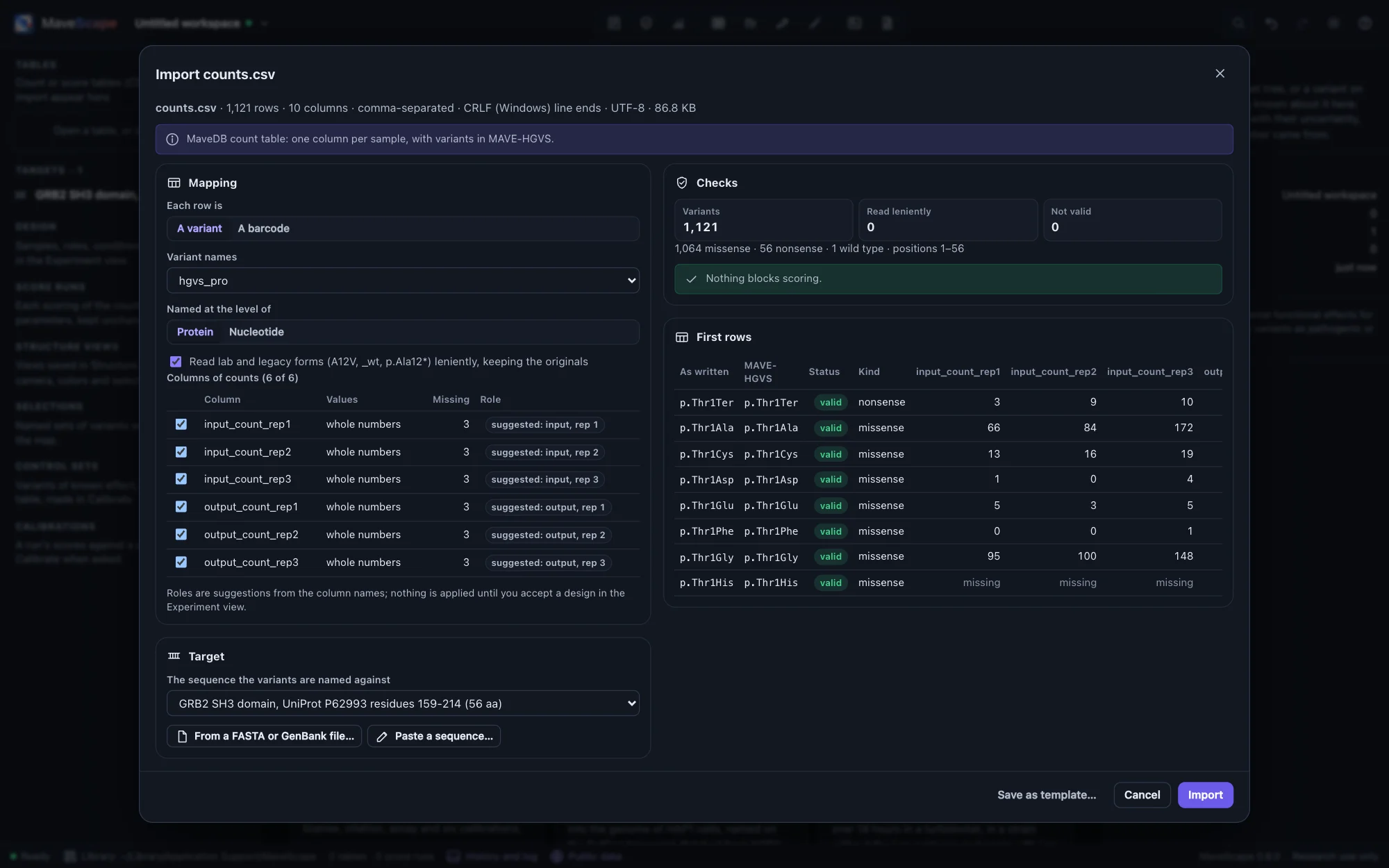
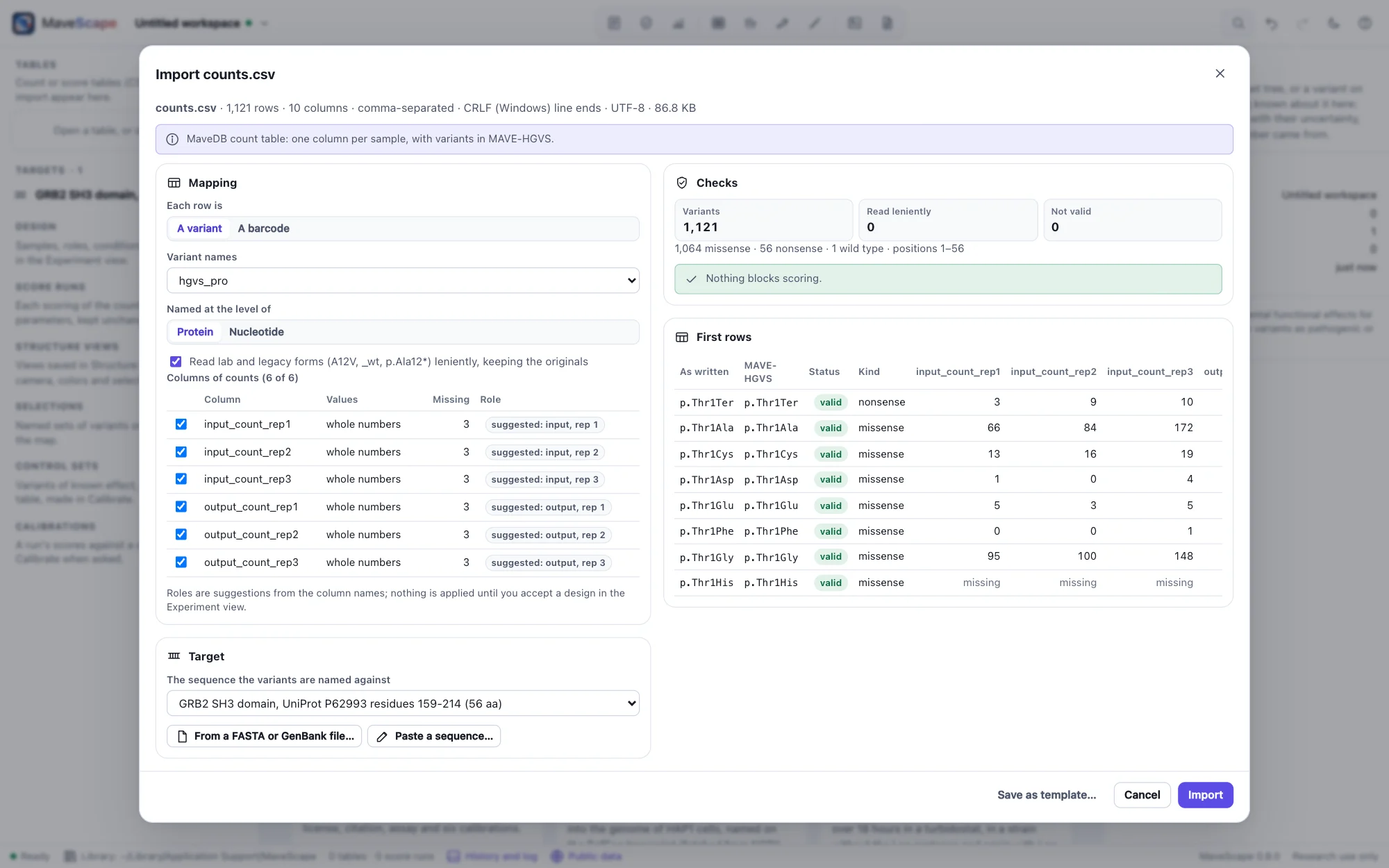
The import wizard for a MaveDB count table: the variant column, the six count columns with suggested roles, the GRB2 SH3 target, the checks (1,121 variants, none invalid) and the first rowsThe import wizard for a MaveDB count table: the variant column, the six count columns with suggested roles, the GRB2 SH3 target, the checks (1,121 variants, none invalid) and the first rows
GRB2's MaveDB counts: six count columns with their roles suggested, every name valid against the target.
The design

Which column is which sample, said once

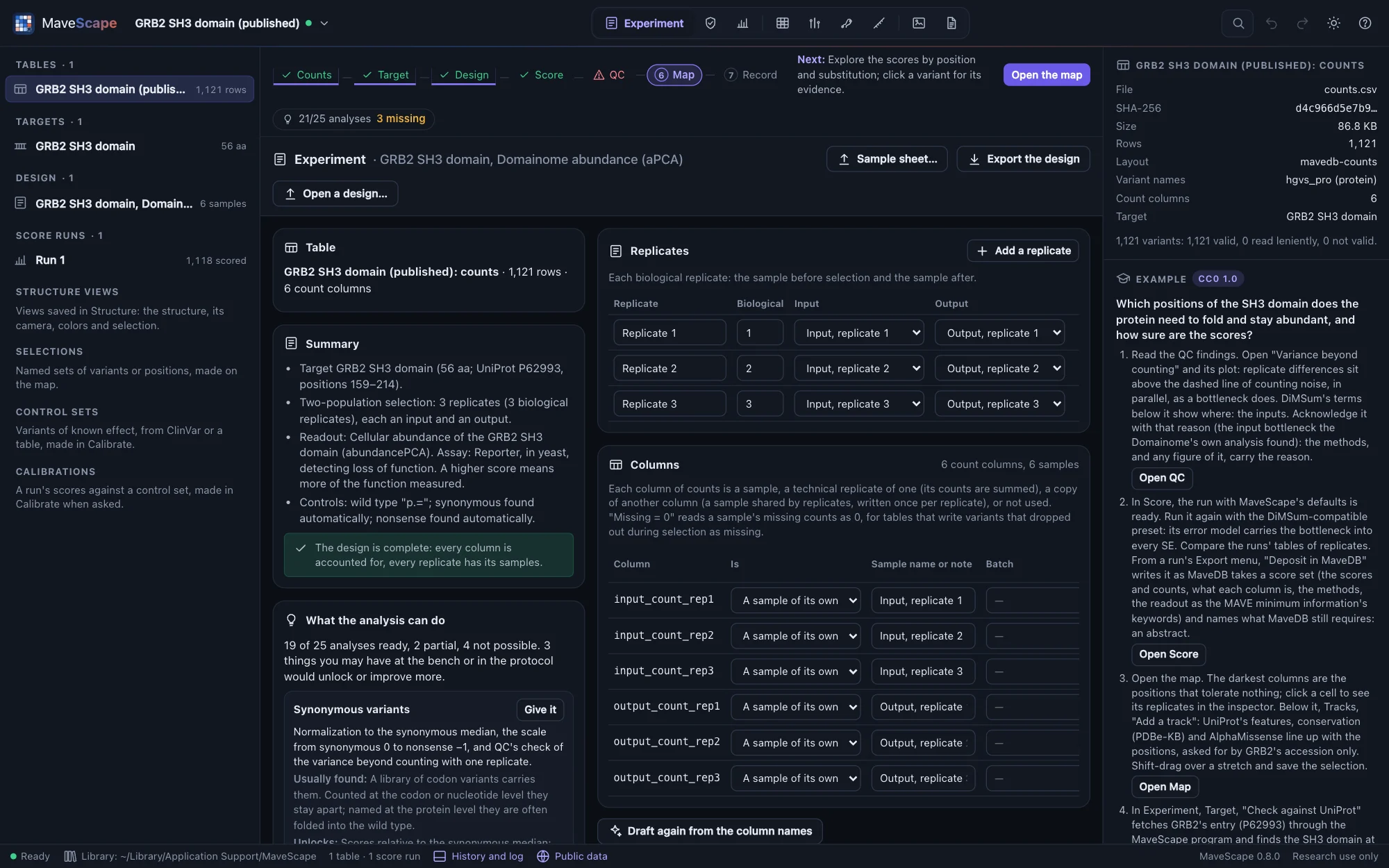
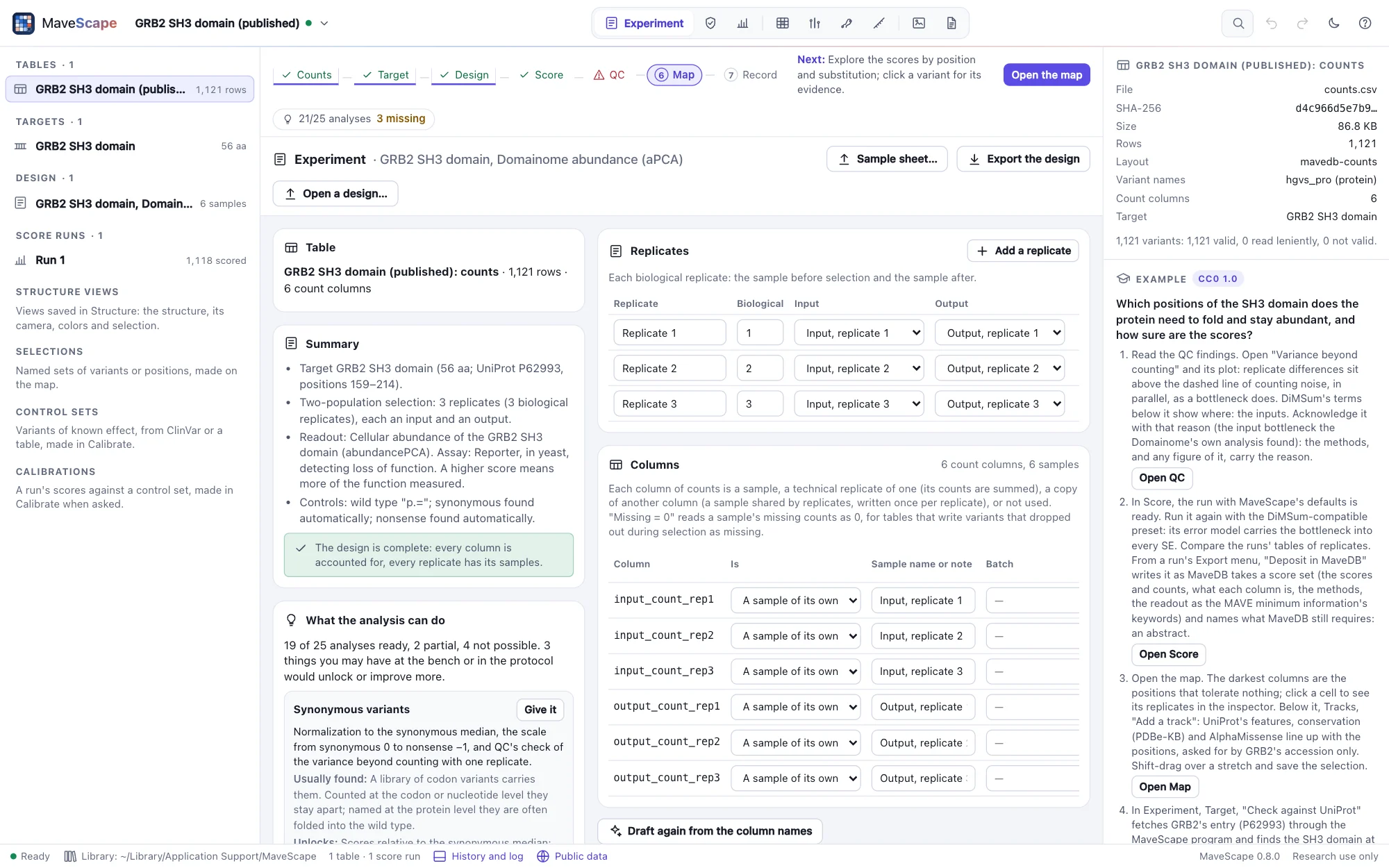
MaveScape drafts the design from the column names: inputs and outputs, replicates, time points, shared inputs found in the data. Check it in the Experiment view, where every column is accounted for and the design is described in plain words.

  • Two populations, time series, sorted bins and tiles; tables of barcodes with their barcode-to-variant maps
  • From a sample sheet, or DiMSum's design file
  • What each analysis can do with what is there, and what the bench or the protocol would add
  • The analysis package: counts, target, design and parameters, as mavescape run reads them
  • Each change in a hash-chained history
The design
The Experiment view of the GRB2 example: the columns mapped to samples, three replicates with their input and output, and the design described in wordsThe Experiment view of the GRB2 example: the columns mapped to samples, three replicates with their input and output, and the design described in words
The GRB2 example's design: three replicates, each an input and an output.
Scoring

Scores with standard errors, and the reasons for every gap

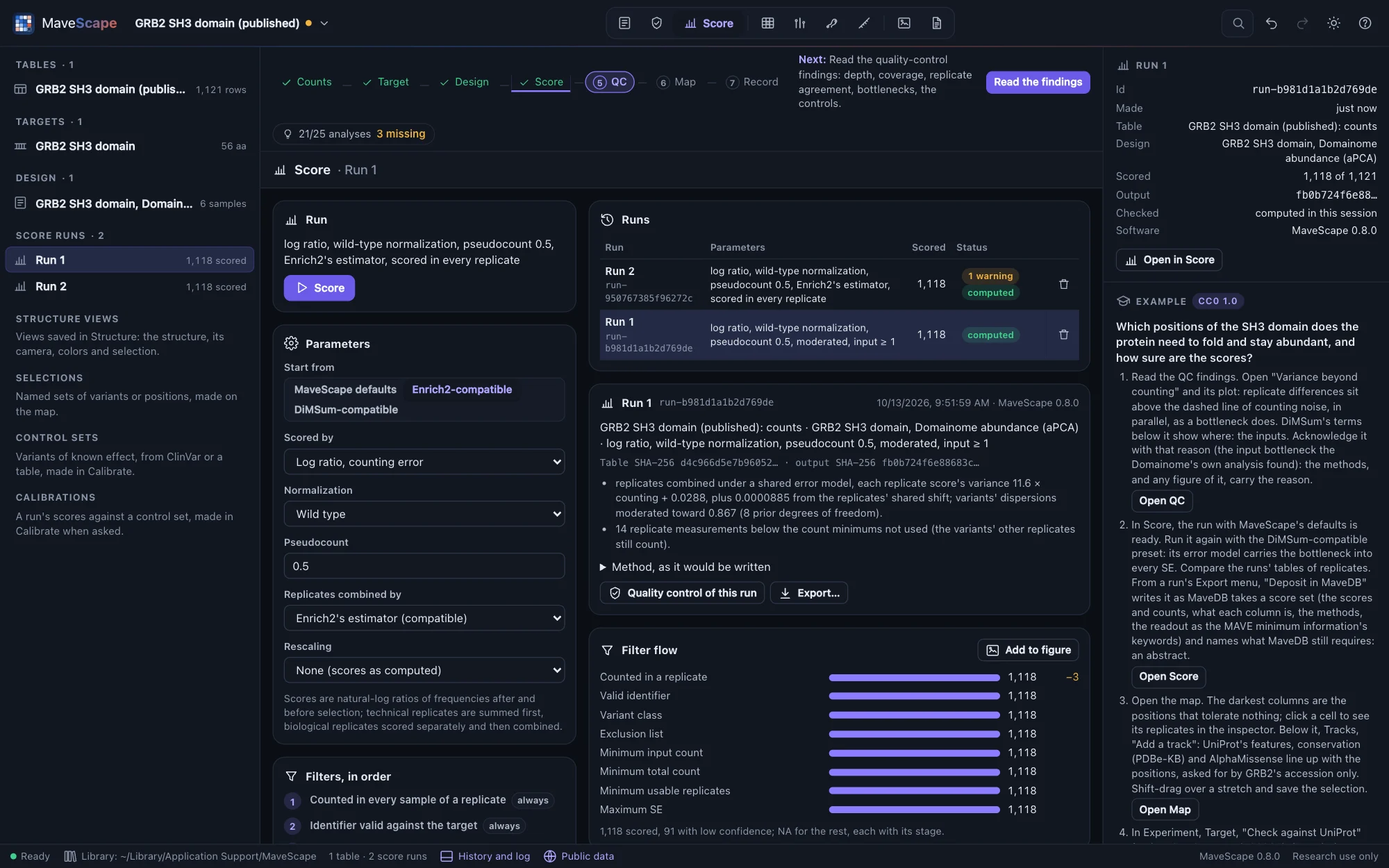
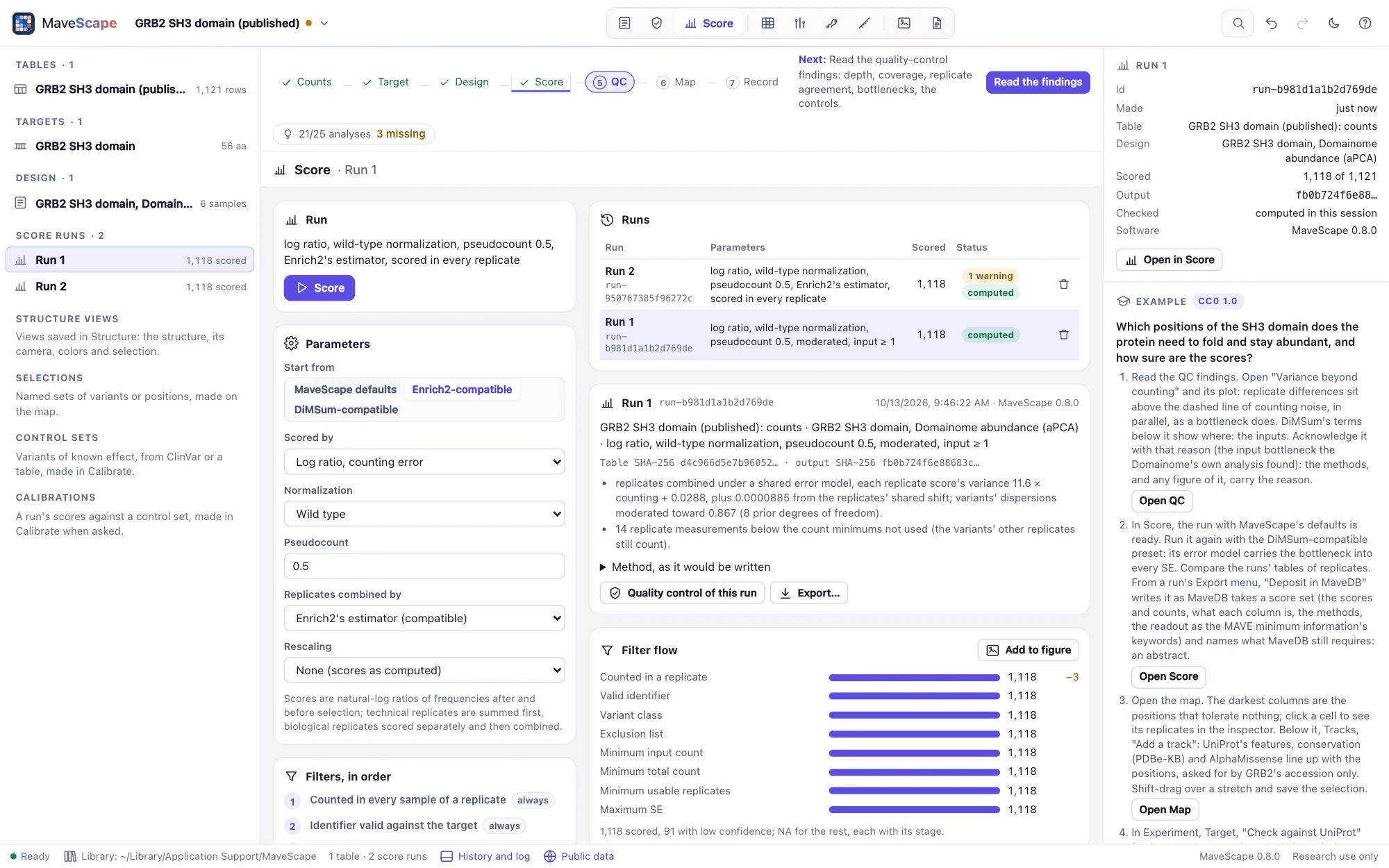
Log ratios with wild-type, complete-case, all-read or synonymous normalization, for a time series the slope of a weighted regression on every time point, and for sorted bins their weighted average or a maximum-likelihood fit; replicates combined under a shared error model whose 95% intervals hold the truth, or by REML, fixed effects or Enrich2's own estimator; eight ordered filters, each variant left out with its reason. Every run is immutable and kept with everything needed to repeat it.

  • Equal to Enrich2 2.0.2 and dms_variants 1.6.0 to 5 × 10⁻¹³
  • Time series by weighted regression on every time point
  • Sorted bins (FACS) by their weighted average or by maximum likelihood
  • Barcodes summed per variant, or each scored and combined, outlier barcodes found
  • 95% intervals that hold the truth 94–97% of the time, in 26 kinds of simulated experiment
  • REML equal to metafor 5.2 to 3.4 × 10⁻¹²
  • An Enrich2-compatible preset to compare with published scores
Scoring
The Score view: the run's parameters, two runs (MaveScape defaults and Enrich2-compatible), the filter flow and the scores by variant classThe Score view: the run's parameters, two runs (MaveScape defaults and Enrich2-compatible), the filter flow and the scores by variant class
Two runs of the GRB2 counts: MaveScape's defaults and the Enrich2-compatible preset.
Quality control

Whether the experiment supports the scores

Twelve findings, each pass, review or fail with what was found, its threshold, why it matters and the plot behind it. Variance beyond counting points to a bottleneck; dropouts, coverage, replicate agreement, outlier replicates and the separation of the controls are checked too.

  • Checked on simulated experiments with one planted problem each
  • Thresholds kept in the workspace, every change recorded
  • QC of the counts alone, before scoring
  • Two replicates, conditions or runs compared, the report first saying what their agreement can mean, then their maps side by side, their difference and the variants that differ beyond their uncertainty; another assay or a predictor too, put on one scale by their anchors or compared by class (Comparisons)
  • Each variant's conclusion checked against other reasonable analysis choices, the ones it depends on named (Robustness)
Quality control
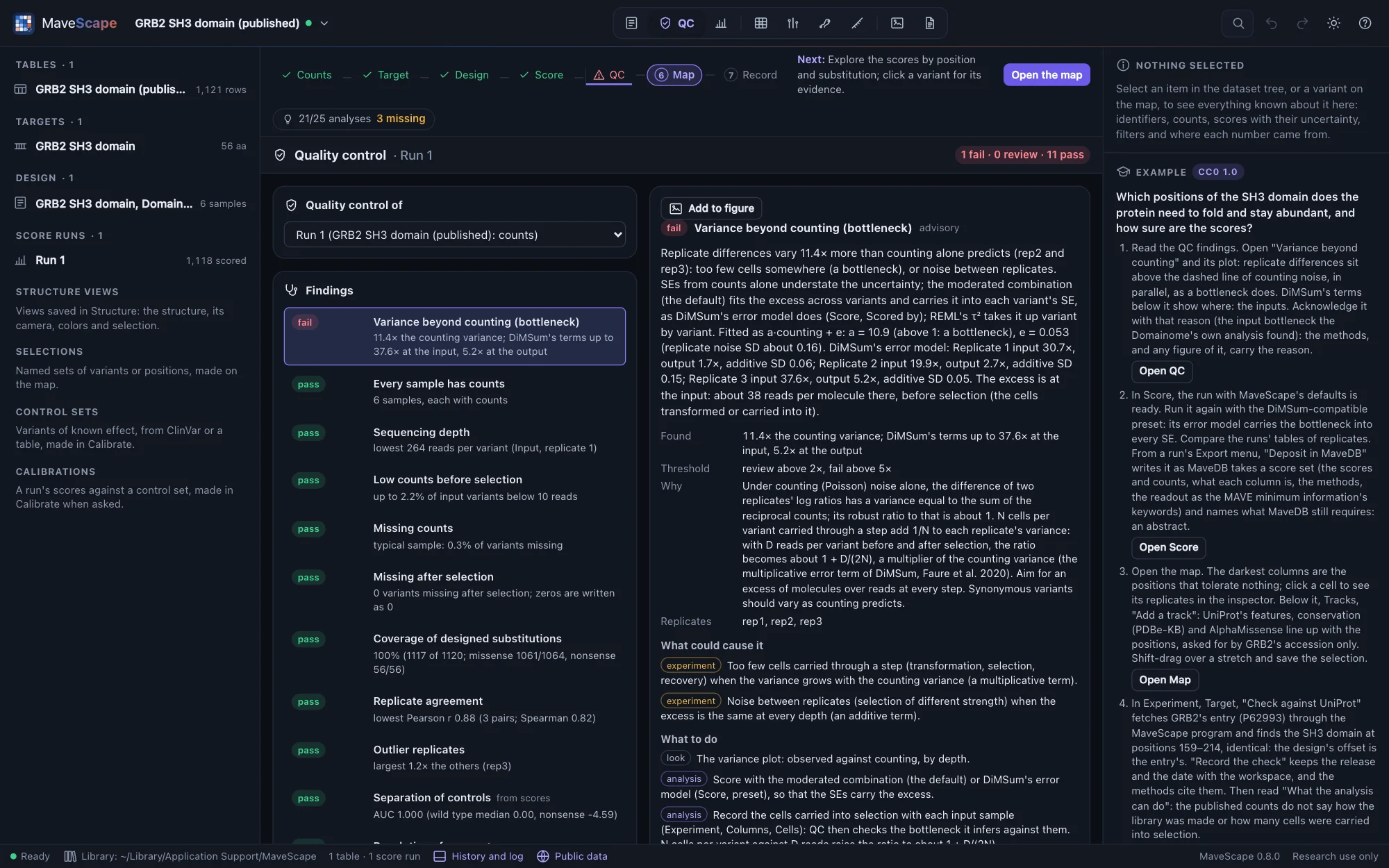
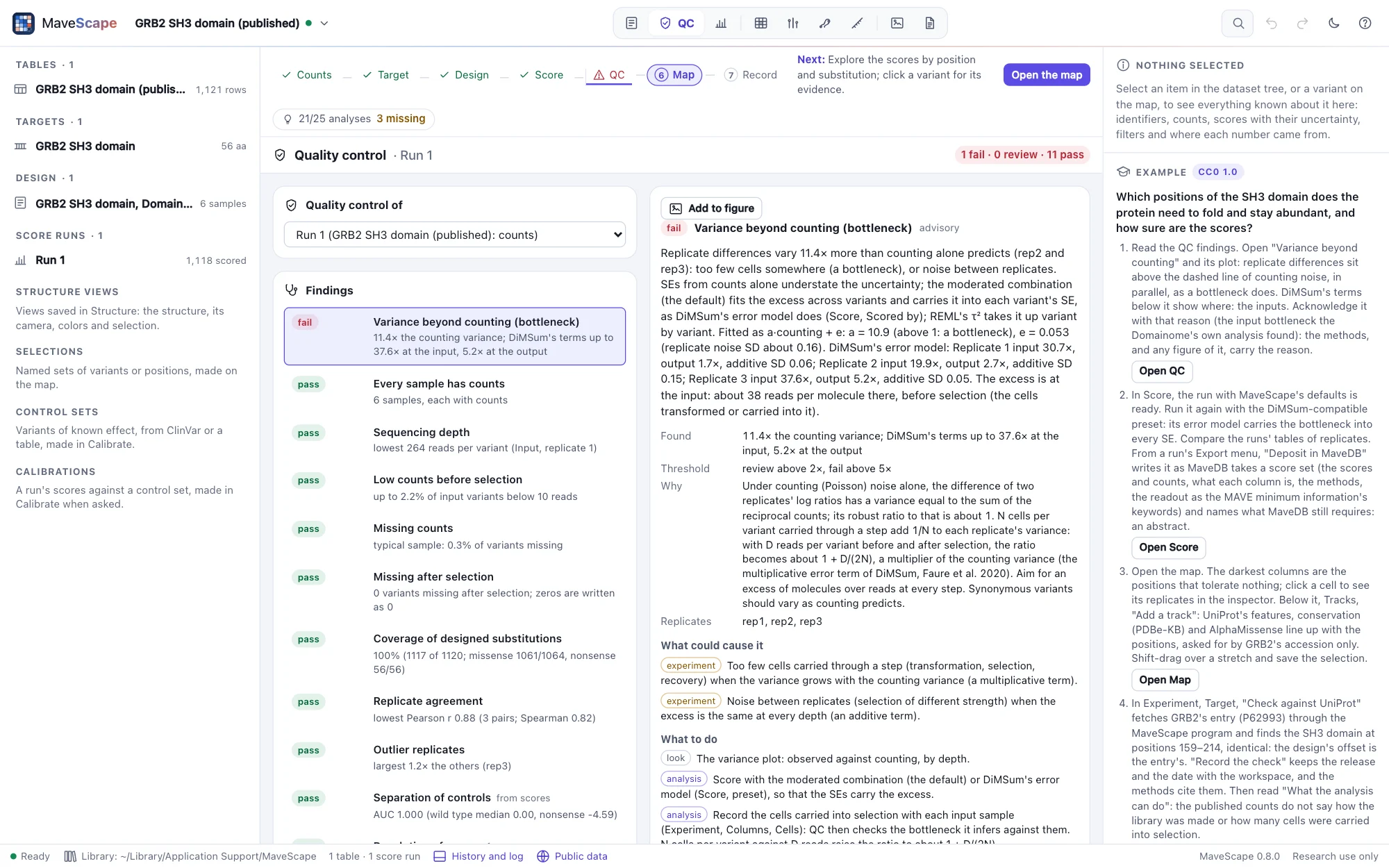
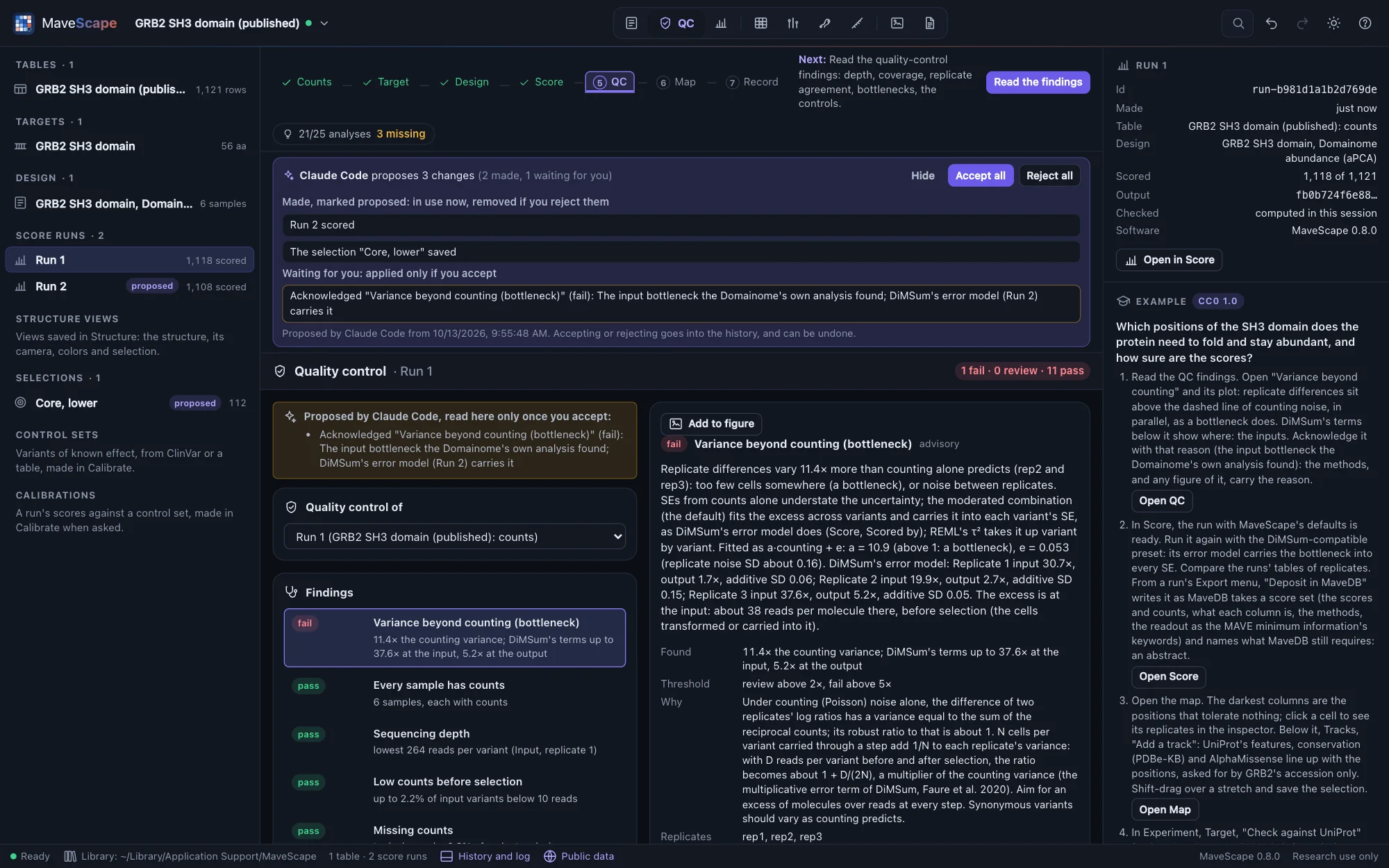
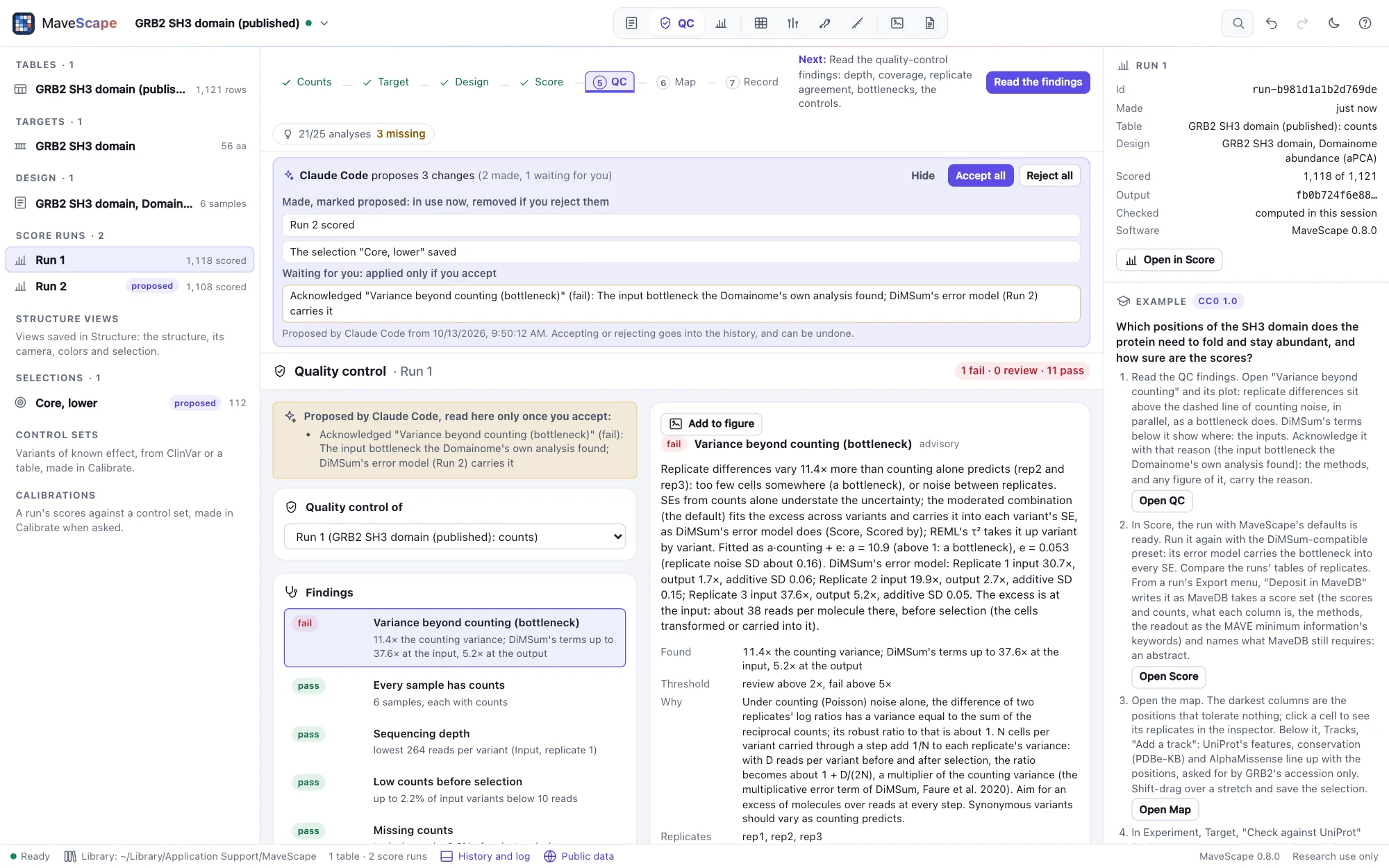
The QC view of the GRB2 example: eleven findings pass, and the variance beyond counting fails at 11.4 times the counting variance, with its plot of observed against expected varianceThe QC view of the GRB2 example: eleven findings pass, and the variance beyond counting fails at 11.4 times the counting variance, with its plot of observed against expected variance
GRB2's replicate differences vary 11× more than counting predicts: the bottleneck the Domainome's own analysis found.
The map

Every substitution, and what is not there

Positions across, substitutions down, colored on a scale centered on the wild type. Missing, filtered and low-confidence measurements are drawn their own way, never as "no effect". Click a cell for its evidence: the score with its interval, each replicate, every sample's counts and the sequence around it.

  • Tracks below it: domains, conservation, AlphaMissense, ClinVar, gnomAD and your own
  • Selections by click, rectangle, freeform shape or query ("missense at 40-80 with se < 0.2"), saved by name and combined, exported with their scores (Selections)
  • SVG and PNG export; the map described in words
  • Keyboard operation, with each cell announced
The map and the inspector
The map zoomed in on GRB2 positions 35 to 37, the WW motif, selected and saved as a named selectionThe map zoomed in on GRB2 positions 35 to 37, the WW motif, selected and saved as a named selection
Positions 35–37 selected on the zoomed map and saved as "WW motif".
The structure

The map on the protein, and the protein as evidence

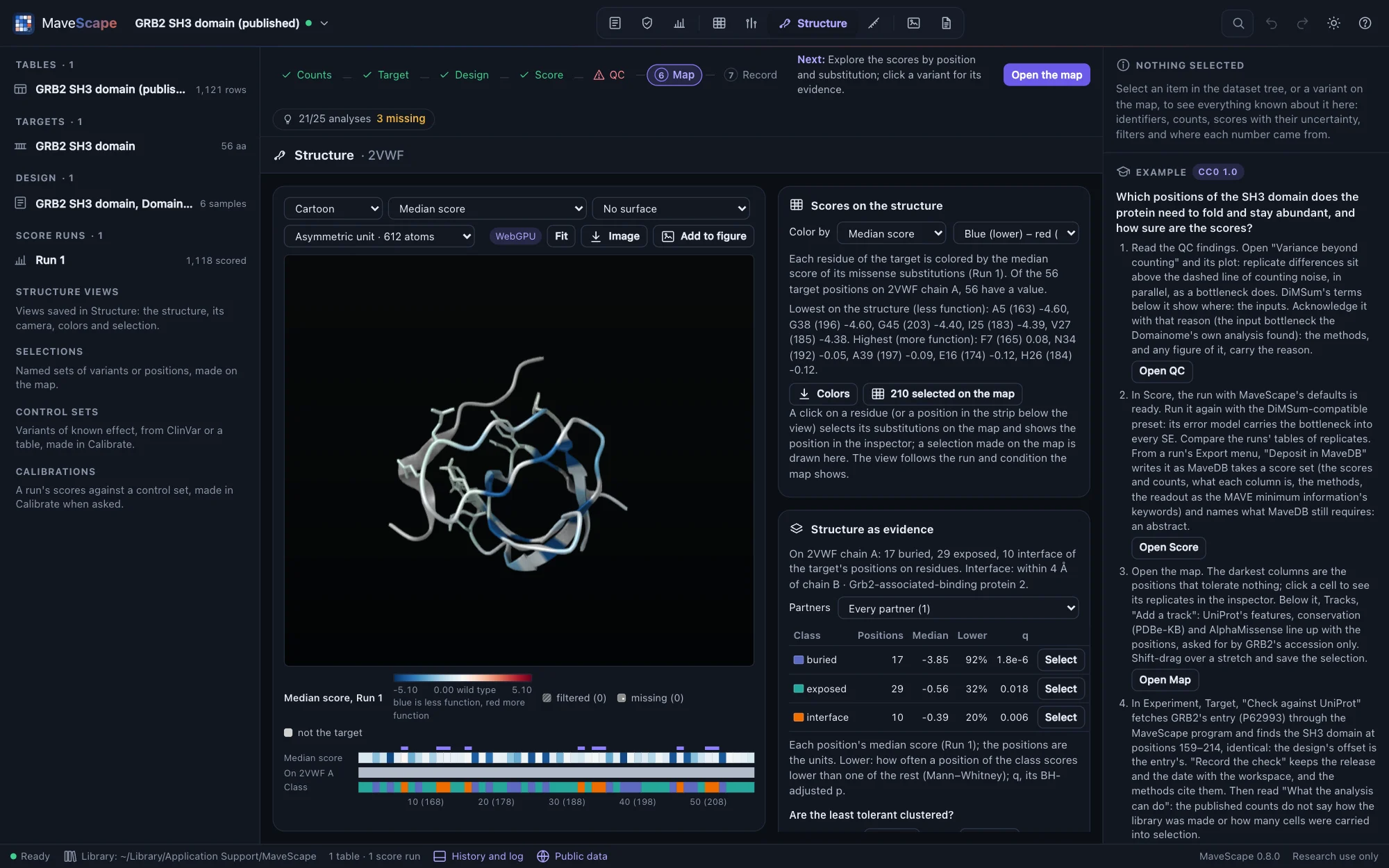
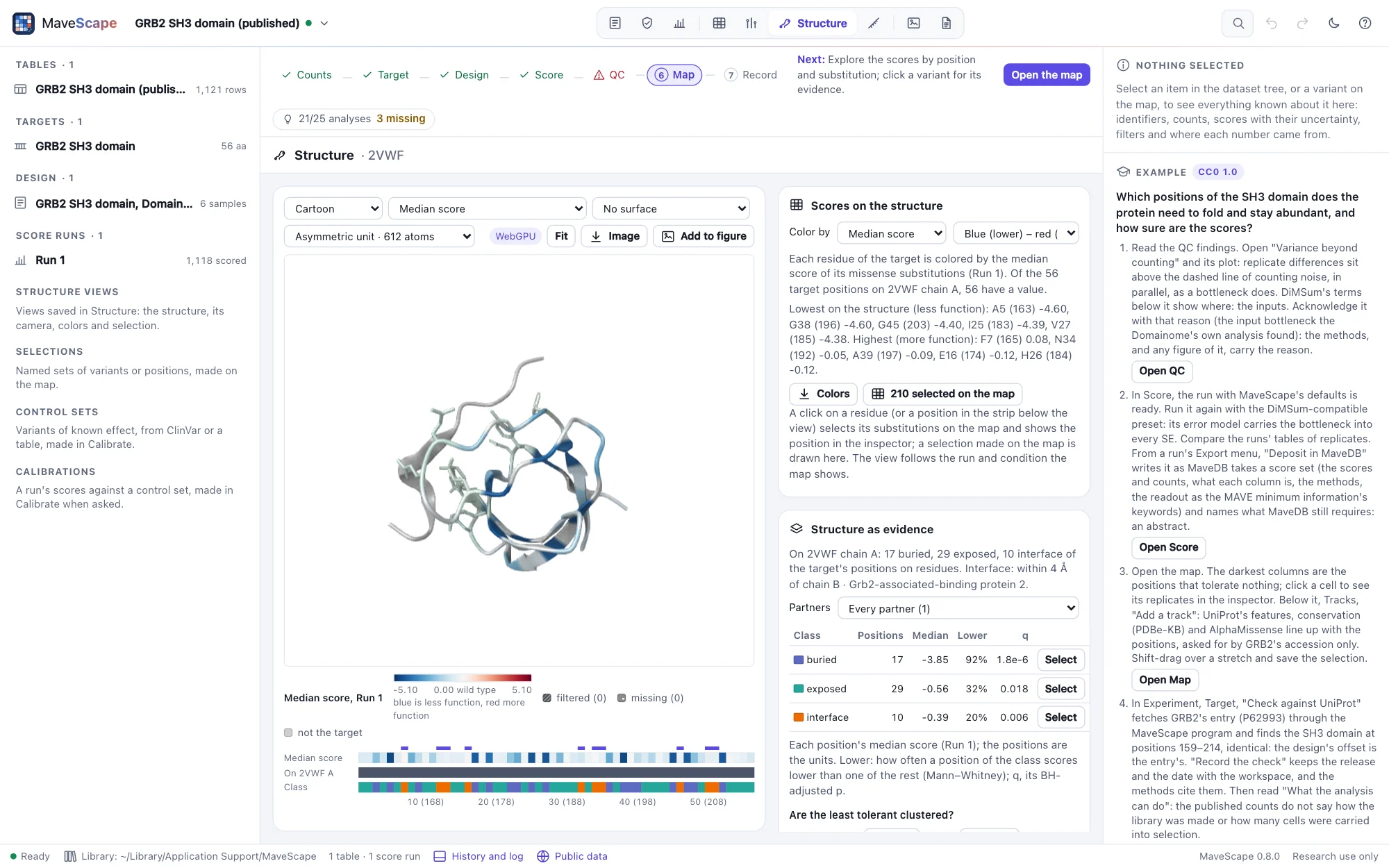
A PDB entry, an AlphaFold DB model or your own file, drawn by MaveScape itself. The target is mapped onto every chain that holds it, position by position, as SIFTS maps it, and each residue takes its position's scores in the map's colors; a selection on one is a selection on the other. What the structure says of each position becomes tracks beside the map.

  • The structures that cover the target, ranked; an experimental structure and a predicted model alike
  • Secondary structure by DSSP, accessibility, exposure and disorder, and contacts with partners, checked against DSSP's own output
  • The scores by structural class, and a test of whether the least tolerant positions cluster beyond what burial explains
  • Views saved with the workspace, its archive and methods; figure panels with their legend
  • Opened in Proteoscope, when it runs on your computer
Structures
GRB2's SH3 domain on 2VWF colored by the median score of each position's missense substitutions, the core dark blue, the residues that touch the Gab2 peptide pale and drawn as sticks; the legend below the view runs from −5.10 through 0.00 (the wild type) to 5.10, blue less function, filtered and missing gray; the strip of the 56 positions below it, ten selected; beside it, the pane Scores on the structure, and 210 variants selected on the mapGRB2's SH3 domain on 2VWF colored by the median score of each position's missense substitutions, the core dark blue, the residues that touch the Gab2 peptide pale and drawn as sticks; the legend below the view runs from −5.10 through 0.00 (the wild type) to 5.10, blue less function, filtered and missing gray; the strip of the 56 positions below it, ten selected; beside it, the pane Scores on the structure, and 210 variants selected on the map
GRB2's SH3 domain on 2VWF, colored by each position's median score: the core is dark blue, the residues that touch the Gab2 peptide are pale.
Figures

Figures that carry their analysis

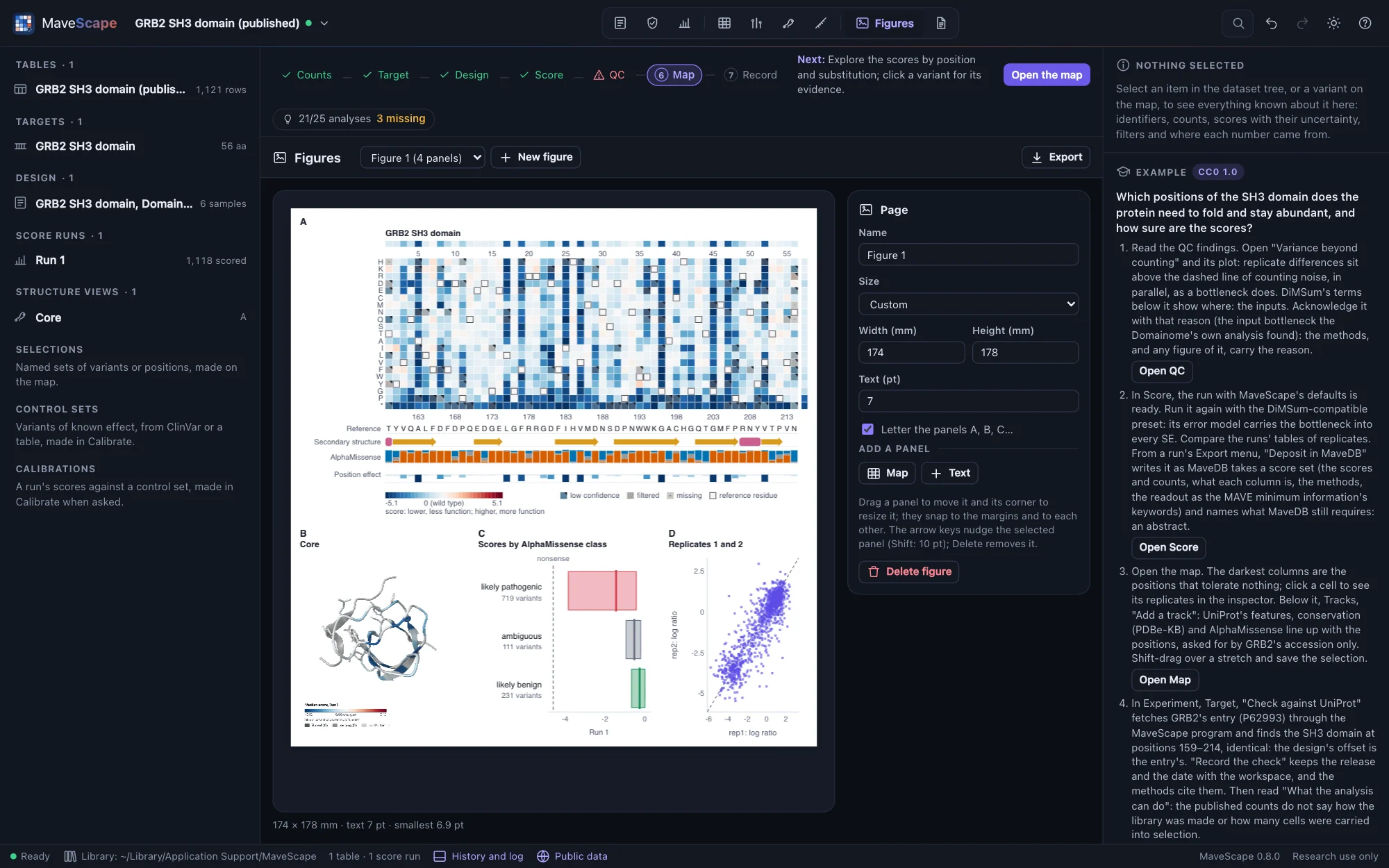
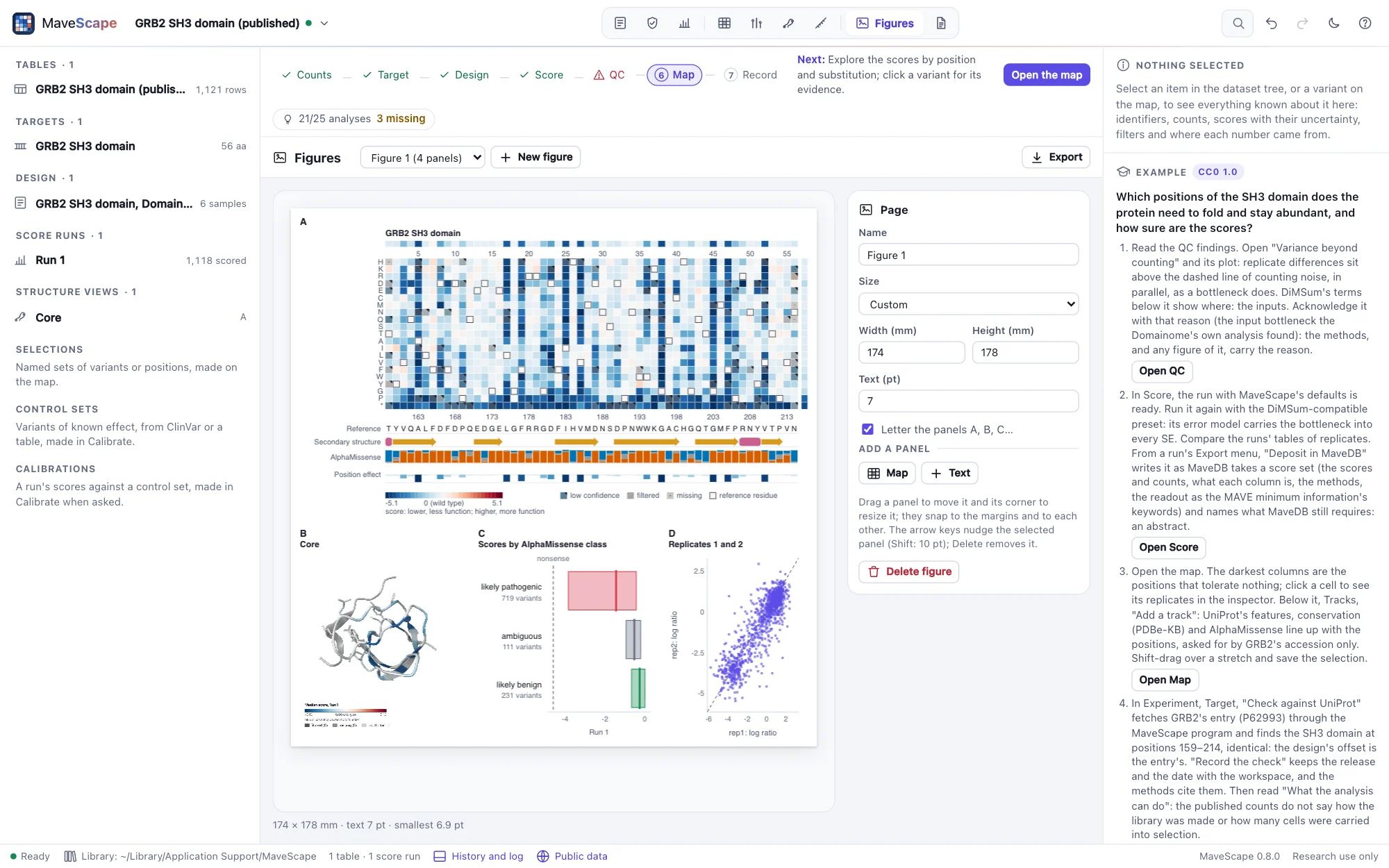
A page at a journal's column width, its panels drawn by the views themselves: the map with its tracks, a structure view, the QC findings' plots, the scores, a comparison, a variant's evidence. Each panel says what it shows, so the figure follows a rescoring until it is exported. Exported as SVG, PDF or PNG, it carries what each panel was drawn from; dropped on the window, it says what has changed since.

  • Text set in points at the printed size; text under 6 pt and images under 300 dpi said
  • The same figure the same bytes, in the window and from mavescape export
  • Each panel's runs by their SHA-256, the QC thresholds and acknowledgements, the structure view's image
  • Rebuilt from its file, each panel compared with the drawing it records
Figures
The Figures view with a figure two columns wide: A, GRB2's variant-effect map with the target's sequence, its secondary structure, AlphaMissense and each position's effect below it; B, the SH3 domain on 2VWF colored by the median score; C, the measured scores in each of AlphaMissense's classes; D, two replicates' log ratios against each otherThe Figures view with a figure two columns wide: A, GRB2's variant-effect map with the target's sequence, its secondary structure, AlphaMissense and each position's effect below it; B, the SH3 domain on 2VWF colored by the median score; C, the measured scores in each of AlphaMissense's classes; D, two replicates' log ratios against each other
A figure of GRB2's SH3 domain: the map with its tracks, the structure, a predictor's classes and the replicates' agreement.
The record

An analysis a reviewer can check

The methods of the whole workspace, written from the record with their references; checkpoints, and what changed since, variant by variant. A certificate computes every number the workspace reports again from its files, and anyone can verify it bit for bit; its review report is one file a reviewer opens in any browser, every number traced to where it comes from. Scores and counts go out in MaveDB's columns, and a run becomes a MaveDB deposit its own validators accept.

  • Every reference with a DOI checked against Crossref's record of it
  • mavescape verify: exit 0 verified, 1 differs (each number listed), 2 not checkable
  • The review report loads nothing, and checks its numbers against the certificate's fingerprint
  • Archives written the same bytes in every time zone; every file described in FORMATS.md
Certificates and review reports
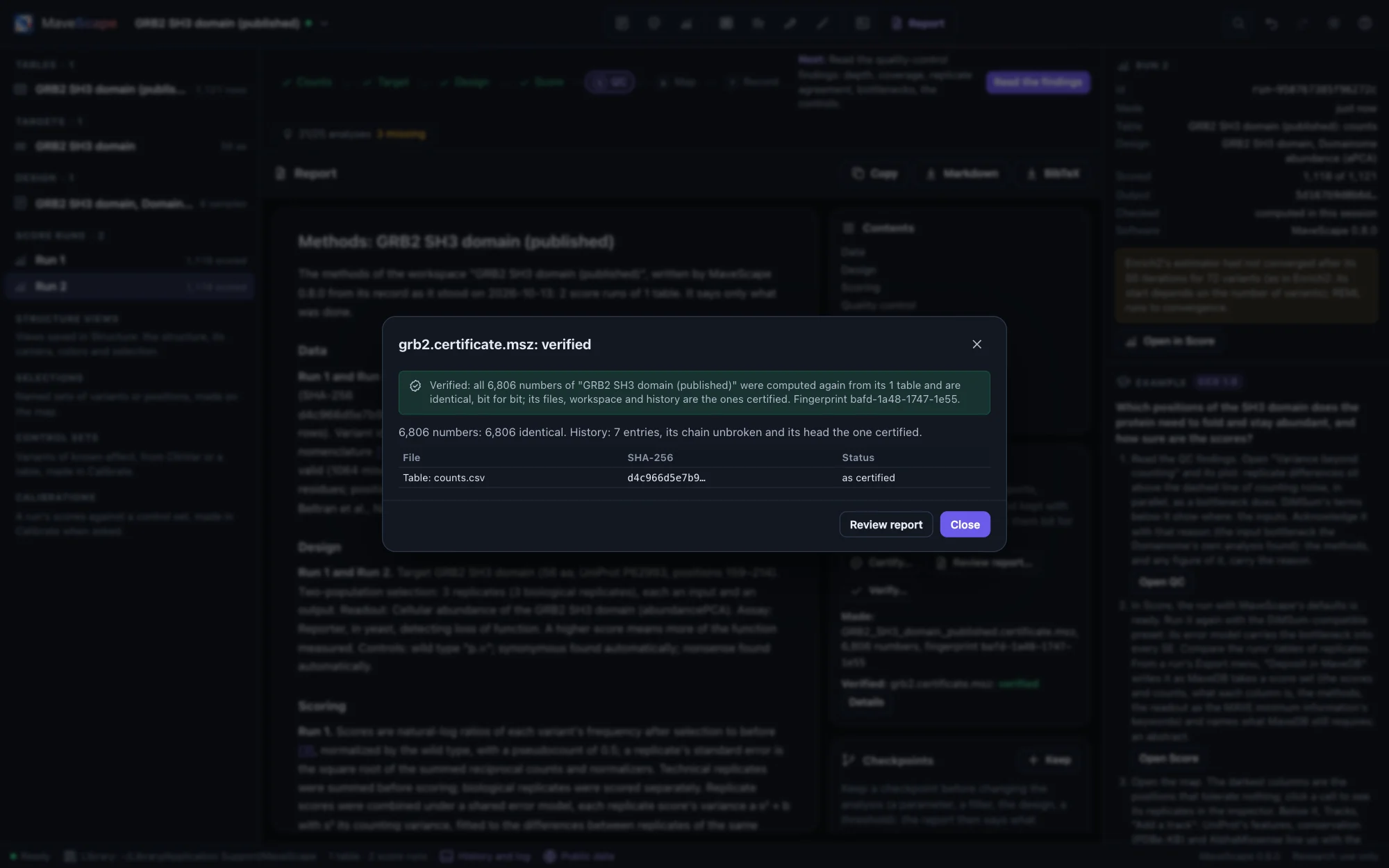
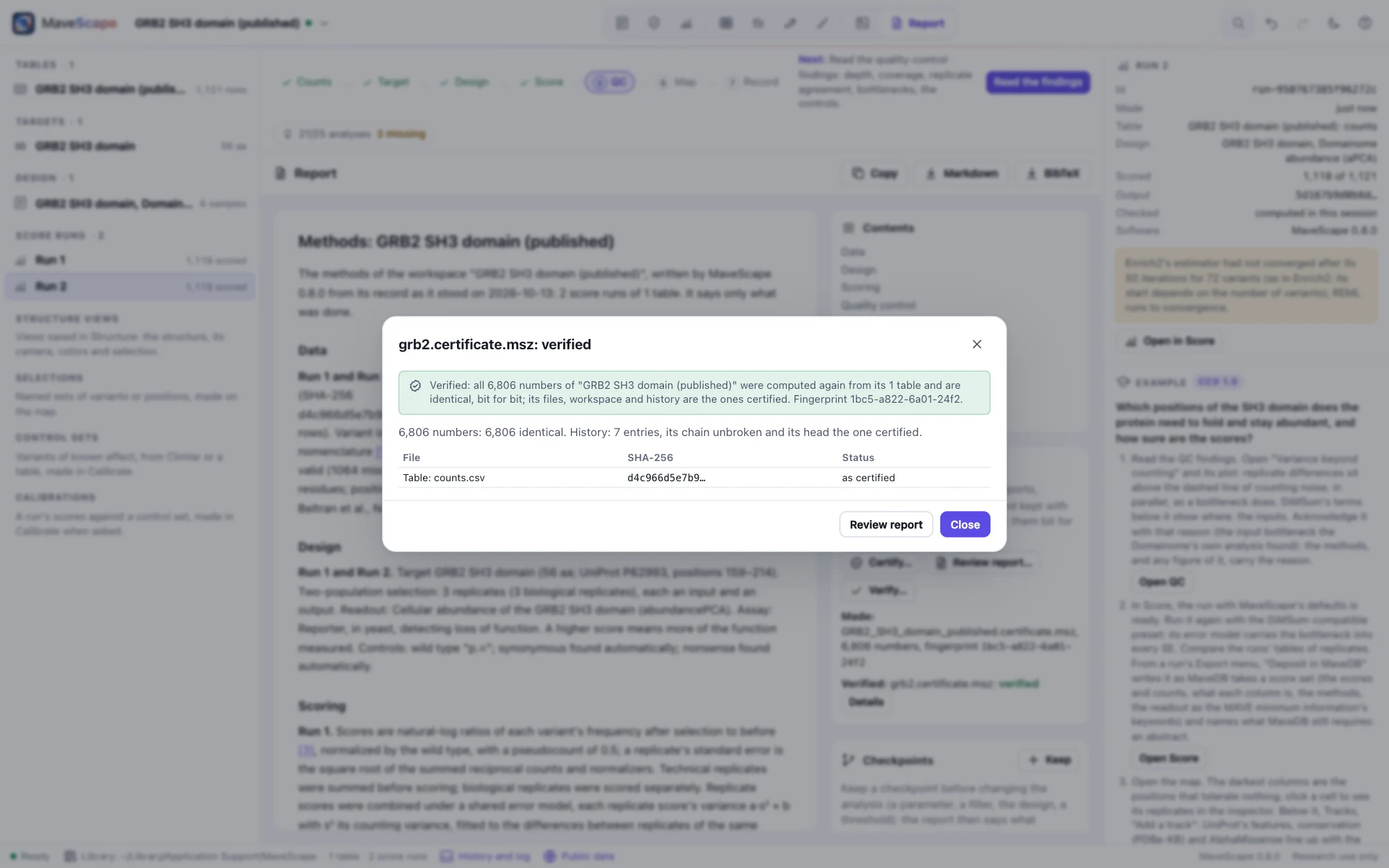
The Report view with a certificate's verification: GRB2's two runs, every one of their numbers computed again from its table and identical, bit for bit, its history's chain unbroken; the Certificate pane beside the reportThe Report view with a certificate's verification: GRB2's two runs, every one of their numbers computed again from its table and identical, bit for bit, its history's chain unbroken; the Certificate pane beside the report
GRB2's runs certified, then verified: every number computed again from the table, and identical.
AI agents and scripts

An agent in your window, and you deciding

Claude Code, or any client of the Model Context Protocol, calls MaveScape's actions as its tools: it opens data, scores, reads the quality control and the scores as tables, looks at the map, structures and figures, compares and makes figures, in the window you watch. What it makes is marked proposed; a design, an acknowledgement, a threshold or a removal waits for you. You accept or reject it above the view, and the history keeps the agent's name beside each change. R and Python call the same actions as functions, tables coming back as data frames.

  • claude mcp add mavescape -- mavescape mcp; Claude Desktop, Cursor, VS Code and Codex alike
  • Nothing certified while a proposal waits
  • Every action under one name, for agents, scripts and the R and Python packages alike
  • A notebook on GRB2 and an R script on DHFR, run against every build
Agents and scripts
Claude Code's proposal in the QC view of the GRB2 example: the strip above the view lists the run and the selection it made, marked proposed in the dataset tree, and the acknowledgement of the variance beyond counting, waitingClaude Code's proposal in the QC view of the GRB2 example: the strip above the view lists the run and the selection it made, marked proposed in the dataset tree, and the acknowledgement of the variance beyond counting, waiting
Claude Code worked on GRB2: a run scored again and a selection made, marked proposed; an acknowledgement waiting for you.
Calibration, for research

How far the scores separate known variants, and what that rests on

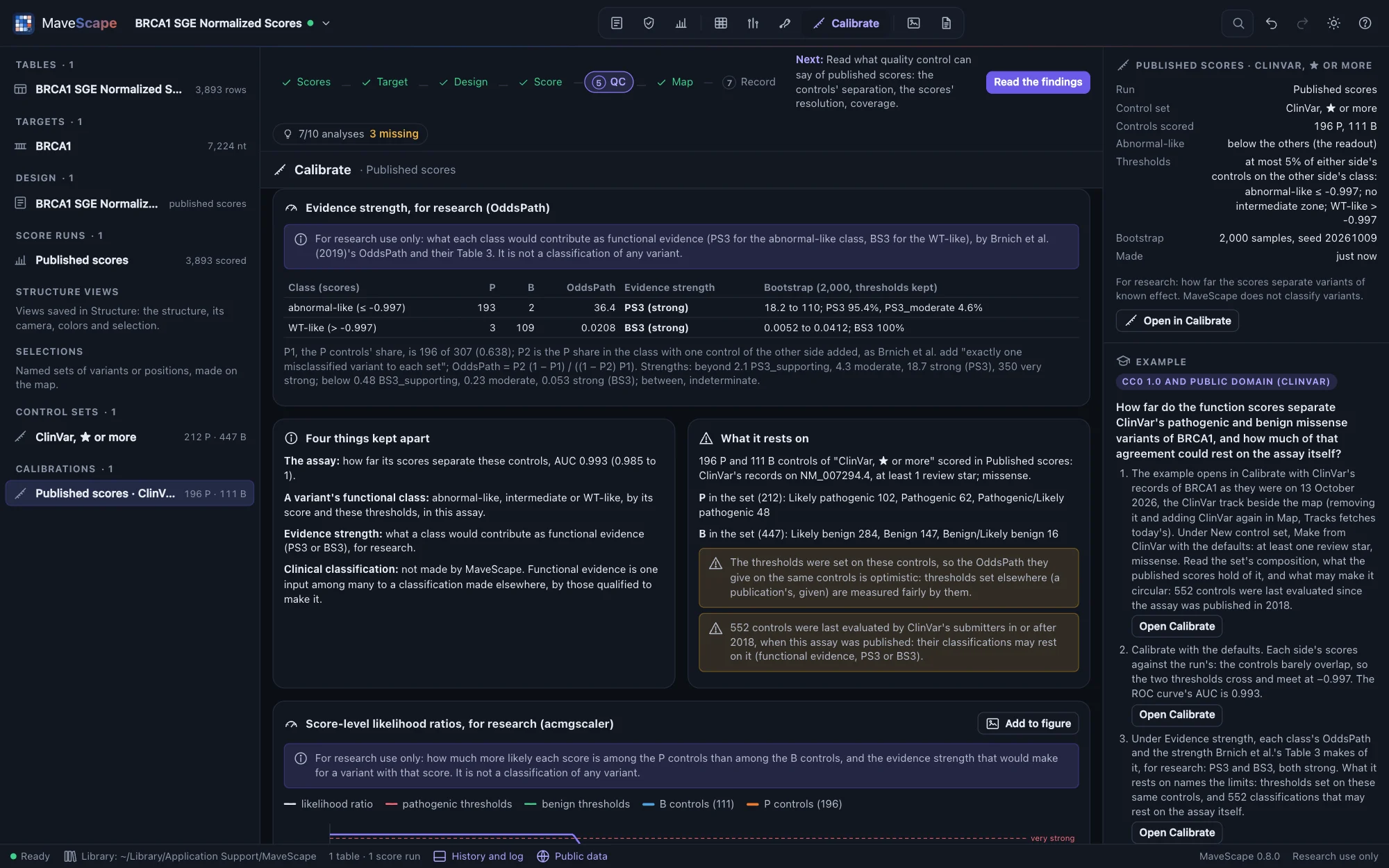
In the Calibrate view, a control set holds variants whose effect is known, from ClinVar's records of the gene or a table of labels, each label in its source's words. Calibrated against it when you ask, a run's scores give ROC and precision–recall curves with a seeded bootstrap, thresholds and the functional classes they make, and each class's evidence strength: Brnich et al.'s OddsPath and score-level likelihood ratios as acmgscaler computes them. MaveScape names what may make the labels circular, such as classifications made since the assay was published, and can set those aside. It never classifies a variant.

  • Every metric equal to pROC, PRROC and binom; every OddsPath to Brnich et al.'s own spreadsheet; likelihood ratios to acmgscaler's
  • In the report, figures, the certificate and a MaveDB deposit's score calibrations
  • BRCA1, TP53 and PTEN against ClinVar as examples, and a simulated calibration with circular labels
  • The assay, a variant's functional class, evidence strength and a clinical classification kept apart
Calibration
The Calibrate view of the BRCA1 calibration example: the evidence strength of Findlay et al.'s published function scores against ClinVar's missense controls, the abnormal-like class with OddsPath 36.4, PS3 (strong), and the WT-like class with 0.0208, BS3 (strong); what it rests on: thresholds set on the same controls, and 552 controls last evaluated since 2018, when the assay was publishedThe Calibrate view of the BRCA1 calibration example: the evidence strength of Findlay et al.'s published function scores against ClinVar's missense controls, the abnormal-like class with OddsPath 36.4, PS3 (strong), and the WT-like class with 0.0208, BS3 (strong); what it rests on: thresholds set on the same controls, and 552 controls last evaluated since 2018, when the assay was published
BRCA1's saturation genome editing against ClinVar: strong evidence for both classes, and 552 controls classified since the assay was published.
Validated

The same answers as the reference tools

A validation suite runs the complete pipelines, as the app does, against the tools the methods come from, published data and simulated experiments whose answers are known.

AreaChecked againstAgreement
ScoresEnrich2 2.0.2 on GRB2, BRCA1 and a fixture with every edge casewithin 5 × 10⁻¹³
Scoresdms_variants 1.6.0, func_scoreswithin 4.6 × 10⁻¹³
Time seriesEnrich2's WLS and OLS on BRCA1; statsmodels on unevenly spaced timeswithin 5 × 10⁻¹³
Sorted binsFactor IX's published scores (MaveDB); fitdistrplus on a simulated sortwithin 1.3 × 10⁻¹⁵; 3 × 10⁻⁷
Barcodesdms_variants' func_scores by barcode and by substitution, on a simulated library read three wayswithin 5 × 10⁻¹³
Replicatesmetafor 5.2 REML on 2,865 variantswithin 3.4 × 10⁻¹²
ExamplesEighteen, three of them published experiments from MaveDB and five opened from it, two score sets as two conditions and two laboratories' screens of TP53 among themexactly the findings each teaches; Hsp90's published fitness, r 0.95; BRCA1 RING's published replicate scores to 2 × 10⁻¹⁴; TP53's two screens on one scale, Lin's concordance 0.78
ReadinessEvery example and fixture with a part taken away: 74 workspacesnames what is missing; agrees with the engine on every analysis
Intervals1,040 simulated experiments of 26 kinds, and dms_variants' simulated librarieshold the truth 94–97% of the time
Variant namesmavehgvs 0.8.1 on 16,959 strings and its target-sequence testsevery decision and canonical form
Protein changesbiocommons hgvs 1.5.7 on 16,188 nucleotide variants of three transcripts; the protein names of five MaveDB recordsevery one
Nucleotide to proteinDiMSum 1.4's merge of CBS's 11,478 codon variantswithin 5 × 10⁻¹³
GenBankBiopython 1.88 on two RefSeq mRNAs, a plasmid and a spliced geneevery feature, sequence and translation
Quality controlSimulated experiments with one planted problem eachexactly their findings, three seeds
The mapBRCA1's RING domainthe zinc ligands least tolerant
The recordWorkspaces saved, reopened and saved againthe same bytes; every export identical
MaveDB depositsMaveDB's own validators (its mavedb package, mavehgvs, biocommons hgvs) on 21 deposits of every kind of run and target; each read back and written againall accepted; the same bytes
StructuresPDBe's residue-level SIFTS mapping of each example's entry, read with gemmievery residue where SIFTS places it
Structure as evidenceDSSP 4.6.1's own output; SciPy 1.18.1's Mann–Whitney test and Benjamini–Hochbergevery code but five π-helix residues; area within 1 Ų; tests within 10⁻¹²
FiguresEvery example's map and every view's plots as panels, read back from the SVG and the PDF; the window's against Node'severy cell and mark; the same bytes
MethodsEvery reference with a DOI (50) against Crossref's record; the 18 examples' runsevery field; the report the methods word for word
CertificatesEvery number of a workspace of every operation computed apart; six kinds of tampering; the 18 examples and every release's archivesidentical, bit for bit; every tampering caught
Remote controlEvery action in the browser against the same analysis in Nodeidentical scores and exports
CalibrationpROC 1.19, PRROC 1.4 and binom 1.1 on seven cases; Brnich et al.'s own spreadsheet (OddsPath); acmgscaler 1.0.0 and R 4.6.1's numerics; MaveDB's published calibrations of six recordsevery metric to 13 digits; every OddsPath to 15; every likelihood ratio to 10⁻¹²
Calibration examplesBRCA1, TP53 and PTEN against ClinVar's records as the examples bring them, and an account read straight from NCBI's answers; a simulated calibration against its truthevery number each guide states; the controls the account's
AI agentsEvery tool through mavescape mcp as an agent's client calls it; proposals accepted and rejected in the window; the guide's session on Hsp90the remote actions' results; every change under the agent's name
R and PythonBoth packages against a running MaveScape; a notebook and an R script on the examplesevery number Node computes; each example's checks

Methods, validation and citation

Get started in a minute

Install with one command, then run mavescape. It opens its own window, with a published experiment and three simulated ones ready to explore.

$ curl --proto '=https' --tlsv1.2 -fsSL https://raw.githubusercontent.com/robert-mcdermott/mavescape/main/install.sh | sh
$ mavescape