
Agents and scripts
An AI agent such as Claude Code, or a script of yours, can do in MaveScape what you do: open data, score, read the quality control, select variants, compare, make figures, certify, export. Either works in the open window, where you see each step and the history records it; an agent's changes wait for you to accept them. For pipelines, mavescape run does a whole analysis without a window.
AI agents
mavescape mcp is a Model Context Protocol server: an AI agent such as Claude Code calls MaveScape's actions as its tools, under the same names and with the same arguments as a script. It starts MaveScape with remote control on, speaks MCP on its stdin and stdout, and opens the window when a tool first needs it; when the agent closes stdin, MaveScape stops. For Claude Code:
$ claude mcp add mavescape -- ~/.local/bin/mavescape mcpClaude Desktop, Cursor, VS Code, OpenAI's Codex and any other client that starts a server on stdio take the program's full path with the argument mcp; docs/MCP.md gives each one's configuration, the options, a check that MaveScape answers, and what to do when it does not. Then ask, as you would ask a colleague at the bench:
- "Open the GRB2 SH3 example. What does its quality control say, and does the variance beyond counting change how far I can trust the scores?"
- "Score it again with the DiMSum-compatible preset and compare the two runs. Which variants change class, and why?"
- "Which positions tolerate no substitution? Show them on PDB 2VWF, and make a figure of the map and the structure."
The agent starts with get_state and works through the same steps you would, in the window you watch. Scores are research evidence of a variant's functional effect in its assay; MaveScape's instructions to the agent say never to call a variant pathogenic or benign.
Reviewing an agent's changes
An agent's changes are proposals. What it makes (a run, a selection, a figure or a panel of yours, a track, a saved view, an analysis kept in the report, a checkpoint, a table it opens into your workspace) is made at once and marked proposed, so that it and you can use it meanwhile. A design it sets or drafts, QC thresholds and acknowledgements, a target's check, the MaveDB details and every removal wait until you accept them: the Experiment view shows a proposed design beside yours with how they differ, the QC view what is proposed of QC, and the views strike out what would be removed. Opening a workspace, what the window shows, and exports are not proposals.
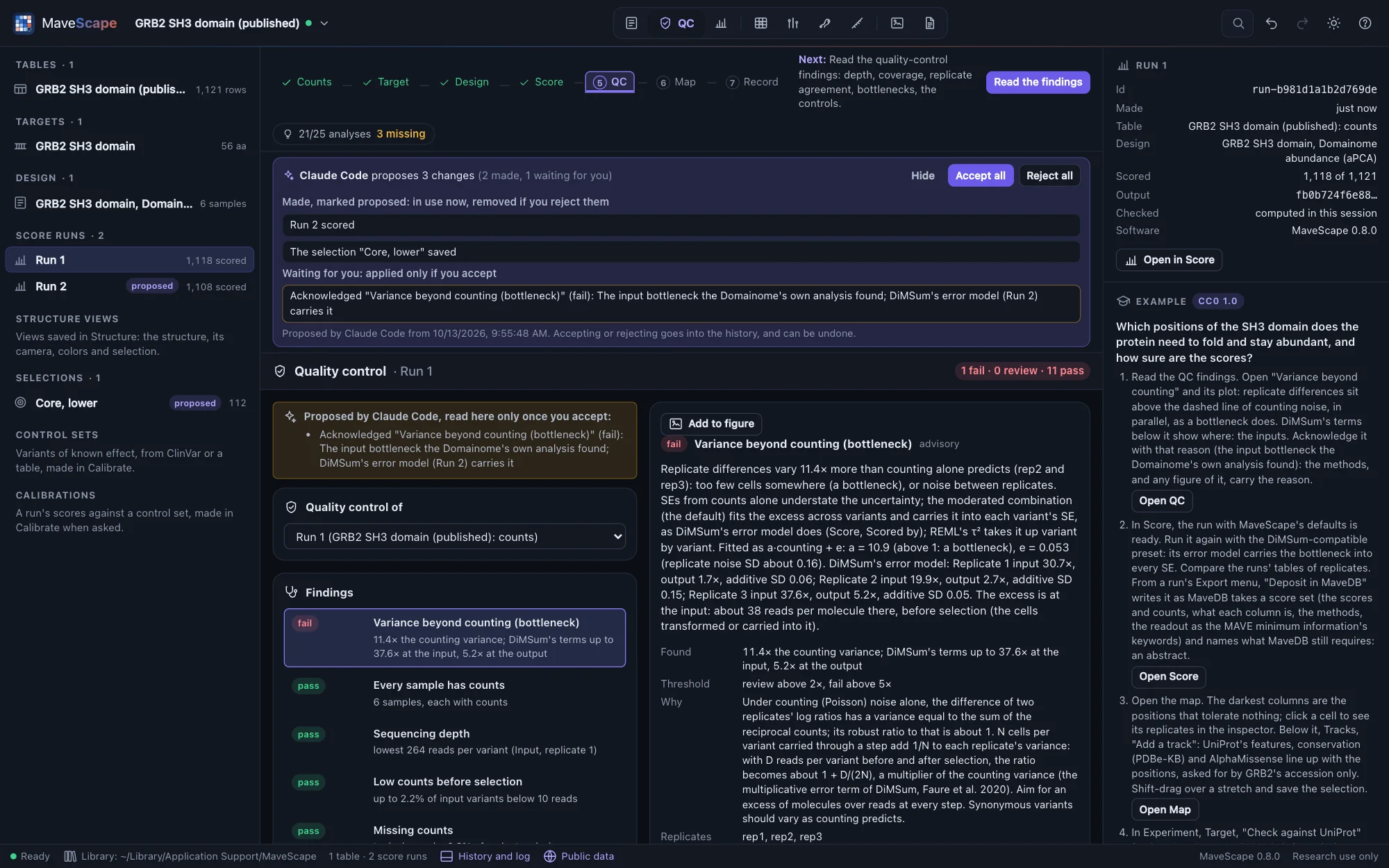
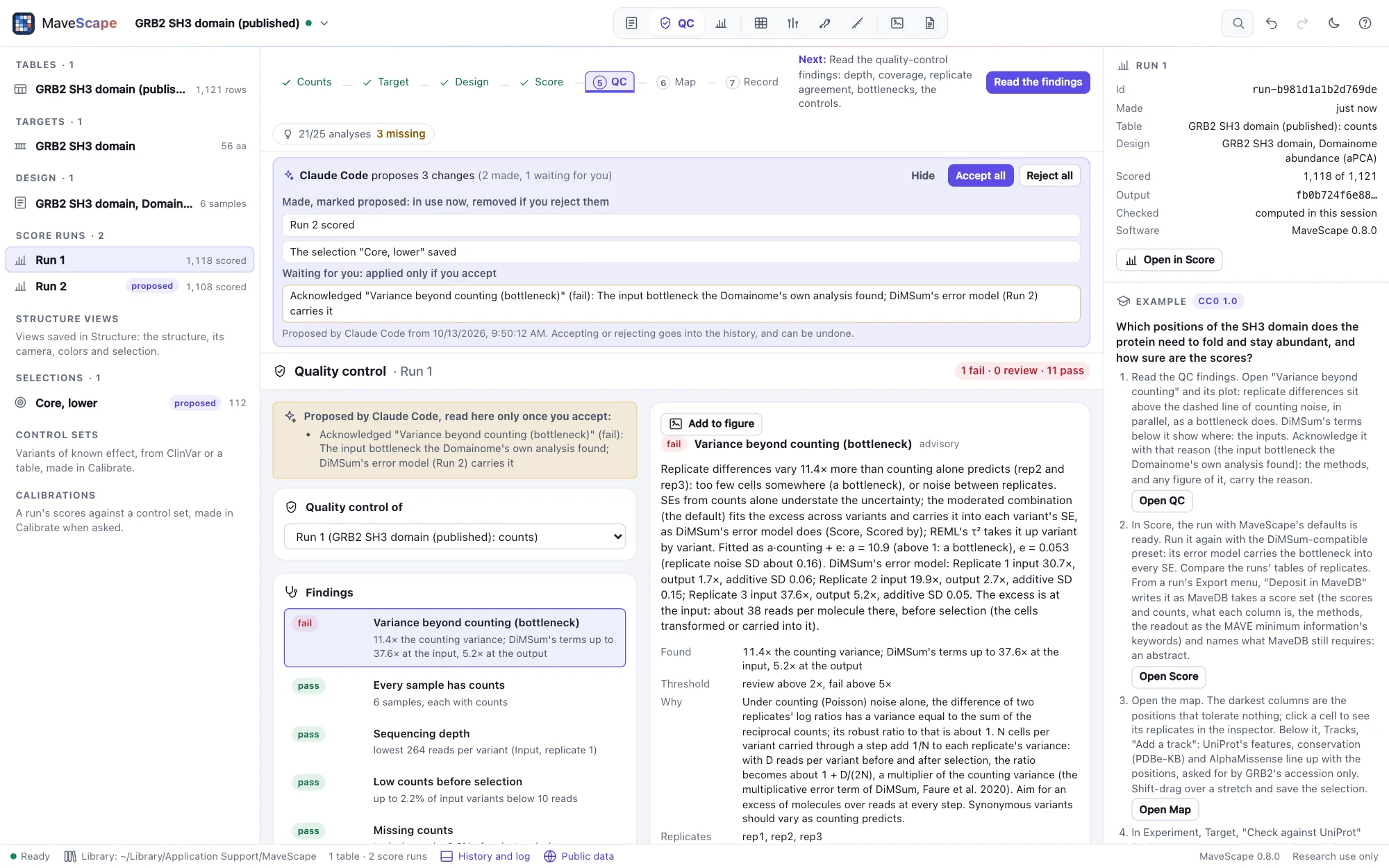
The strip above the view says who proposes how many changes; Review lists them, made and waiting. Accept all applies what waits, under the agent's name, and keeps what was made; Reject all removes what was made, with what you built on it since (MaveScape asks first), and drops what waits. Each decision is one entry of the history, yours, and can be undone. The agent asks proposals what is open and what you decided; score waits for a design it proposed, and nothing is certified while a proposal is open.
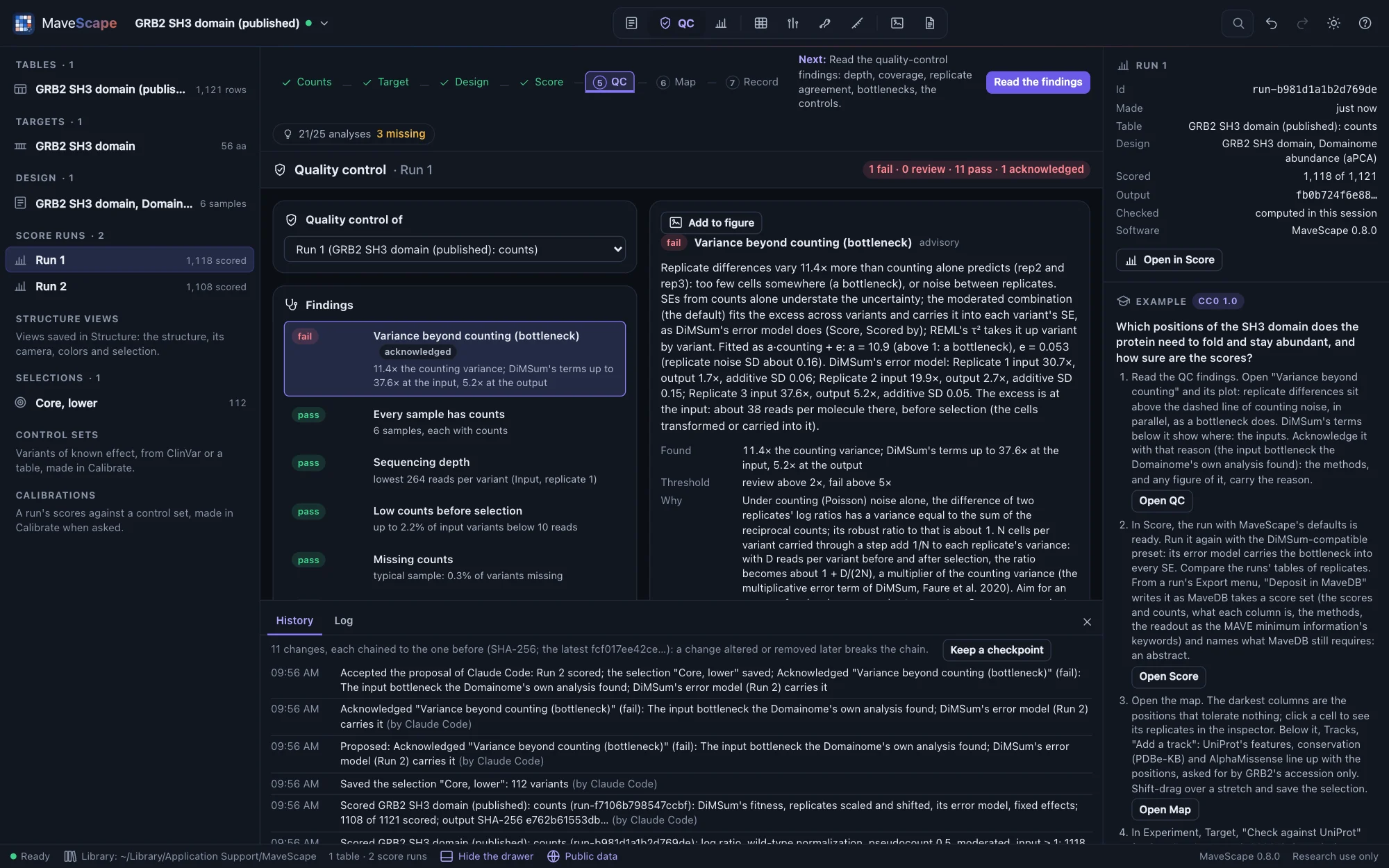
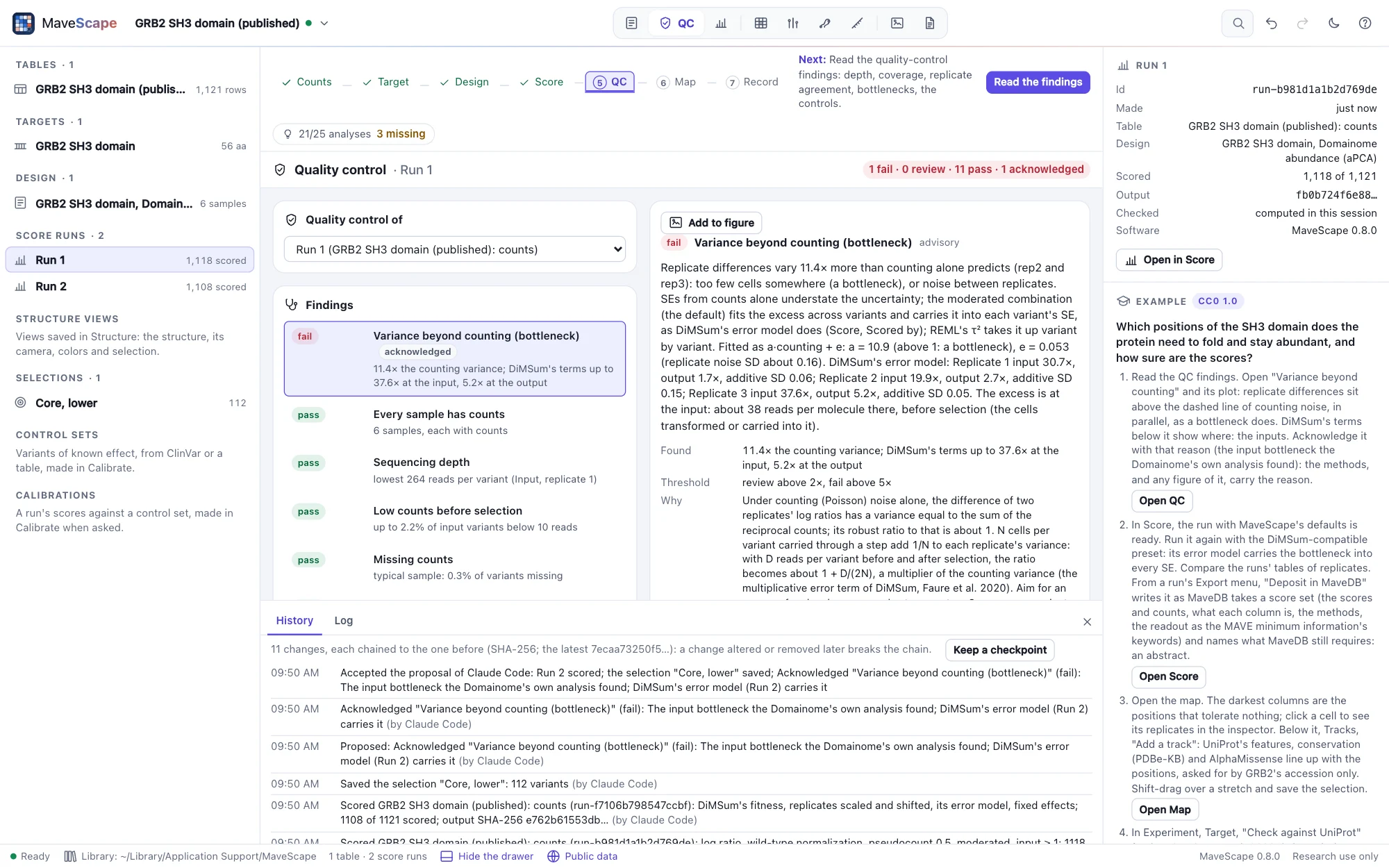
Every change goes into the workspace's history with the agent's name (the name its client gives), which the history's chain covers. The report's decision log names the agent beside its changes, its AI agents section says what agents proposed and you accepted, and a checkpoint's diff names who proposed what was added.
What an agent reads and sees
Each result is the action's sentence and its data. scores gives a run's variants as a table with the columns of its scores export (filtered by position, kind, a selection or a query, sorted, 100 rows at a time), and provenance a run's provenance. The agent looks at pictures: the map (render_map with image, the whole target or a stretch of positions), the Structure view (render_structure) and the figures' pages (figures with image), which a script gets as data URLs. Each tool carries MCP's hints: whether it only reads, whether it replaces or removes something, and whether it may ask a public service. Files are read and written by absolute path, an existing file never replaced unless the call says so. An action MaveScape refuses comes back with its reason, which the agent can act on.
Everything runs on this computer: MaveScape answers only requests from it, and your tables never leave it. The agent acts through the window you use, nothing out of sight.
A session on Hsp90
What working with an agent looks like, on the Hsp90 example: nine positions of yeast Hsp90, every codon, grown for 21 generations in one replicate (Hietpas et al. 2011). Each tool call below is real: validation/agent-session.mjs makes them through mavescape mcp in CI and checks every number the answers quote. The answers were written by Claude from those results; another agent's wording will differ, its numbers not.
YouOpen the Hsp90 example. How well do its scores agree with the published fitness, and what does quality control say about them?
open_example{"id": "hsp90"}qc_findings{"run": "Run 1"}compare{"a": "Run 1", "b": "urn:mavedb:00000011-a-1", "scale": "stated", "direction": "higher-more"}scores{"run": "Run 1", "kinds": ["nonsense"], "limit": 0}
Run 1, scored with MaveScape's defaults per generation, ranks the 187 variants it shares with the record's published scores much as they do (r 0.95). Stated to be on one scale, though, they agree poorly: Lin's concordance is 0.48, Run 1 is higher by 0.22 on average, and the difference grows with the effect (a Bland–Altman slope of −0.91), most at W585, S586 and A587 (0.34 to 0.39).
Quality control fails the fit of the time courses: they scatter about 44 times more than counting predicts. With one replicate, the agreement between replicates and the variance beyond counting are not assessed. The stops fall to the floor within a few generations, so a line through all eight samples flattens them (a median of −0.32 per generation). The authors fitted their null-like variants on the first three samples only. I can fit those three, keeping the present analysis in a checkpoint to compare with.
YouDo that.
checkpoint{"name": "All eight samples"}provenance{"run": "Run 1"}, for the design it was scored withset_designwith that design, generations 9 to 21 not used (ignoredColumns, the reason "later time points: the authors fit their null-like variants on the first three")
I kept the checkpoint "All eight samples" and proposed a design that fits generations 0, 3 and 6: the columns Gen_9 to Gen_21 not used, with the reason. The design waits for you; Experiment shows it beside yours. Accept it, and I'll score with it.
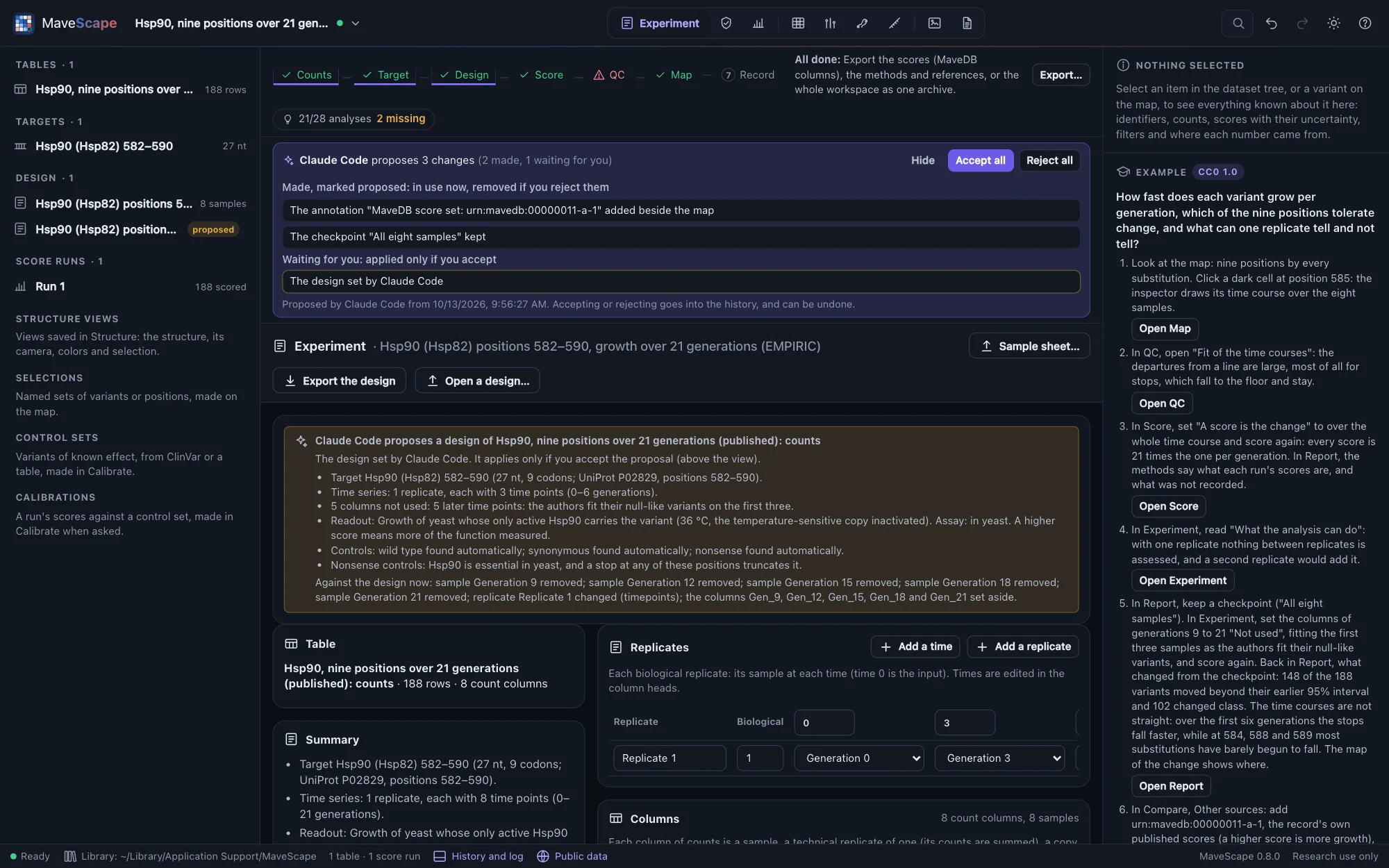
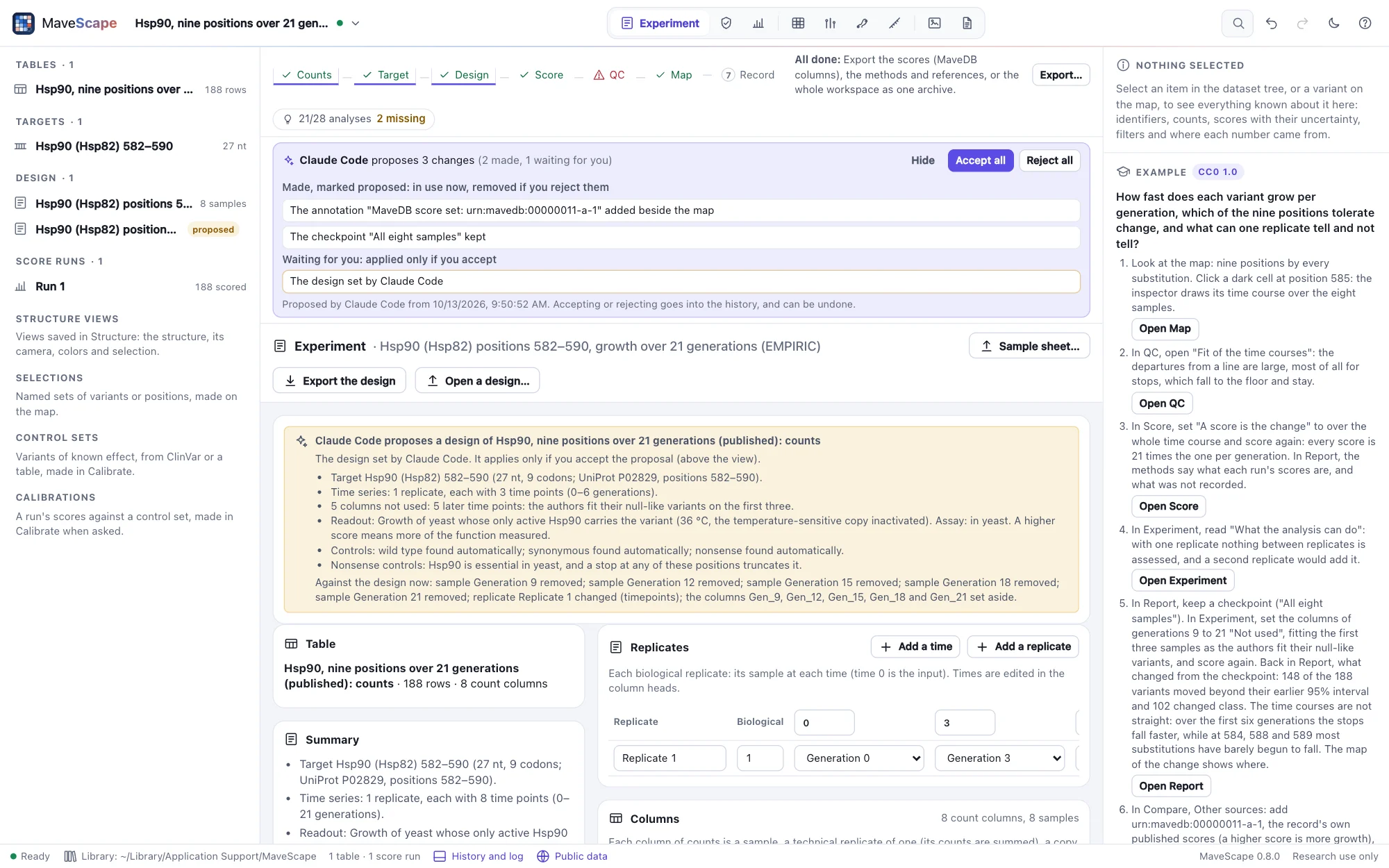
Had the agent scored now, MaveScape would have refused: a run scored meanwhile would have your design, not the one it means. You accept in the strip, then ask on.
YouAccepted. Score it and tell me what changed.
score{"parameters": {"timeScale": "unit"}}, per generation as Run 1diff{"from": "All eight samples"}scores{"run": "Run 2", "kinds": ["nonsense"], "limit": 0}inspect_variant{"variant": "p.Trp4Ter", "run": "Run 2"}compare{"a": "Run 2", "b": "urn:mavedb:00000011-a-1", "scale": "stated"}
Run 2 fits the first three samples, per generation like Run 1. Since the checkpoint, 148 of the 188 variants moved beyond their earlier 95% interval and 102 changed class, 93 of them from lower than the wild type to like it: over six generations, most substitutions have barely begun to fall. The stops fall faster at first, a median of −0.41 per generation against −0.32, but still not as fast as published: p.Trp4Ter scores −0.51 here and −0.73 to −0.79 in the record, one score per codon.
Against the published scores Run 2 agrees less, not more (r 0.82, Lin's concordance 0.44): the authors fitted only their null-like variants on three samples and the rest on all eight, which one design for every variant cannot do. Run 2 is a sensitivity analysis, then, not a replacement: the choice of time points moves most of the scores. It is proposed; keep it, or reject it and it goes.
Run 2 waits in the strip, made and marked proposed: Accept all keeps it, Reject all removes it with what you built on it since. The checkpoint, the design and your decisions stay in the history, each change of the agent's under its name, and Report's diff from the checkpoint shows what moved, on a map of the change.
From R and Python
The R and Python packages make each action a function, with its arguments and help: they find the running MaveScape through remote.json, give tables as data frames and pictures as files, and raise an error carrying MaveScape's reason when an action is refused. They are installed from the repository, and their version is MaveScape's.
$ pip install "git+https://github.com/robert-mcdermott/MaveScape#subdirectory=clients/python"import mavescape
ms = mavescape.connect() # finds the running MaveScape
ms.open_files(["/data/counts.csv", "/data/target.fasta"], new_workspace=True)
ms.draft_design()
run = ms.score()["name"]
findings = ms.qc_findings().frame() # a data frame (pandas)
scores = ms.scores(run=run, limit=0).frame() # every variant, the columns of scores.csv
ms.render_map(run=run, file="/data/map.png")
ms.export("scores", "/data/scores.csv", run=run)> remotes::install_github("robert-mcdermott/MaveScape", subdir = "clients/r")library(mavescape)
ms_connect()
ms_open_example("grb2-sh3")
scores <- as.data.frame(ms_scores(run = "Run 1", limit = 0))
lowest <- as.data.frame(ms_scores(run = "Run 1", kinds = "missense", sort = "score", limit = 10))
ms_render_map(run = "Run 1", file = "grb2-map.png")Two examples go further, and CI runs both against a build of MaveScape: a Python notebook on GRB2 (clients/examples/grb2-sh3.ipynb: the example opened, checked and its QC read into data frames, scored again with the DiMSum-compatible preset, both runs against the record's published scores, and a figure exported as PDF and PNG) and an R script on DHFR's two conditions (clients/examples/dhfr-lon.R: each condition's fast growers, the authors' unweighted regression against the published scores, the differences +Lon − −Lon called, which residues they replace, and where, as a plot and as MaveScape's map).
help(ms.scores) and ?ms_scores describe each action; clients/README.md says how the connection is found, and how tables, pictures and errors come back. A script's client name ("Python", "R", or yours) appears in the window's log beside each action. Without a package, the HTTP API needs nothing but JSON: the standard library's urllib.request posts {"action": …, "args": …} to /api/remote/action with the token from remote.json (on macOS in ~/Library/Application Support/MaveScape, on Linux ~/.config/MaveScape, on Windows %AppData%\MaveScape, unless MaveScape was started with --data-dir).
Remote control
The actions the agent and the clients use are MaveScape's remote control, open to any program on your computer that speaks JSON.
$ mavescape --remote-controlMaveScape prints the address actions go to and the token that reading and writing files need, and writes both to remote.json in its data folder, readable only by you (~/Library/Application Support/MaveScape/remote.json on macOS), so scripts can find a running MaveScape without being told. The file is removed when MaveScape stops.
{
  "url": "http://127.0.0.1:8820",
  "token": "…",
  "version": "0.8.0",
  "pid": 41237
}
Only programs on this computer can use remote control, addressing it as 127.0.0.1 or localhost, and web pages on other sites cannot. A MaveScape started with --remote-control while another is running starts on the next free port rather than handing its files over, so the script reaches a window it can drive.
Sending an action
POST {"action": …, "args": {…}} to /api/remote/action. The answer is {"ok", "message", "data"}: the message in words, the data for scripts.
$ curl -s http://127.0.0.1:8820/api/remote/action -d '{"action": "open_example", "args": {"id": "grb2-sh3"}}'$ curl -s http://127.0.0.1:8820/api/remote/action -d '{"action": "qc_findings"}'Names are forgiving: "grb2" finds the GRB2 example, "Run 2" or "2" a run, W36A the variant p.Trp36Ala. A wrong name is answered with the choices. Actions run one at a time, in the most recently opened window; GET /api/remote/tools lists every action with its arguments as JSON Schema.
| Action | What it does |
|---|---|
get_state | The workspace: tables, targets, design, runs, selections, the view, the analysis steps with the next one, and the structure shown |
new_workspace | Starts a new workspace (name) |
open_example | Opens an example, scored (id) |
open_files | Opens files by path, importing tables with the mapping MaveScape detects (paths, new_workspace; review leaves the import wizard open); a structure file opens in the Structure view. Needs the token |
open_structure | Opens a PDB entry (pdb) or an AlphaFold DB model (alphafold: a UniProt accession, or "target" for the target's) in the Structure view, optionally an assembly and the chain to map the target on, and returns it in words: chains, residues observed, assemblies, and the target mapped onto it (Structures) |
find_structures | The PDB entries that cover the workspace's target, from PDBe's SIFTS: ranked by the target positions each covers, then resolution, with their methods and chains |
map_structure | Maps the target onto the structure shown (on a chain): each position on a residue (identical or another, with the entry's reason), not observed, missing from the structure's sequence, or outside; the ambiguous; the entry's own record compared (The target on the structure) |
set_structure | Draws the structure shown another way (style, color, surface, assembly) and selects residues in words (select: "resn CYS", "chain A and resi 40-80", "pos 30-40" by the target's positions), draws them (show: sticks, ball-stick, spacefill, hide or none), labels them (label) and focuses on them (focus); colors the residues by their positions' scores (color: median, mean, minimum, maximum, fraction with a threshold and side or a calibration, count, substitution with the substitution, uncertainty, disagreement or qc; Scores on the structure); colors by structural class (color: "class"); picks a residue as a click does (pick: "A 183"; add to add it): its position's variants selected on the map, the position in the inspector; returns what is selected, labeled and focused on, the scores colored by, and the renderer |
render_structure | The Structure view as a picture (PNG, as a data URL): the structure as shown, its coloring's legend below (legend: false, the view alone), at scale times the view (2), on white with light; an agent receives it as an image |
structure_evidence | What the structure shown says of the target's positions: their structural classes (buried, exposed, interface with the partner chosen, or a predicted model's disordered region), from DSSP, the accessibility, StructureMap's exposure and the partners within 4 Å; the median scores of each class against the rest (Mann–Whitney, BH); and whether the least tolerant (a fraction, 0.2) lie closer together than positions as buried (seeded: seed) (Structure as evidence) |
save_structure_view, open_structure_view, remove_structure_view | Keep the view of the structure shown with the workspace under a name (its structure's file by its SHA-256, the chain and mapping, camera, colors and their run, residues selected, drawn and labeled), reopen it as it was saved (saying whether the mapping is the one it was saved with), or remove it (Saved views) |
proteoscope_link | Hands the view of the structure shown to a Proteoscope running on this computer: the link that opens it there with the scores as its residue data, the residues drawn, selected and labeled, and the camera (open it in a browser); for a version not tested, a link to the structure alone; for a file of your own, the session to open as a file. Refused, saying where it looked, when Proteoscope is not running (Open in Proteoscope) |
figures | The workspace's figures: each one's page in millimeters, its panels lettered in reading order with what each shows and where, anything wrong with them (text under 6 pt, a map too narrow for its positions), the figure in words and its document (Figures); with image, each page as a picture too (PNG as export_figure writes it, at dpi, 150 by default) |
create_figure, add_figure_panel, set_figure | Make a figure (size: single, onehalf, double or slide; or width_mm and height_mm; text in points), add a panel to it (kind: a run's map, with condition or contrast, color_by, rows, palette, from and to, tracks by id or "shown"; a qc finding's charts, by subject and finding; a run's scores; a compareison of a and b; a variant's evidence; a saved structure view; a calibration's plot, by calibration; or text; what a plot shows by plot; placed with x_mm, y_mm, width_mm, height_mm), or change one: its name, page and lettering, its panels moved, resized, changed or removed by letter or id |
export_figure | Writes a figure (figure) as SVG, PDF or PNG (format, or the path's extension; dpi for a PNG, 300 if not given), each carrying its manifest, or the manifest alone (json), to path; needs the token |
check_figure | Reads a figure MaveScape exported (paths: one SVG, PDF, PNG or manifest): what it shows, where it came from, whether its manifest is as written, and panel by panel what changed in the workspace since; with rebuild, adds it to the workspace drawn again from its inputs, each panel compared with the drawing recorded (Figures); needs the token |
set_mode | Shows a view: start, experiment, qc, score, map, compare, structure, figures or report |
checkpoint | Keeps a checkpoint of the analysis as it stands (name), or deletes one (remove); lists those kept (Checkpoints) |
diff | What changed from a checkpoint (from, the latest if not given) to now or another (to), or between two archives (paths, the earlier first), in words: the changes, and for each table's latest run its parameters and design, the variants moved, crossed, filtered and scored, and the QC verdicts changed. Shows them in the Report view; with paths, needs the token |
certify | Writes a reproducibility certificate of the workspace to path: the workspace archive with every number it reports, computed again from its files, and its fingerprint; tables: false names the count tables by their SHA-256 only (Certificates); needs the token |
review_report | Writes the review report of the workspace to path: the certificate's numbers, each traced, in one HTML file that loads nothing; tables: false for the certificate that names the tables by their SHA-256 only (The review report); needs the token |
verify_certificate | Verifies a certificate (paths: the certificate, then the files it names but does not hold, each or a folder of them): every number computed again and compared bit for bit, the verdict (verified, differs, incomplete) with each difference; the library's files are found by their SHA-256 (library: false uses only those given); review also returns the review report of a certificate verified; needs the token |
report | The workspace's report, shown in the Report view: each section, the Markdown, the BibTeX and the analyses kept in it; remove takes one out first (by id or its words, "the comparison of Run 1 and Run 2") (Report) |
focus | Shows a table, target, run, selection or variant in the inspector |
draft_design | Drafts the design from the column names and reports its problems |
set_design | Sets a mavescape-design document, refused with every problem when it does not fit the table |
search_mavedb | Searches MaveDB's published score sets: each match's URN, title, targets, license and size, 100 a page (text, page). Sends only the words (Public data) |
open_mavedb | Opens a published score set as a new workspace: its record, its published scores as the run "Published scores", its counts with a drafted design (urn, counts); a target named by a transcript fetched from NCBI or Ensembl; of several targets the one named by target; with mapped, MaveDB's mapping of the variants to the human reference (VRS); several URNs in urn open together, each record's published scores a run, their counts joined with a design drafted as a condition each |
check_target | Checks the target against its UniProt entry, from MaveScape's cache or through its list of public services: where it sits, the differences, what the entry would change; apply uses them and records the check (accession, target). Sends only the accession (Public data) |
check | Checks a table as scoring would, without scoring: its names against the design's target, the design against its columns, the parameters against the design; says what blocks scoring (design, preset, parameters) |
reproduce_run | Recomputes a saved run from its recorded inputs and checks its output hash; refused, saying why, when it differs |
score | Scores with a preset (mavescape, enrich2 or dimsum, which returns each replicate's fitted scale, shift and error terms) and changed parameters, such as {"model": "ratio"} for a time series by its ends, {"model": "bins-mle"} for sorted bins by maximum likelihood or {"differential": "paired"} to compare conditions by pairs of replicates; with conditions compared, how many variants differ; the existing run when the inputs are the same |
qc_findings | Each finding of a run (or of the counts) with its status, value, threshold and rationale, what could cause it and what to do next, and its acknowledgement; finding shows one in the QC view |
acknowledge_finding | Acknowledges a finding to review or failing with the reason it is expected (an empty reason withdraws it). Its status stays; the reason goes into the history, the methods and the QC exports. A finding that passes needs none, and is left as it is |
set_qc_thresholds | Sets QC thresholds by their keys (thresholds: {"agreement": {"review": 0.7}}, a measure's value such as {"lowCount": 5}), the others as they are; reset: true for MaveScape's defaults. In the history; an agent's wait for you (AI agents) |
select_variants | Selects variants on the map by a query ("missense at 40-80 with se < 0.2", "lower and not robust", "in Core and not in Surface": the query language), by name (variants) or by position (positions), optionally only those scored, low, filtered or missing; replaces the selection or, by operation, adds to it (add), keeps the matches in it (intersect) or removes them (subtract); on a contrast's differential map with contrast; and saves it with its query (save_as). A query that needs the run's robustness checks it first. Returns the variants, how many matched, and the selection's query |
inspect_variant | A variant's score, SE and interval (with the moderated combination, its degrees of freedom, df; rescaled, the anchors' uncertainty, seScale), flags, replicates and counts (for a regression, each replicate's time points and departure from a line; with conditions compared, each difference with its SE, interval and q); a nucleotide variant's protein change (protein); a protein variant of a nucleotide run, its nucleotide variants each with its score (nucleotideVariants); a variant MaveDB mapped, its HGVS on the reference, VRS identifier and ClinGen allele (mapped) |
render_map | Shows the map with the given coloring (differential for a comparison of conditions, and contrast to choose one), row order, palette and zoom, and returns it in words; with image, as a picture too: its SVG export drawn as a PNG (a data URL) at scale (2), of the whole target or positions from to to |
scores | A run's variants as a table: one object per variant with the columns of its scores export (or with contrast a contrast's differential scores, with protein a nucleotide run's at the protein level), numbers as numbers, null where the export has NA; only those at positions, of kinds, in a saved selection or matching a query; sort by a column ("-score", the highest first); chosen columns; 100 rows from offset unless limit says otherwise (0, all) |
provenance | A run's provenance as its provenance.json holds it: the table and design by SHA-256, the parameters, the software, the output's SHA-256, the QC |
check_robustness | Checks a run's robustness to other reasonable analysis choices (run; max, the analyses in all, 48 by default): the run scored again with each alternative alone (pseudocount, normalization, model of uncertainty, combination of replicates, filters, each replicate left out) and seeded combinations; each variant's and difference's class across them, its verdict and what it depends on, each alternative's effect, the least tolerant positions. Shows the run in Score; with report: true, the check is kept in the workspace's report (Robustness) |
compare | Compares two sets of scores, each a run's condition or one of its replicates by name (a, b: "Run 1: Replicate 2", "Published scores"), or a score set or predictor kept beside the workspace ("AlphaMissense: P62993", or a MaveDB score set's URN, fetched and kept first when it is not yet), on a scale (scale: scored, stated, nonsense-wt or synonymous-nonsense, each side rescaled by its own anchors), with what a higher score of a score set means (direction) and filters (low_confidence, max_se, min_reads): the compatibility report, then Pearson's r, Spearman's ρ, Lin's concordance and Bland–Altman with their 95% intervals (the last two on one scale only), the variants that differ beyond their uncertainty and the disagreement by position (two independent sides on one scale), a predictor by rank and by its classes (the AUC with DeLong's interval). Shows the Compare view, the tab show (agreement, maps, disagreement or classes); with report: true, the comparison is kept in the workspace's report (Comparisons) |
list_tracks | The tracks beside a run's map, in order: each one's kind, source (service, release, retrieval date, or file), whether it is shown, its filter and the filters it offers, and what it holds; the annotations that could not be read; what can be added, and why not (Tracks) |
add_track | Adds an annotation's tracks: from public data by the target's accession or gene (provider: uniprot-features, pdbe-conservation, alphamissense, clinvar, gnomad, mavedb-annotations; or mavedb-scores with a urn and its direction, a MaveDB score set kept beside the workspace to compare, without opening it), or a file's name and text (an alignment, a predictor's table, a custom track). In the history |
set_track | Shows or hides a track (shown), moves it (position, from 1), or filters it (filter: {"types": […]}, {"classes": […], "stars": 2}, {"min": 1e-5}) |
remove_track | Removes an annotation and its tracks |
mavedb_deposit | What a MaveDB deposit of a run (and condition) would hold: the variants and those left out with why, the target as MaveDB holds it, the columns, the keywords, the run's calibrations as MaveDB's score calibrations (research use), and what MaveDB requires that the workspace lacks (missing). Writes nothing (Depositing in MaveDB) |
set_mavedb_details | Sets the MaveDB details (details: title, abstract, license, publications such as "PubMed 29785012" or a DOI, raw reads, contributors' ORCID iDs, the experiment's URN, keywords…); undoable, in the history |
proposals | An AI agent's proposals: what it made and marked proposed, what waits for you, and the latest decisions (AI agents) |
export | Writes scores, protein-scores (a nucleotide run's scores at the protein level), counts, qc-samples, qc-variants, qc-findings, barcodes (a table of barcodes), differential (conditions compared), provenance, methods, references, map (SVG, with the tracks shown), tracks (the tracks shown, CSV), selection, archive, package (the analysis package of a run, or of the design with the default parameters), mavedb (a run's MaveDB deposit, a ZIP) or comparison (the comparison shown: its variants compared, or to a .json path its report and statistics), comparison-positions (its disagreement by position), comparison-classes (a predictor's classes), comparison-map (a map of it: map first, second or difference), robustness (a run's robustness: its variants, or to a .json path its record) or robustness-positions, structure-mapping (the target on the structure shown, position by position), structure-scores (the scores it is colored by, position by position, with each residue's color) or structure-evidence (what it says of each position, with its median score) structure-image (a figure panel of the view: PNG, a scale, the legend below it, what it shows written into it) or proteoscope-session (the view as a Proteoscope session, .proteoscope.json), report (the workspace's report, Markdown) or report-references (its references, BibTeX) to path; the archive's include_structures: false names the saved views' structures by their IDs and checksums. Needs the token |
Reading and writing files
open_files and export need the header X-MaveScape-Token with the token from remote.json: another user of a shared computer can reach the loopback port, but not your files. Exports take an absolute path whose folder exists, and never replace a file unless the call says "overwrite": true. The file is written through a temporary file renamed into place, so a reader never sees half of it.
$ TOKEN=$(python3 -c 'import json, os; print(json.load(open(os.path.expanduser("~/Library/Application Support/MaveScape/remote.json")))["token"])')
$ curl -s http://127.0.0.1:8820/api/remote/action -H "X-MaveScape-Token: $TOKEN" -d '{"action": "export", "args": {"what": "scores", "path": "/tmp/grb2_scores.csv"}}'
The documentation's screenshots
The pictures on this site are captured the same way: docs/capture/capture.mjs builds MaveScape, starts it with --remote-control on an empty library, drives each scene through these actions in headless Chrome, and writes each scene in the light and dark themes. validation/remote-session.mjs runs every action and checks the results against the same analysis in Node, and runs in continuous integration.
$ node docs/capture/capture.mjs map qc --theme darkHeadless runs
mavescape run scores a count table with its design without a window, for pipelines and continuous integration. It starts MaveScape on a private port with a temporary library, opens it in a headless Chrome (or Chromium, Edge or Brave: --chrome, or the CHROME variable), performs the analysis through the actions above, writes the files to a folder and stops.
$ mavescape run --design design.json --out results/ counts.csvMaveScape 0.8.0: running in Google Chrome
[1] new_workspace: ok (0.0 s) Started a new workspace, "GRB2 SH3 domain, Domainome abundance (aPCA)".
[2] open_files: ok (0.1 s) Opened the table counts.csv.
[3] set_design: ok (0.0 s) Set the design of counts.csv: two-population, 3 replicates.
[4] check: ok (0.0 s) Valid: counts.csv, 1121 rows (1121 names valid), with the design (two-population, 3 replicates of 6 samples).
[5] score: ok (0.1 s) Run 1: 1118 of 1121 variants scored (MaveScape defaults).
[6] qc_findings: ok (0.1 s) Quality control of Run 1: 1 fail, 0 to review, 11 pass.
[7] export: ok (0.0 s) Wrote results/scores.csv (341969 bytes).
…
Done in 1.2 s: 9 files written to results (run.json lists them).It checks first: the table's variant names against the design's target, the design against the table's columns, and the parameters against the design. When anything blocks scoring it scores nothing. Then it scores, with MaveScape's defaults or --preset enrich2, dimsum or vampseq, and --parameters params.json for the parameters to change (as the score action takes them). It runs the quality control and writes the run's files. A table of barcodes is named with its barcode-to-variant map (counts.csv map.csv); a target not in the design is given with --target.
| File | What it holds |
|---|---|
scores.csv | The scores in MaveDB's columns; with several conditions, scores_<condition>.csv for each |
protein_scores.csv | For nucleotide variants of a DNA target, the scores at the protein level, the nucleotide variants of each protein variant merged as DiMSum merges them |
counts.csv, qc_samples.csv, qc_variants.csv, qc_findings.csv | The counts scored; quality control per sample and per variant; and the findings, each with what to do and its acknowledgement |
differential.csv, barcodes.csv | With conditions compared, the differential scores; for a table of barcodes, each barcode |
map.svg | The variant-effect map (protein variants, or nucleotide variants of a DNA target read at the protein level) |
provenance.json, methods.md, references.bib | The record and the methods paragraph with its references |
workspace.msz | The analysis as a workspace archive, to open in the window or run again |
run.json | The command, the inputs and every output with their SHA-256, each step with its outcome and time, the run's id and output hash, and its QC (FORMATS.md) |
The same bytes again. The scores, counts, QC, map, methods and references are the same bytes for the same inputs. The provenance and the workspace archive also record when they were made: give --time 2026-10-09T12:00:00Z, or set SOURCE_DATE_EPOCH, and every record carries that time, so every file is the same bytes. --from-workspace analysis.msz (with --run "Run 2", else the latest) reruns a saved run. Its scores are recomputed from its recorded table, design and parameters and must have its recorded output hash; otherwise the run stops.
Exit status: 0 when done. 1 when the run was not done or found a blocking problem: a design that does not fit the table, parameters that cannot score, a run that did not reproduce, a QC finding that blocks (a sample with no counts), or with --strict any failing finding not acknowledged (the files are still written). 2 for a wrong command line, a missing input, an output folder that is not empty (unless --overwrite), or no browser. run.json says why. --log json prints the progress as one JSON object per line, for a pipeline's logs.
Findings expected here. --acknowledge id=reason (repeatable) acknowledges a QC finding before the QC is read, as the QC view's Acknowledge… does (Quality control). The finding keeps its status and --strict reports it, but does not fail on it. The reason is in run.json, qc_findings.csv and the methods. A finding that passes needs no acknowledgement and is left alone, so a pipeline can name what it expects on every data set.
$ mavescape run --design design.json --out results/ --strict --acknowledge "coverage=an error-prone PCR library" counts.csvChecking before scoring
$ mavescape validate --design design.json counts.csvValid: counts.csv, 1121 rows (1121 names valid), with the design (two-population, 3 replicates of 6 samples).mavescape validate checks tables, a design and parameters as scoring would, without scoring, and lists what blocks scoring and the warnings. It then says what each analysis can do with these files: the analyses that are partial or not possible and why, and what is missing, why it matters and where it is usually found (What the analysis can do). It exits 0 when they are valid and 1 when not; --json prints the report as JSON, the readiness as data in readiness. A design alone is checked without its table, and a score table against its target (--target).
  19 of 25 analyses ready, 2 partial, 4 not possible
  …
  Quality control:
  - partial: Variance beyond counting (bottleneck) (better with cells carried into selection)
  …
  What is missing:
  - Cells carried into selection: QC infers a bottleneck from how much replicates disagree; …
Exporting a saved run
$ mavescape export --format mavedb --out deposit/ --details details.json analysis.mszmavescape export writes a run of a saved workspace (the latest, or --run) without a window. --format mavedb writes it as a MaveDB deposit: the scores, counts, column descriptions, experiment and score set as MaveDB takes them (Depositing in MaveDB), one folder per condition when there are several (or --condition). --details details.json sets the MaveDB details first, as the set_mavedb_details action takes them:
{"abstract": "…", "license": "CC0", "publications": ["PubMed 29785012"], "contributors": ["0000-0002-1825-0097"]}What MaveDB requires that the workspace lacks is said on standard error and in export.json, and named in the deposit's README; the files are written all the same, and --strict exits 1 instead. --format tables writes the run's tables, methods and record as mavescape run does, from the saved workspace. --format figures writes every figure of the workspace as SVG, PDF and PNG at 300 dpi, each with its manifest, and figures.json listing the manifests (Figures). --format report writes the workspace's report, report.md and report.bib (Report), and --format review its review report, review.html (The review report). With --time (or SOURCE_DATE_EPOCH) every file is the same bytes for the same workspace. Nothing is sent to MaveDB: upload the deposit yourself.
Verifying a certificate
$ mavescape verify --data tables/ analysis.certificate.mszmavescape verify verifies a reproducibility certificate without a window, in a headless page as mavescape run uses. It checks the certificate's fingerprint, its files and its history, then computes every number again from its files and compares them bit for bit (Certificates). --data names a folder, or a file, with the tables a certificate made without them names; they are found by their SHA-256. --report verification.json writes what was found as JSON, and --review review.html the review report of the certificate verified (The review report). Exit status: 0 verified; 1 something differs, each difference listed; 2 it could not be checked (a file missing, a wrong command line, no browser).
Coming
An agent benchmark: graded tasks on the examples, for agents and for MaveScape's tools (roadmap, wave 9).