
Figures
A figure is a page of panels at a journal's column width or a slide. Each panel says what it shows, so the figure is drawn again from the analysis whenever you look at it, and follows a rescoring until you export it.
A figure
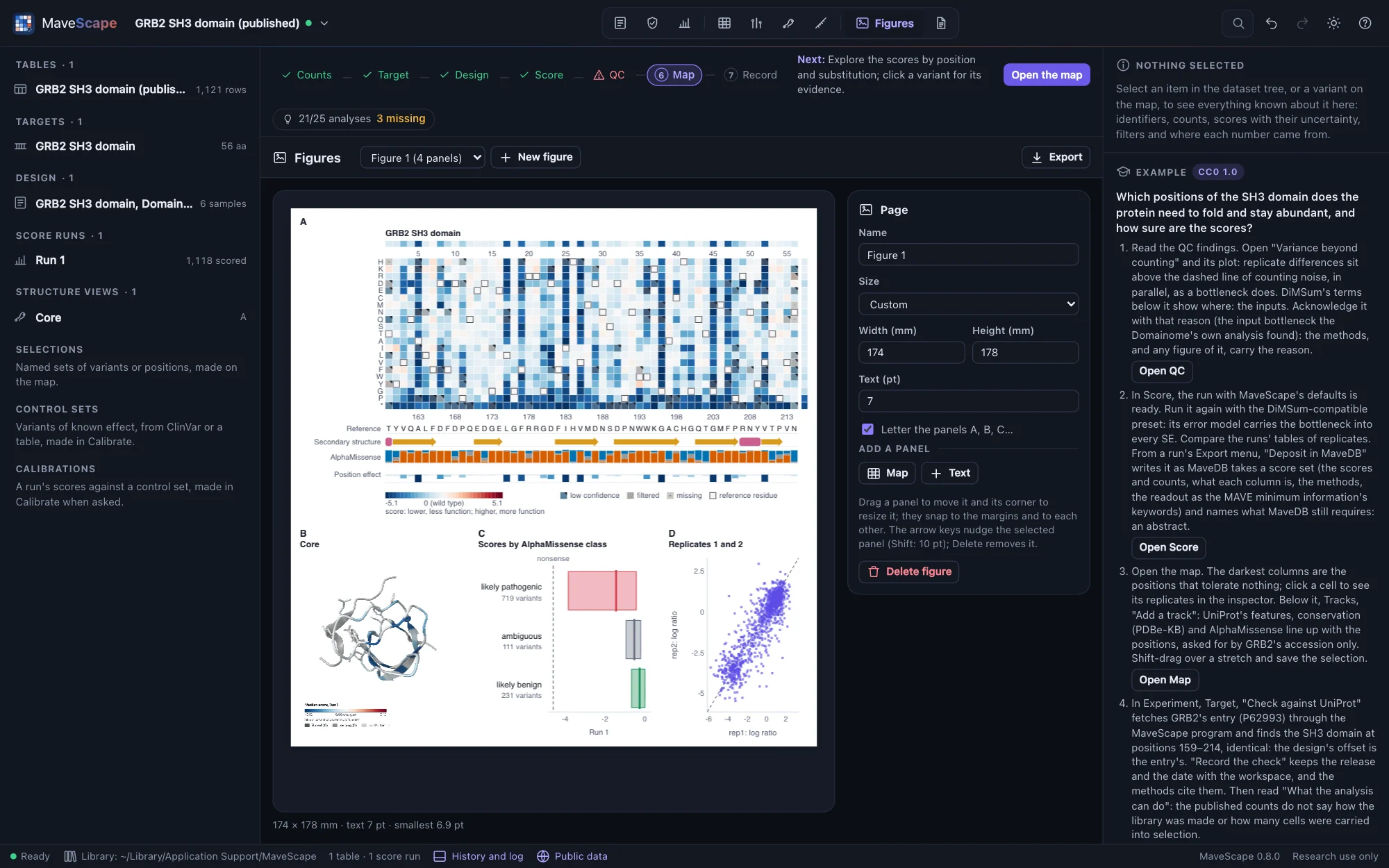
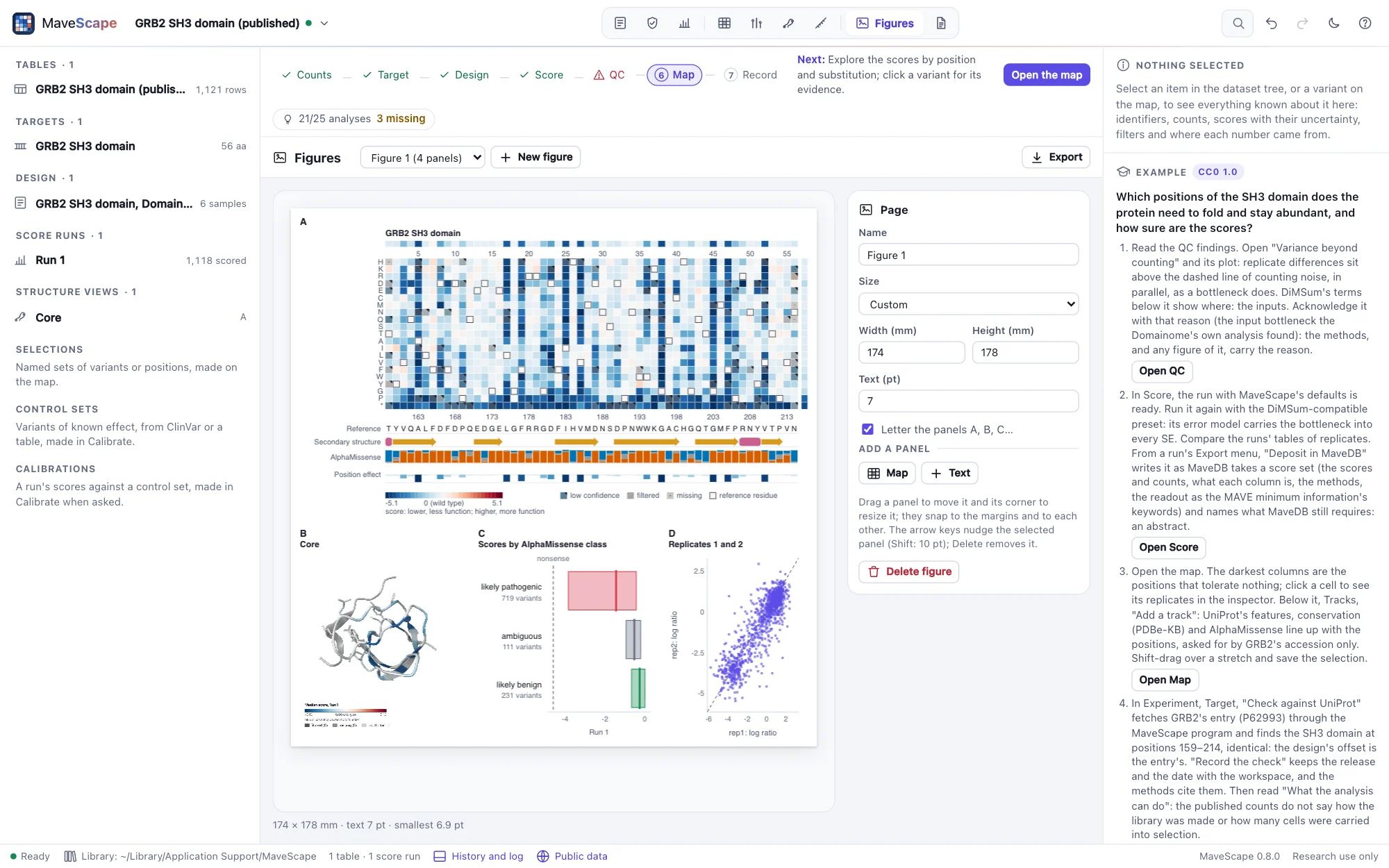
The Figures view holds the workspace's figures. A figure is a page of a set size: one column (85 mm wide), one and a half (114 mm), two columns (174 mm), or a 16:9 slide; any size in millimeters can be typed instead. Its text is set at a size in points at the printed size (7 pt; 14 on a slide), and its panels are lettered A, B, C… in reading order: rows from the top, each from the left.
A panel keeps what it shows, not a picture of it: the map's run, its condition or contrast, what colors it, the positions and tracks shown. Every time the figure is shown or exported it is drawn again from the workspace, so a figure of a run you rescore shows the new scores. Figures are saved with the workspace and go into its archive (Exports and the record).
Making a figure
Add to figure is beside each plot in the views. It puts the plot on a figure, or on a new one, drawn as the view draws it:
| View | What a panel shows |
|---|---|
| Map | The map as it is shown: its run, condition or difference between conditions, coloring, row order and palette, the positions in view when you have zoomed in, and the tracks shown below it |
| QC | A finding's charts (in its detail pane): replicate agreement for the pair shown, the variance beyond counting with DiMSum's terms, the depth, coverage, the controls' distributions, and the rest |
| Score | A run's scores by class, its filter flow, a contrast's volcano |
| Compare | The comparison shown: one against the other, Bland–Altman, the disagreement by position, a predictor's classes, either side's map or the map of the difference |
| The inspector | A variant's evidence: its score and 95% interval with each replicate's; in the Figures view, its time course or its distribution over the bins instead |
| Structure | A saved view, as its figure panel: drawn on white at 4× with its legend, and kept with the figure |
In the Figures view, New figure makes an empty page of a size; Map and Text (in the page's properties) add a panel. A new panel goes below those already on the page.
A panel keeps what it shows: the run and condition, the QC finding of a run, the two sides of a comparison with their scale and filters, the variant. Rescore a run and its panels follow. A structure panel keeps its image, which a 3D view cannot be drawn without: when its saved view is saved again, the figure says so, and Draw again from the saved view (in the panel's properties) draws it anew. Its legend is part of the image and shrinks with the panel; the smallest text the figure says leaves it out, so give a structure panel room for its legend, or say its colors in the caption.
Laying out the page
- Drag a panel to move it and its corner to resize it. It snaps to the page's margins and middle and to the other panels' edges, so panels line up.
- The keyboard: with a panel selected, the arrow keys move it by 1 pt (⇧: 10 pt), Delete removes it and Esc selects the page.
- Exactly: a panel's place and size in millimeters, and the page's size, name, text size and lettering, are in the properties on the right. A panel can be left without a letter.
Every change can be undone. Making or deleting a figure and adding or removing a panel are written in the workspace's history; moving and resizing are not.
Plots as panels
A plot panel lays out its charts in the panel's box at the figure's text size: its title, then for each chart its heading, its legend and the chart, the room shared by what each chart needs. Its properties choose what it shows (a run's flow instead of its scores, a comparison's Bland–Altman instead of its scatter, a variant's time course, a calibration's ROC curve instead of its scores of each side: Calibration), its title, and for replicate agreement the pair of replicates. A plot drawn too small to read, or a bar chart whose labels shrink below 6 pt to fit its rows, is said under the page; an image under 300 dpi at its printed size too.
The map as a panel
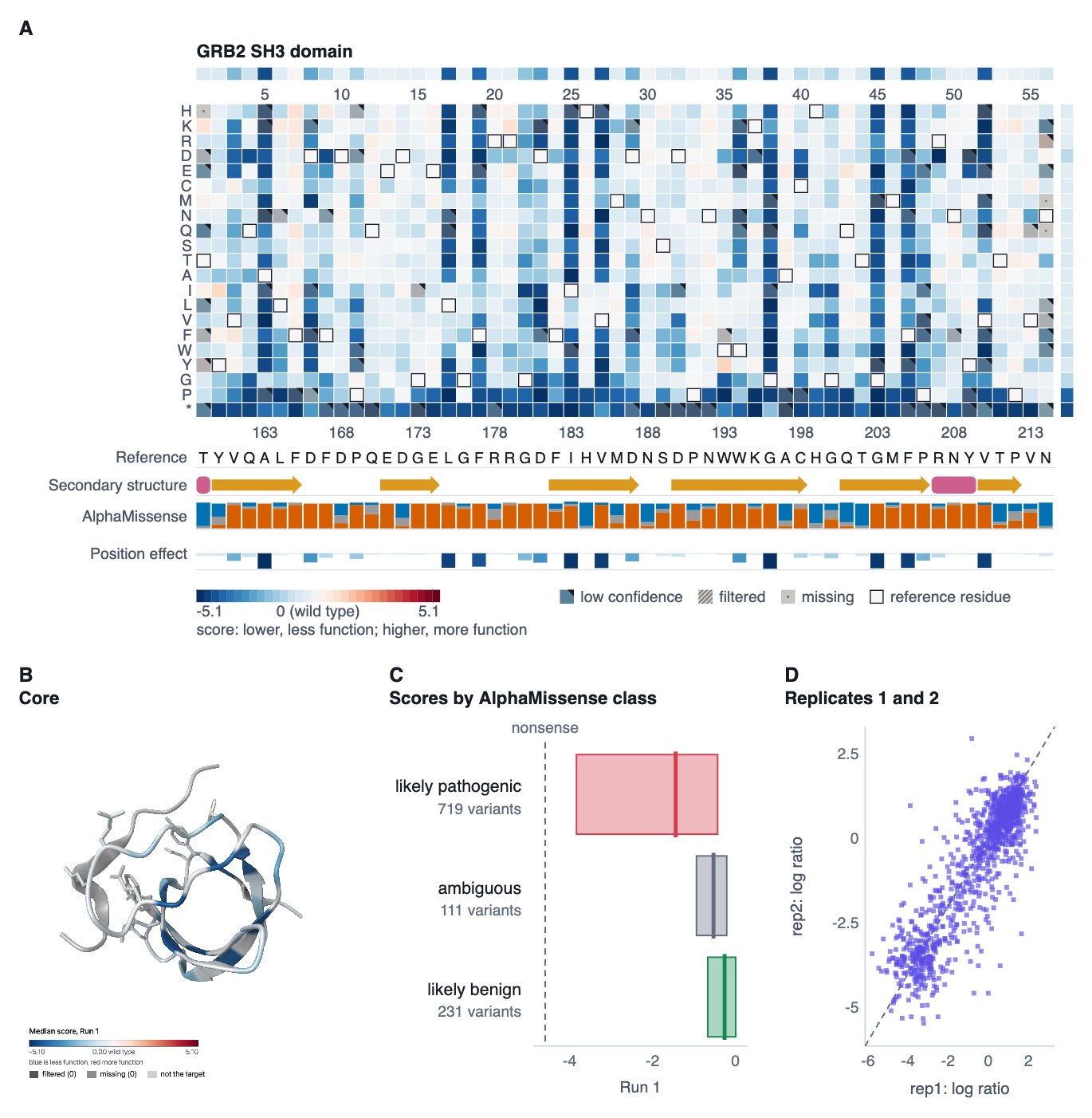
A map panel draws the run's map as the Map view does: every state its own way (missing, filtered, low confidence, the reference residue), the medians of each position above and of each substitution at the right, the target's numbering above and the reference's below, the color bar with what it measures, and the key to the states. Its properties choose the run, the condition or a difference between conditions, the coloring, row order and palette, the first and last positions shown, the title, whether the medians and the legend are drawn, and which of the run's tracks go below it.
The map fits its panel: its cells are as wide as the panel allows for the positions shown, and its text stays at the figure's size. When a panel is too small for what it holds, the figure says so below the page and in the panel's properties: names under 6 pt at the printed size (journals ask for 5–7 pt at least), positions under 0.6 pt wide (factor IX's 461 positions in one column), or text that does not fit. Make the panel larger, or show fewer positions.
Exporting
Export, in the head of the view:
- SVG: vectors, the text as text, for Illustrator or Inkscape. Each cell of a map is named by its variant, and the figure is described in words in the file.
- PDF: one page at the figure's printed size, vectors throughout, the text in Helvetica. A character Helvetica's standard encoding lacks is written as its nearest ASCII: − as -, Δ as delta.
- PNG at 300 or 600 dpi of the printed size, the resolution recorded in the file so it opens at its size.
- Copy to the clipboard: the PNG at 300 dpi, and the SVG where the browser takes it.
The same figure is the same bytes when it is exported again (the time it was written aside, which mavescape export's --time fixes). Scripts make, change, export and check figures with create_figure, add_figure_panel, set_figure, export_figure and check_figure (Remote control). FORMATS.md describes a figure's document and files.
What an exported figure carries
Every file a figure is exported to carries its manifest: the figure as it was laid out and, panel by panel, what it shows and what it was drawn from (each run by the SHA-256 of its scores and of its table, the QC thresholds and the finding's acknowledgement, the two sides of a comparison, a track's file, a structure view's image), a digest of what the panel drew, the workspace, MaveScape's version and when. A fingerprint over all of it catches a manifest edited after it was written. It travels inside the file (the SVG's metadata, a PNG text chunk, a file attached to the PDF), so a figure sent to a co-author or a journal still says where it came from.
Drop a figure on the window (or open it) to read it back. MaveScape says what it shows, which workspace made it and with which version, whether its manifest is as written, and for each panel whether what it was drawn from is as then, changed since (the run's table scored again, the QC thresholds changed, a structure view saved again: it says what) or not here (a run this workspace does not hold). A run is found by its output's SHA-256 too, so a copy of the workspace on another computer recognizes it. From another workspace the library holds, Open it.
Rebuild here adds the figure to the workspace and draws every panel again from its inputs, then compares each drawing with the digest the file recorded: the Figures view says which panels are the same drawing, and which are not and why. A figure rebuilt where nothing changed is the same figure, and exported again the same bytes.
GRB2's example ends with such a figure: Run 1's map, its saved structure view and the QC finding behind its bottleneck, acknowledged, on one page (Examples).
From the command line, mavescape export --format figures --out figures/ workspace.msz writes each figure of a saved workspace as SVG, PDF and PNG at 300 dpi, with figures.json listing their manifests, as the window writes them.
How figures are checked
The views and figures draw their plots with one module, so a panel is the view's plot at the figure's size. The validation suite checks, on the examples (Science):
- each example's map as a panel: every cell takes the color the map's own SVG gives it, 9,681 of factor IX's included; a range of positions holds exactly its cells; a difference between conditions is drawn as the map draws it;
- every QC finding with a plot, of eight examples (96 panels): each bar the QC results' value, every point drawn; the scores by class each class's count from the run itself; a contrast's volcano a point for each difference; a variant's evidence each replicate's score and the combined score with its interval, as exported; a comparison a point for every variant compared, where its two scores put it;
- the PDF draws what the SVG draws, panel of every kind: its content read back gives the same rectangles, in the same order and colors, and the same text; a structure's image is kept byte for byte;
- a figure written again is the same bytes, and a figure through the workspace archive is the same figure;
- each file's manifest read back intact from SVG, PDF and PNG; a manifest edited after it was written (a panel's words, its place, a run's output) caught; the QC thresholds changed flagging both QC panels, and drawn again only the one that draws them differing; GRB2's table scored again flagging exactly the four panels drawn from it, not factor IX's map beside them; a figure rebuilt from its manifest the same drawing panel by panel and the same bytes.
In the window, through remote control: a figure of a QC finding, the scores by class, a comparison and a variant's evidence exported as SVG is the same bytes as Node draws the same document from the runs it recomputes, its manifest the one Node writes from the archive; checked in its own workspace every panel is as then, in another that scored the same table it finds the run by its output and says the comparison's second run is not there, and rebuilt every panel is the same drawing; a saved structure view's panel has the same pixels as the view's own figure panel, and its image goes into the archive. mavescape export --format figures writes the window's figure again from its archive: twice the same bytes, the SVG the window's but for the time in its manifest, every panel the window's drawing.