
Exports and the record
What leaves MaveScape is meant to be checked: scores in MaveDB's columns, the counts they came from, quality control, provenance with every checksum, and the methods with their references. The workspace archive holds all of it, and reopens identically.
A run's files
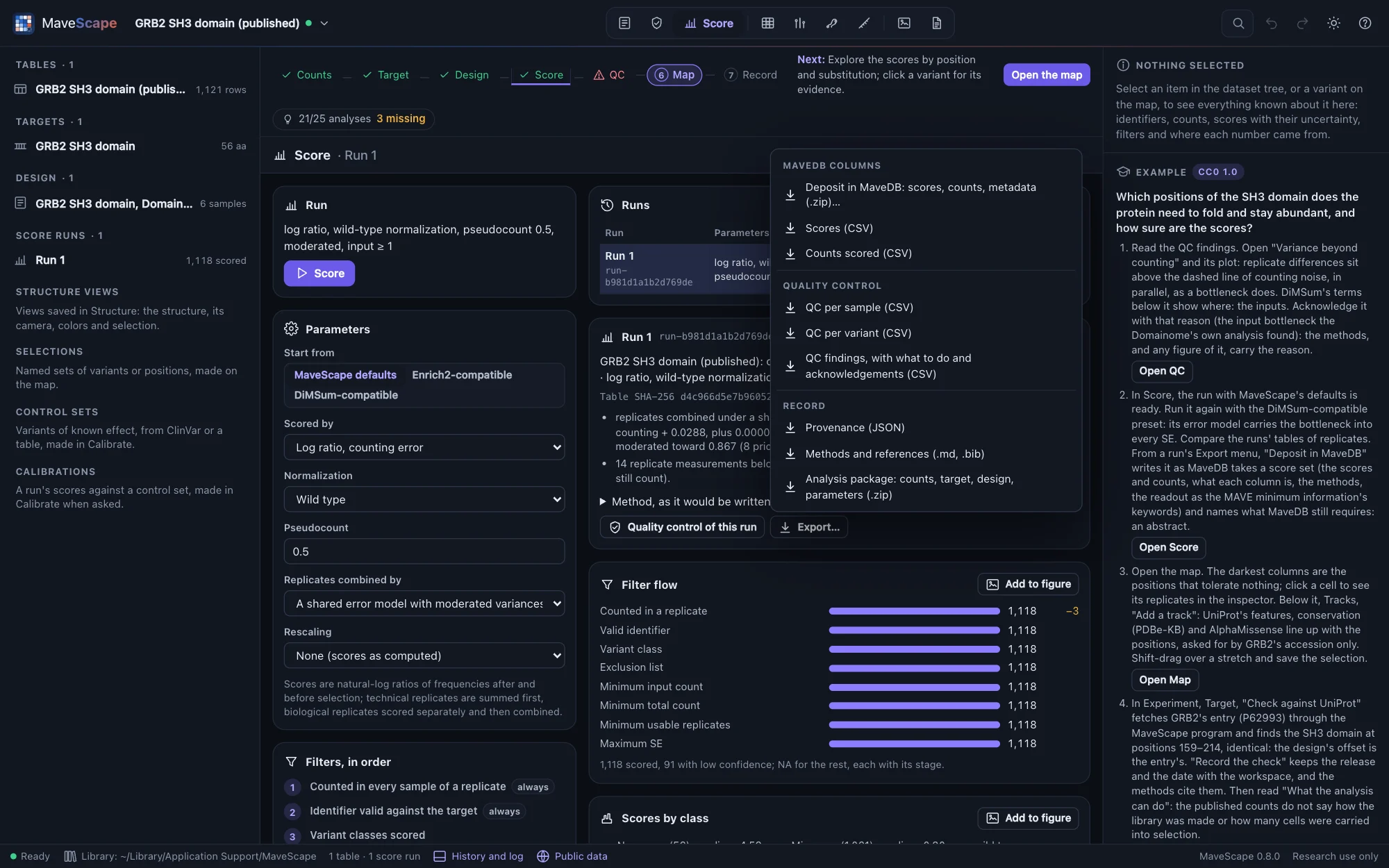
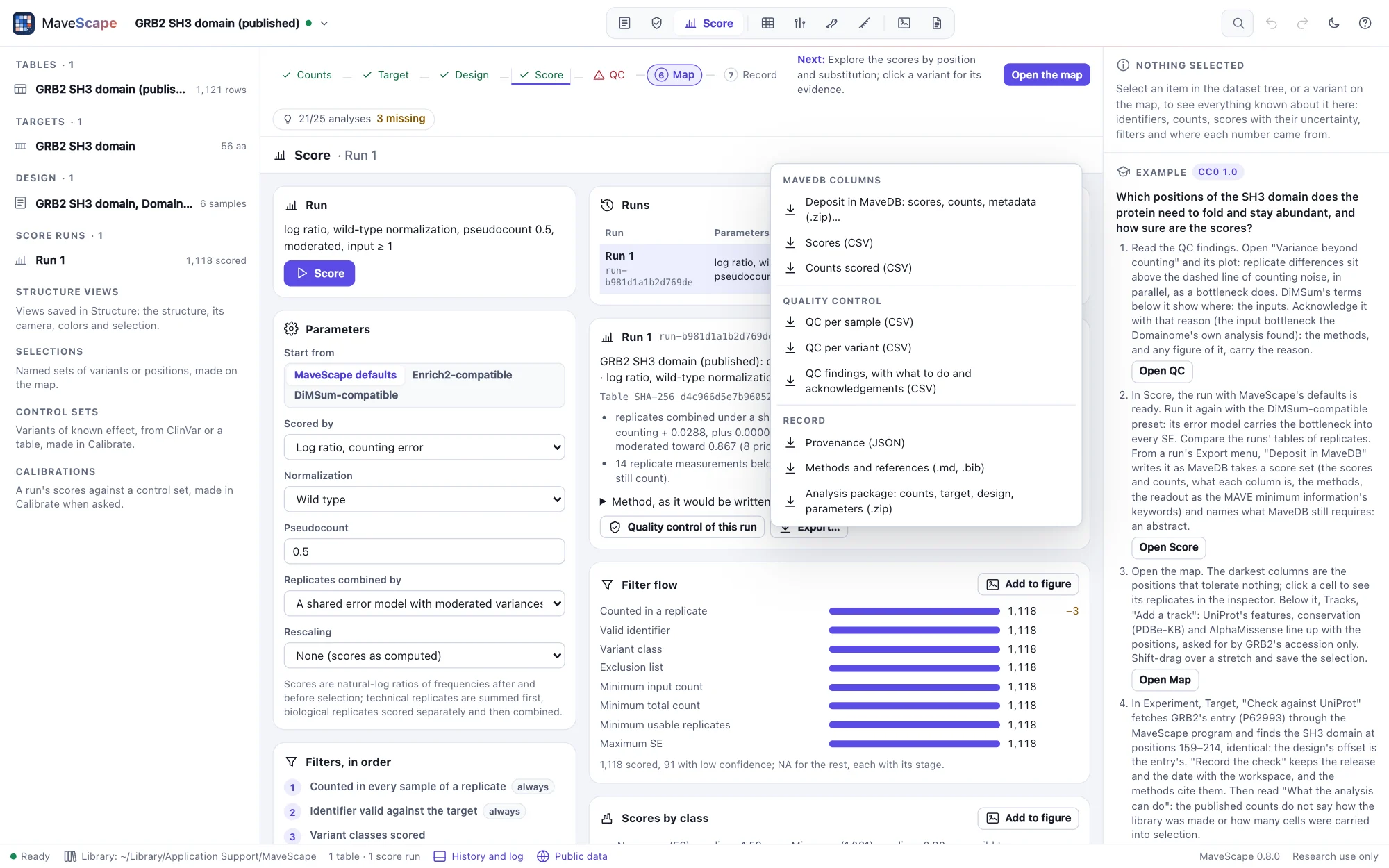
| File | What it holds |
|---|---|
*_scores.csv | Every variant's score, SE and 95% interval, the replicates used, its status (scored, low confidence, filtered at which stage, or not measured) and flags, τ², I², the leave-one-out change and each replicate's score, with MaveDB's identifier columns (hgvs_nt, hgvs_splice, hgvs_pro; a nucleotide variant of a DNA target also with its protein change in hgvs_pro) |
*_protein_scores.csv | For nucleotide variants of a DNA target: the scores at the protein level, as the map draws them, each protein variant's nucleotide variants merged as DiMSum merges them, and which they are (The map) |
*_counts.csv | The counts the run scored, in the same columns (a table of barcodes: each barcode with its variant); scored again they give the run's output hash |
*_qc_samples.csv, *_qc_variants.csv | Quality control per sample and per variant |
*_qc_findings.csv | The QC findings: each with its status, value and threshold, what could cause it, what to do next, and its acknowledgement with the reason |
*_barcodes.csv | A table of barcodes, barcode by barcode: its variant, and in each replicate its counts, score and SE, departure from its variant's other barcodes, whether it is an outlier and whether it was used |
*_differential.csv | With conditions compared: every variant's difference against the reference condition, its SE, 95% interval, z or t, p and q, the pairs or replicates behind it, and why there is none |
*_provenance.json | The inputs with their SHA-256 checksums, the parameters, the software and its commit, the QC findings (with any acknowledgement) and thresholds, and the files exported |
*_methods.md, *_references.bib | A methods paragraph written from the run (the design, what the assay measures and what was not recorded, the scoring, the QC with any acknowledged finding and its reason, the annotations beside the map, and the structures saved views show: each by its file's SHA-256, the target's mapping onto it and how the structure was read), with its references in order and as BibTeX. The methods of the whole workspace, every run, comparison and figure, are the Report |
*_tracks_*.csv | From the map's Export menu: the tracks shown below the map, position by position: each track's value, the features covering the position, and each variant there with its label (ClinVar's classification, gnomAD's frequency, a predictor's score) (Tracks) |
*_mavedb.zip | The run as a MaveDB deposit: the scores and counts as MaveDB's upload reads them, what each column is, and the experiment and score set as MaveDB's API takes them (below) |
*_package.zip | The analysis package: the count table as imported, the target, the design, the design as a sample sheet, the parameters, the readiness, and a README with the mavescape run command and what is missing (The design). Scored from its own files, it gives the run's output hash |
Exported scores are read back to the last bit and open in MaveScape again as MaveDB score tables.
Depositing in MaveDB
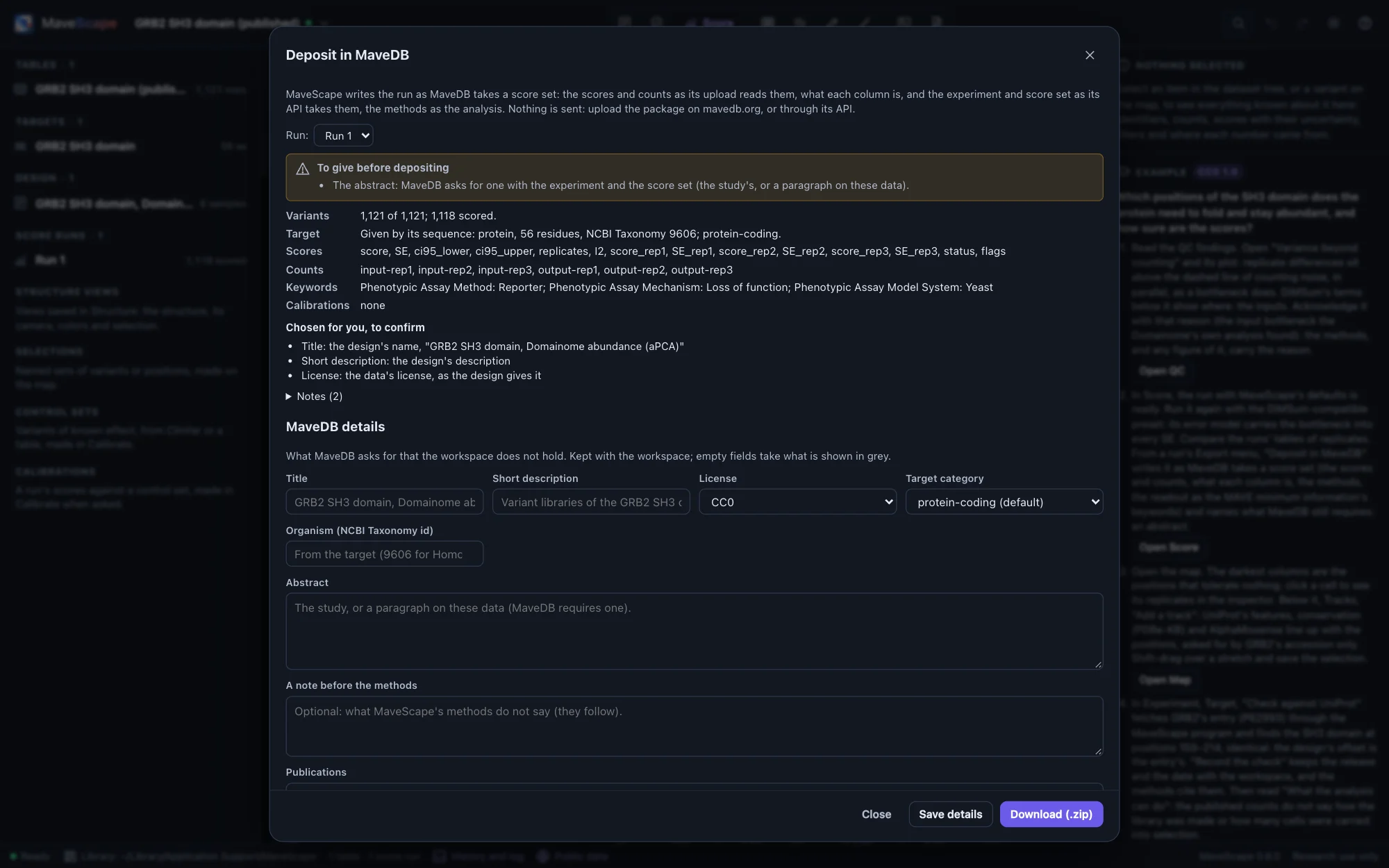
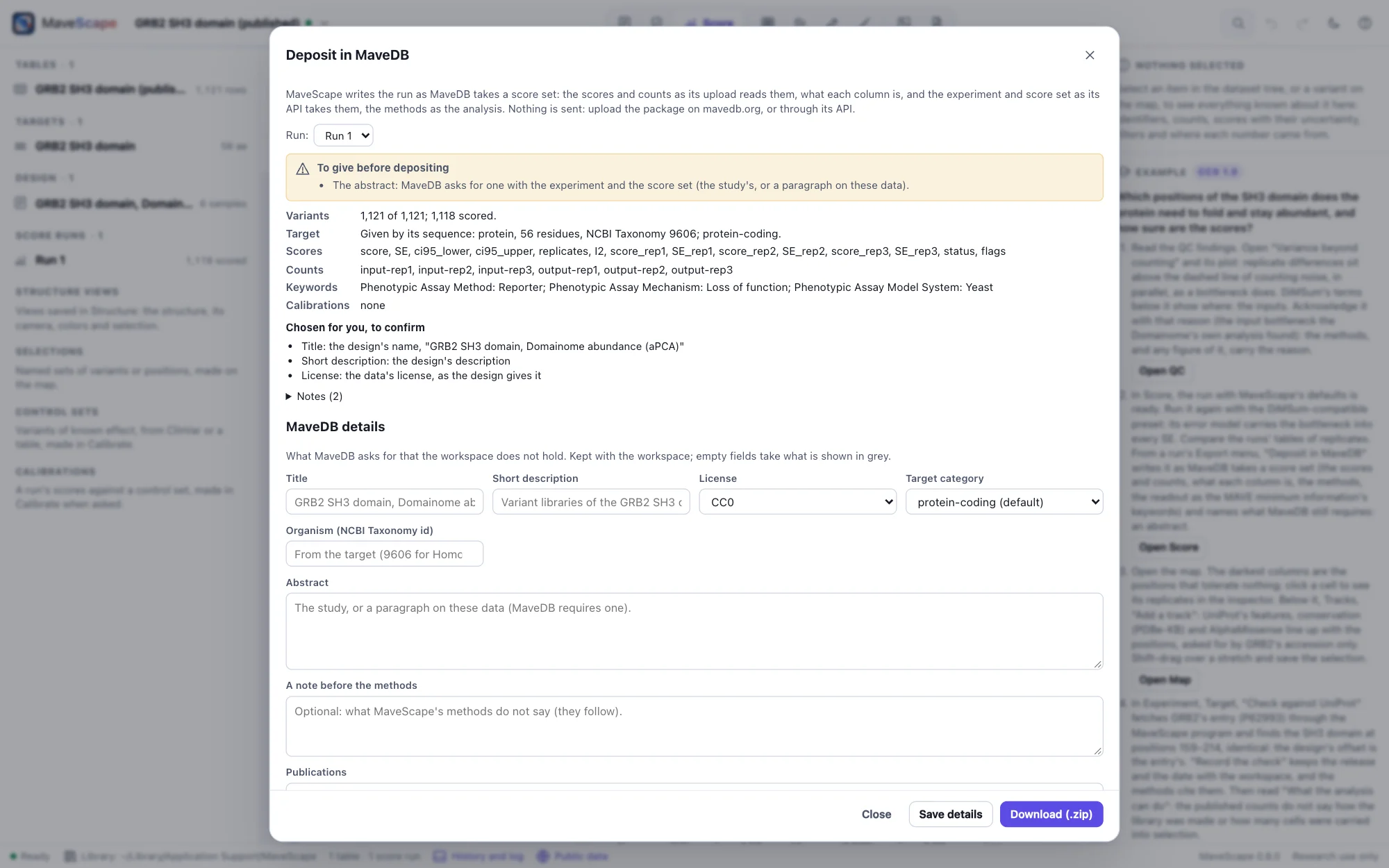
Deposit in MaveDB…, in a run's Export menu, writes the run as MaveDB takes a score set, one ZIP for MaveDB's upload or its API. Nothing is sent: you upload it when you decide to.
scores.csvandcounts.csv: every variant named on the target in strict MAVE-HGVS. A run scored from counts gives its score, SE, 95% interval, the replicates' scores and each variant's status, and its counts by sample. Published scores pass through as published, with the record's counts.- What each column is (
score_columns.json,count_columns.json), as MaveDB shows it beside the data. - The experiment and the score set (
experiment.json,score_set.json). MaveScape's methods are the analysis. The design's readout and library method become the experiment's keywords, the MAVE minimum information's, in MaveDB's vocabulary. The target is given as MaveDB holds one. - The run's calibrations (
score_calibrations.json), for research: each as MaveDB's score calibration, its classes abnormal, not specified and normal with their ranges, OddsPath and evidence strength (Calibration).
The dialog shows what the deposit holds and what MaveDB requires that the workspace lacks, usually an abstract. Give it below, with the license (CC0 unless the data have another), the publications (a PubMed id or a DOI), raw reads, contributors' ORCID iDs and, to add to an experiment of yours on MaveDB, its URN. The details are kept with the workspace and in its history. More of the MAVE minimum information adds the keywords the design does not hold: how the library was delivered, the profiling strategy, the reads. Values MaveScape chose, such as a title from the design or the data's license, are listed to confirm.
MaveDB's own validators (its mavedb package, with mavehgvs and biocommons hgvs) accept what MaveScape writes: the validation checks the deposits of every kind of run it makes, from the examples and from published records. How the variants are named follows the target:
| Target | In the deposit |
|---|---|
| A protein, or protein variants of a DNA target | The sequence (a DNA target from its coding start to its stop codon) and hgvs_pro |
| Nucleotide variants of a coding sequence | The coding sequence, and each c. name beside its protein change. A variant in a UTR or an intron is left out and said: MaveDB takes c. names only beside a protein name. Name the target by its transcript to keep them. |
| Nucleotide variants without protein names | The whole sequence, the names written n. (as MaveDB asks of nucleotide variants given alone) |
| A RefSeq or Ensembl transcript (fetched for a MaveDB record, or from a GenBank file of one) | The transcript's accession, each name prefixed by it (NM_007294.3:c.5565A>T) |
A deposit opens again in MaveScape: open its folder or ZIP (or a package written for MaveDB's API) and it reads as a record from MaveDB does, its published scores on the map, its counts with a drafted design, and its MaveDB details kept. Written again, its MaveDB files are the same bytes. From the command line, mavescape export --format mavedb writes a saved workspace's run as a deposit (Scripting).
The workspace archive
Workspace archive (.msz)… in the workspace menu writes one file with everything needed to reopen the analysis on another computer: the workspace (targets, design, runs, selections, QC thresholds and acknowledgements, and the chained history), each run's scores, the methods with references and the workspace's report, and the count tables (or, if you prefer, only their checksums), MaveDB's mapped variants when a table was opened with them, the files of the annotations beside the map (always, so their tracks reopen offline), and the structures your saved views of structures show (or only their IDs and checksums: Saved views). Opened again, each run is recomputed from the archived table and must reproduce its recorded output hash.
- Archives are deterministic: the same workspace gives the same bytes in every time zone.
- A manifest lists every file's SHA-256; an edited run, table or history entry is reported on opening.
- Archives from a newer MaveScape, without a manifest, with paths outside the archive, or inflating beyond their declared size are refused.
- An archive whose workspace is already in the library opens as a copy, so neither overwrites the other.
- Archives saved by earlier releases keep opening: the validation keeps what each release saved (0.1.0's; 0.2.0's with every kind of source and run it brought; 0.3.0's three, opened from MaveDB with their records, published scores and annotations; 0.4.0's two, with MaveDB score sets kept beside them and selections made by queries; 0.5.0's two, with saved views of structures, one archive holding the structures' files and one naming them by checksum) and checks that this MaveScape opens them, reproduces their runs, makes their selections again and draws their views on the structures they were saved with.
A certificate is a workspace archive that also holds every number the workspace reports, computed again from its files, so that anyone can check them with mavescape verify.
Formats
FORMATS.md describes every column of every export and the archive's layout.