
Analysis checkpoints
Keep a named analysis state before revising a study, then see exactly what changed and return to its saved evidence.
Available since ClonoLoom 0.8.0. Recovery restores saved settings and result bytes. It does not recompute science or resume a running analysis.
Keep a checkpoint
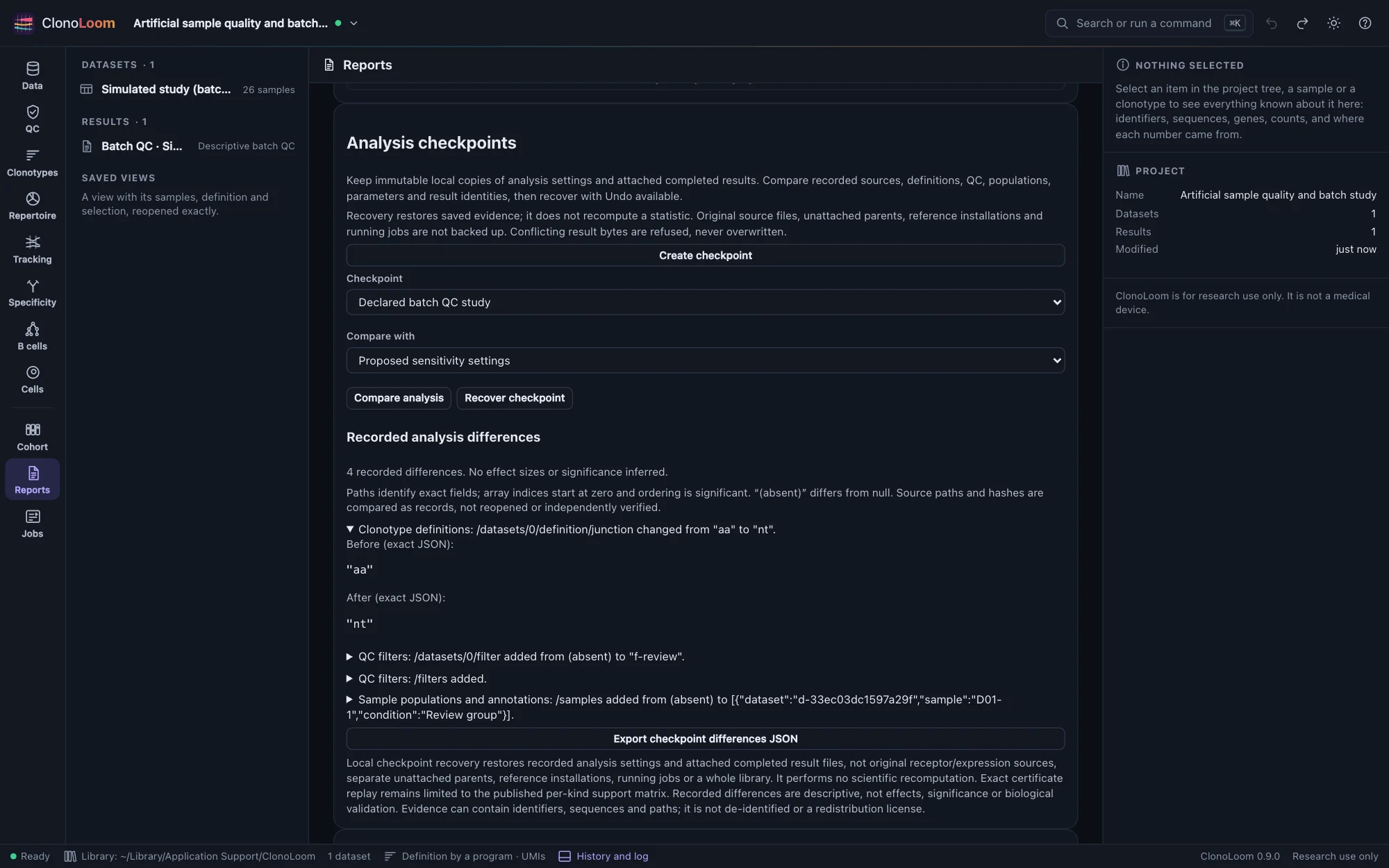
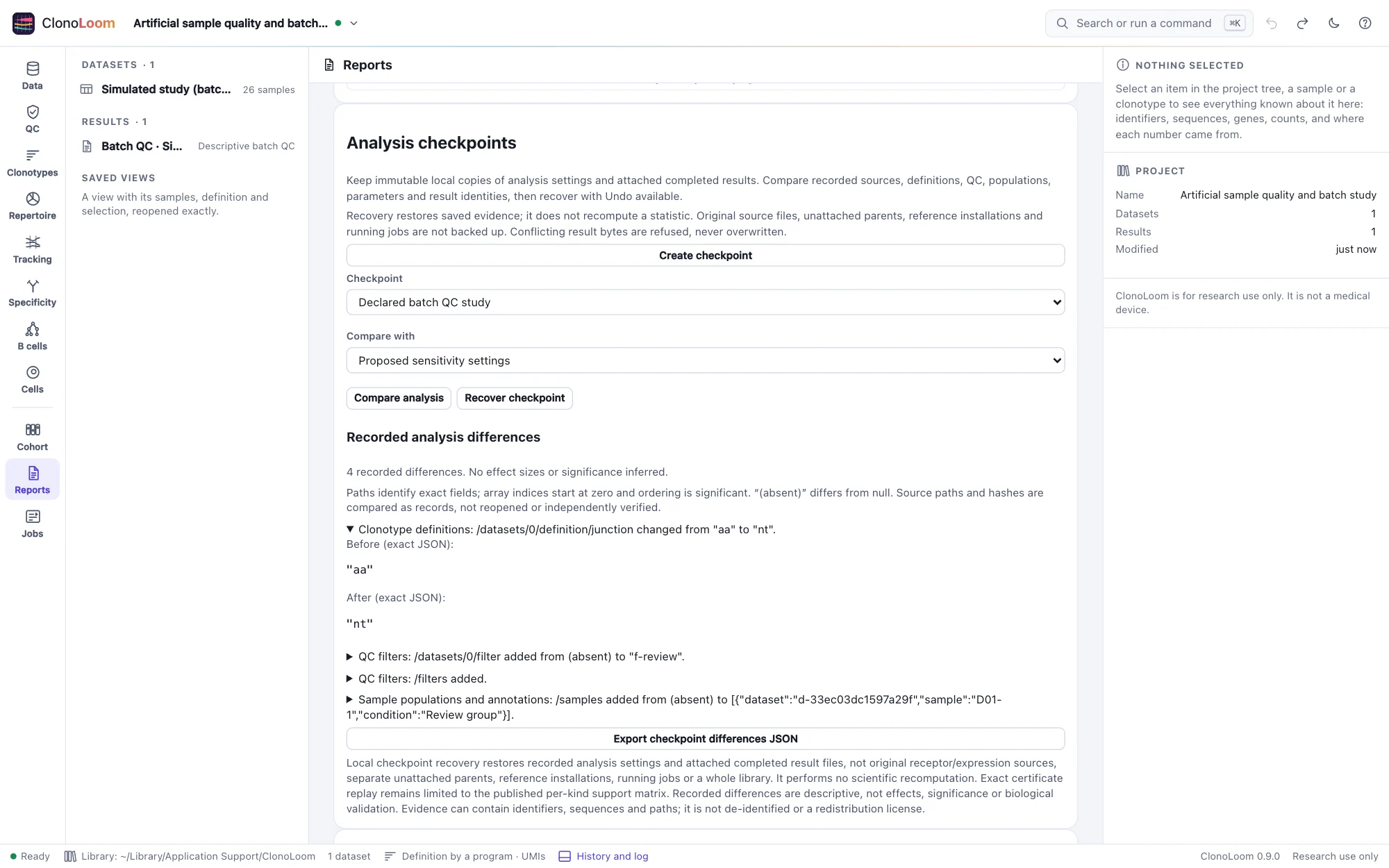
Open Reports → Analysis checkpoints → Create checkpoint and give it a name. ClonoLoom preserves the recorded analysis and every inventoried file of its directly attached completed results in this computer's library. Missing, changed or unsupported evidence refuses the checkpoint, rather than silently omitting a result.
Compare recorded changes
Select a checkpoint and compare it with the current analysis or another checkpoint of the same project. Expand a change to inspect the exact before/after JSON; export the complete difference report to keep it. Changes cover recorded sources, clonotype definitions, QC, sample annotations and populations, cohort designs, parameters and saved result identities.
These descriptions do not estimate biological effects or significance. Array order matters; paths use indices starting at zero, and an absent field differs from null. Original source paths and fingerprints are compared as records without reopening the source files. Unchanged settings do not establish unchanged external data.
Recover saved evidence
Select Recover checkpoint. ClonoLoom verifies its complete inventory and every destination before installing missing results. Conflicting existing bytes are refused without overwrite. The browser restores analysis values in one undoable edit; Undo returns to the previous analysis and Redo reapplies recovery. Pending callbacks from the earlier analysis cannot attach results to the restored one.
The current project name, identity, history and checkpoint references remain; recovery adds a history entry. Original result files and manifests return with exactly their saved bytes. If numeric values could not survive a browser round trip exactly, recovery is refused. Reopening the project retains its checkpoint references.
Know what recovery covers
Original receptor/expression sources, separate unattached parents, installed references, caches and running jobs are outside this local checkpoint. Keep the whole library backed up: project JSON alone does not carry checkpoint evidence. Undoing a checkpoint reference does not delete its immutable files.
Interrupted recovery may leave verified unreferenced results or staging files. A retry is idempotent, but this is not a transactional whole-library backup or a hardware-failure guarantee. Captured identifiers, sequences, provider terms and interpretation limits remain; recovery does not de-identify data or grant redistribution rights.
For supported results, use exact certificate replay after recovery to rerun the existing scientific workers at their captured-input boundary. Storing a result in a checkpoint does not expand replay support. Changing settings does not retroactively change a saved result; compute a new result for the revised analysis.
See the format, API, bounds and recovery reference for the exact storage and comparison contracts.